On this page
Besides being time-sensitive, today’s sales environment is very competitive. potentially, the faster one can ‘plug the leads into the pipeline and move them through the funnel,’ the more successful the company can be in a given quarter. Short and long-term goals require attention to be paid towards ensuring that, when the budget is running low or time is nearly up for a certain quarter, strategies for sealing those valuable deals are in place.
Electronic signatures can be implemented easily and are very effective when it comes to increasing efficiency in a company’s sales process with the help of Salesforce. In this ultimate guide, the reader will learn about the advantages of using the best and ultimate eSignature for Salesforce “Sign Made Easy”.
What is the meaning of eSignature for Salesforce?
eSignature for Salesforce utilizes digital signatures within the Salesforce environment to streamline document signing. It supplanted the conception of paperwork wherever required for signing and managing the documents are also done through this tech. With eSignatures taking hold, corporations could save time for their sales cycles, decrease the number of mistakes, and improve customer satisfaction.
What is Sign Made Easy, an eSigning App for Salesforce?
Sign Made Easy is an eSignature software that is specifically used for simplifying document signing within Salesforce. It can assist businesses in boosting the formulation of pertinent approval procedures, enhancing their relationships with their clients, and making informed and precise decisions on time.
This is how Sign Made Easy works. It makes eSigning as simple as possible and allows it to be done securely from any location. Additionally, organizations could save 86% in document handling costs as well as get approvals 83% faster.
What are the benefits of using eSignature for Salesforce: Sign Made Easy
eSignature for salesforce, Sign Made Easy has several features to make the software very useful to companies; below are the main benefits. It is time to take a closer look at these advantages to see how with the help of the eSignature solution you can change the processes in your business.
Faster Deal Closures
Shorten the signing time for different agreements to ensure that the process of closing deals is done in a shorter period.
It should be noted that the sphere of sales is incredibly tight with time. Manual collection of signatures might be time-consuming and may involve printouts, sending documents through the postal system, and waiting for their signed counterparts to be completed before proceeding further.
Compared to traditional ways of signing legal documents, Sign Made Easy, the digital signature in Salesforce makes the signing process easier, taking a few minutes instead of days. This must be achieved at a very fast rate to allow for new business closures and to maintain the constant feed of business leads in the pipeline.
By getting the pre-signature agreement and signature time closer, the businesses get commitments within the shortest time possible, act promptly to the opportunities in the market, and therefore remain relevant.
Cost Savings
There will be no use of paper and the least handling of documents which will lead to substantial savings.
Aside from the most obvious expense, paper-based processes can become very costly. These returned expenses include paper that is used to design and print forms, stamps, and the cost of storing the forms for distribution. However, when using conventional paper-based records, the time spent on administrative activities involving handling hardcopy documents may also be considerable.
eSignatures for Salesforce provides ways to do away with such costs since it’s an application that facilitates the signing process. This prevents wastage of resources in terms of materials as well as postage and is also space-saving in terms of storage.
Furthermore, since several routine administrative work are eliminated, employees can devote their time to other critical and productive duties, eventually making a positive impact and cutting down on costs.
Error Reduction
Reducing errors that are likely to occur when handling documents manually.
There are always instances where some of the methods or steps get missed like signing a piece of paper, dating it, or even losing files. Such mistakes can have negative consequences such as time wastage, cost incurred, and in some cases, legal action.
These risks are eliminated by the use of eSigning App in Salesforce since all the mandatory fields have to be filled, and there is no way of finalizing a document before filling them.
Checks and validations undertaken in the process mean that completed documents are accurate within the first run.
Eco-Friendly
Promote Sustainability by minimizing the use of papers
One key area that is now focal for organizations today is sustainability. Old-fashioned paper usage is very detrimental to the environment; this is because it causes deforestation, energy consumption as well as wastage.
eSigning App in Salesforce has all the potential to help companies of all niches minimize their impacts on the environment. Digital signatures work in the absence of paper, meaning that this reduces the usage of trees and hence there would be less wastage.
So this movement towards a paperless office does not only address goals related to corporate social responsibility but is also seen as appealing to environment-friendly customers and stakeholders. It is such a simple yet significant way for any business that wants to factor in sustainable environmental practices.
Convenience
Accept signatures anytime, anywhere!
When it comes to software, the modern and dynamic environment of digital interfaces is something to be admired.
The Digital Signature in Salesforce lets clients sign documents electronically without the risk of being hacked while being in any location that has an internet connection.
Using the website on your laptop, tablet, or anything that connects to the internet, it is easy to sign documents whether you are in a coffee shop, at home, or even in an office. Such an approach not only brings efficiency improvement into software development but also enhances value for customers and partners.
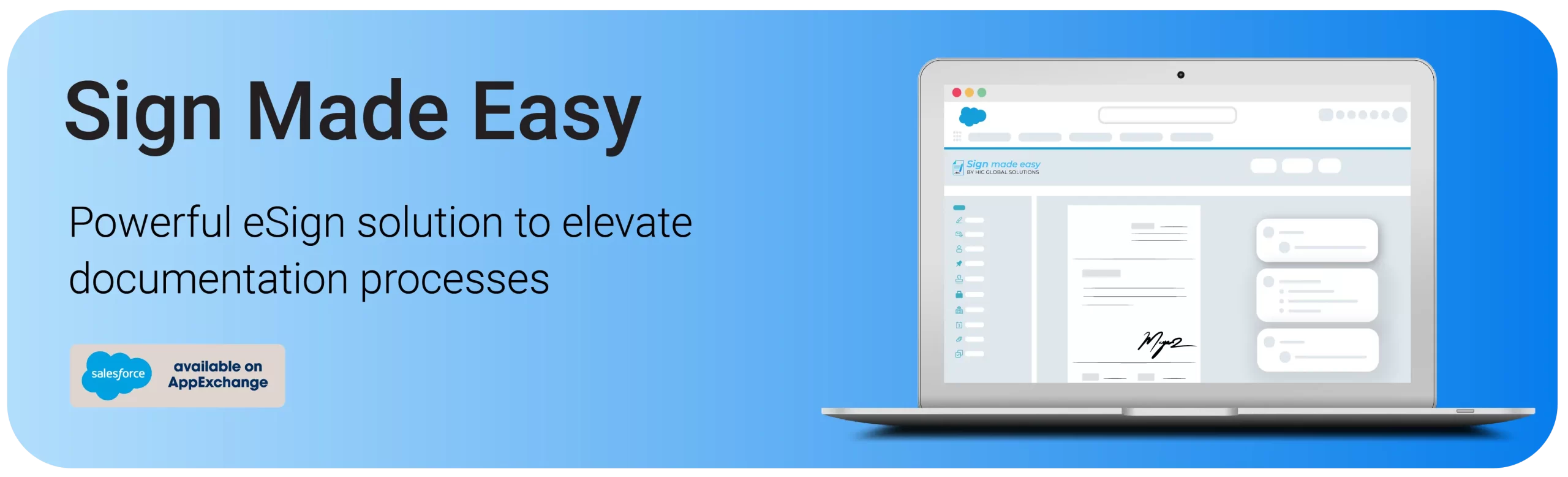
What are the features of eSigning app in Salesforce: Sign Made Easy
Sign Made Easy is crammed with features to be of help in fulfilling the electronic signature in the Salesforce environment.
In-Person Signing Supported
Digital convenience: Not only can signees sign digitally or type in their name even when signing a document face-to-face; with a simple touch of a finger or stylus on your device, you can sign without any piece of paper and be as fast and effortless as possible.
Seamless integration: All you need to do is share the computer screens of your Android device, whether a tablet or a smartphone, to sign in person, no extra hardware or software is required.
Enhanced mobility: Allowing the user to complete a document at their convenience.
Use Case:
In the case of employee recruitment, the HR department can simply pass the tablet to the new employee and the employee can use a stylus to sign documents or upload the sign as well, making the onboarding process as smooth and convenient as possible without having to go through the process of printing or scanning the documents.
Adaptable to All Salesforce Editions
Seamless integration: Compatible with all Salesforce versions, guaranteeing the maximum usability of the eSignature across the different domains.
Updates: Improve the signing process for your company with regular updates.
Flexible configuration: With all that in mind, the basic function of flow should be set in a way to get the maximum value of Salesforce and fully utilize the potential of the investment.
Use Case:
Salesforce assists Sales Managers in their management of customer relations shall be evaluated. So, as to the processes contained in the chosen Salesforce version, the Sign Made Easy is adaptable to all Salesforce version
No Code Installation
Plug-and-play functionality: With eSigning App in Salesforce application, you can have access to this feature without any coding or technical skills whatsoever.
Intuitive setup wizard: This feature provides the users easy installation experience irrespective of their technical abilities as there will be a process to guide them on the way to install the application.
Minimal IT involvement: It lets you perform installations without coding, which will help you free up IT resources while saving your valuable time.
Use Case:
The role of the IT Administrator is to actively introduce new applications into the organization. By the use of this app, it will be easy to implement the eSignature solution within different departments without needing to engage IT support or write much code to facilitate the adoption of the digital signature solution across the organization.
Transaction Management and Audit Management
Complete visibility: Track all the instances starting from the document delivery, and the recipient’s actions, until the actual signing, with additional features of the detailed audit trail.
Tracking capabilities: Document important aspects such as the time of sending documents and the time the recipients signed them to encourage honesty and make it easier to track any incidents.
Use Case:
Using the transaction management and audit management features of Sign Made Easy, sales personnel can forward the contract to be signed to the specific client while copying in the right members across his team for tracking purposes. Then he can monitor the kind of activity that is done on the document, and the kind of things that are done are always documented.
Hierarchical Signing Order
Signers are chosen depending on some pre-identified organizational tiers.
Smooth Signing: Reduces the workflows of signing by assigning the signers through the organizational structure, thus eliminating the need for manual assignment.
Effective Tracking: Effectively tracks and partitions the documents to ensure that they reach the proper people in the correct order.
Real-time Monitoring: Improving responsibility and coordination due to real-time monitoring of the signing order and progress in the selected step.
Use Case:
In a scenario of a sales team, the signing order makes it possible for documents to be dealt with by the team leads first and then by the managers at the end of the line, effectively saving time as well as following the set down-regulation of the organization.
Why Sign Made Easy, eSignature for Salesforce is Suitable for Each Organization?
To ensure that it meets the different requirements, sign-making services have targeted many industries and organizations. Here’s why it’s a perfect fit for any organization:-
Versatile Integration: Complements all copies of Salesforce and its settings without any compatibility issues.
User-Friendly Interface: Simplicity is generally favored: it does not require significant investment to introduce its use across an organization and have its staff utilize it regularly.
Comprehensive Features: Provides one comprehensive tool for signing documents, not only for remote and mobile users but for dealing with the transaction as well.
Scalability: Applicable to almost any industry type, ranging from the individual business or startup to the corporate giant.
Cost-Effective: Persuades directors, managers, and employees to embrace changes by lowering operational costs through the removal of paper and standardization of processes.
Conclusion
eSignature for Salesforce, Sign Made Easy simplifies how customers manage eSignatures in Salesforce, changing the two-phased process into a single-click solution. This manageable and strong app can help to bring effectiveness, decrease costs throughout your business and enable you to end more deals quicker. Its complete array of features, coupled with a clean and intuitive interface, as well as the enablement of easy integrations, consolidates Sign Made Easy as the ultimate solution for eSigning in Salesforce.
No more paperwork, lost documents, and the time wasted searching and recreating them for business: welcome to the future with the Best eSigning app for Salesforce, Sign Made Easy! Download the app today to experience the best digital signature experience.