On this page
In this step-to-step guide, you will learn how to send an email to your customer in just one click using sign parameters. This method makes your eSignature for Salesforce workflow faster and smoother, helping you automate the sending process without extra steps. Whether you’re using Salesforce digital signature or any eSignature integration, these steps help you complete the action instantly and directly from the record page.
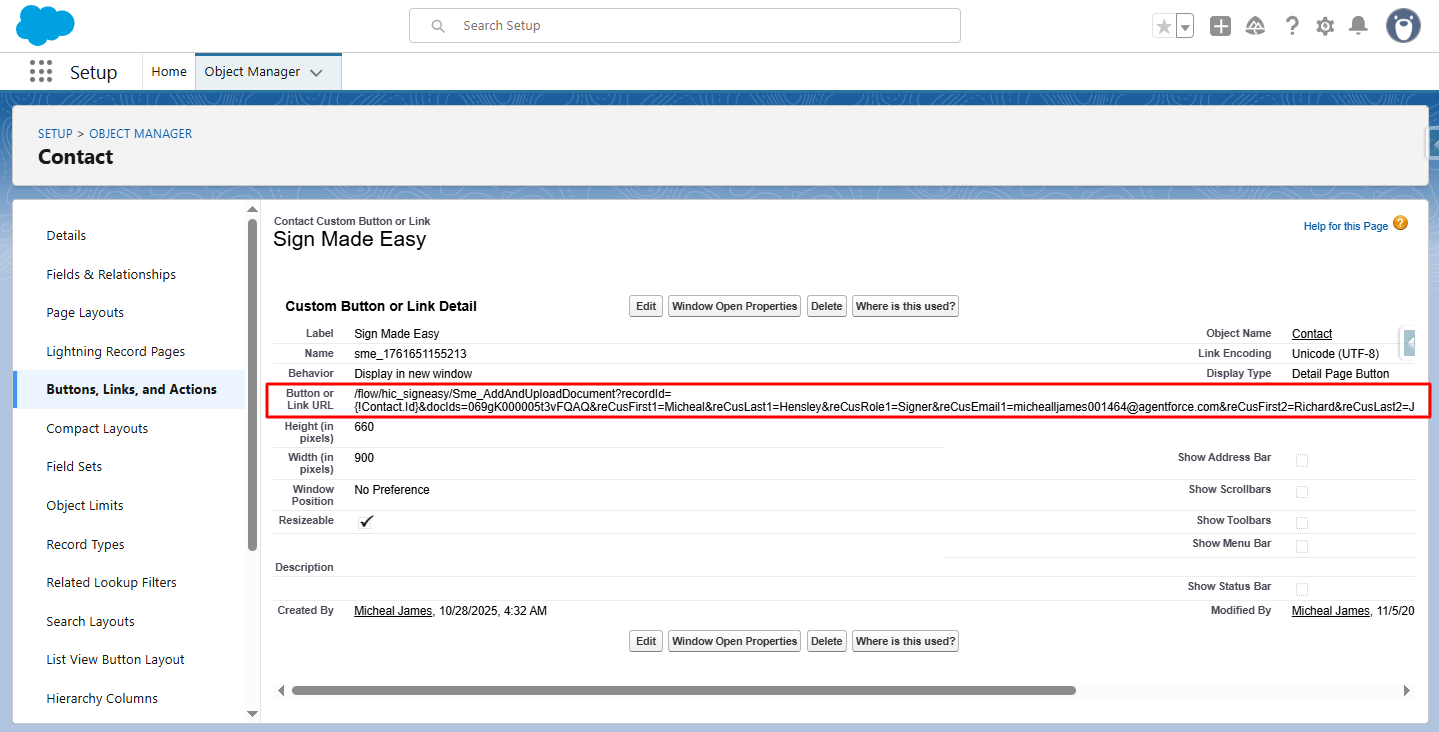
Step 1:- After configuring the SME, navigate to the ‘Buttons, Links, and Actions’ page and select the newly created button to view its details.
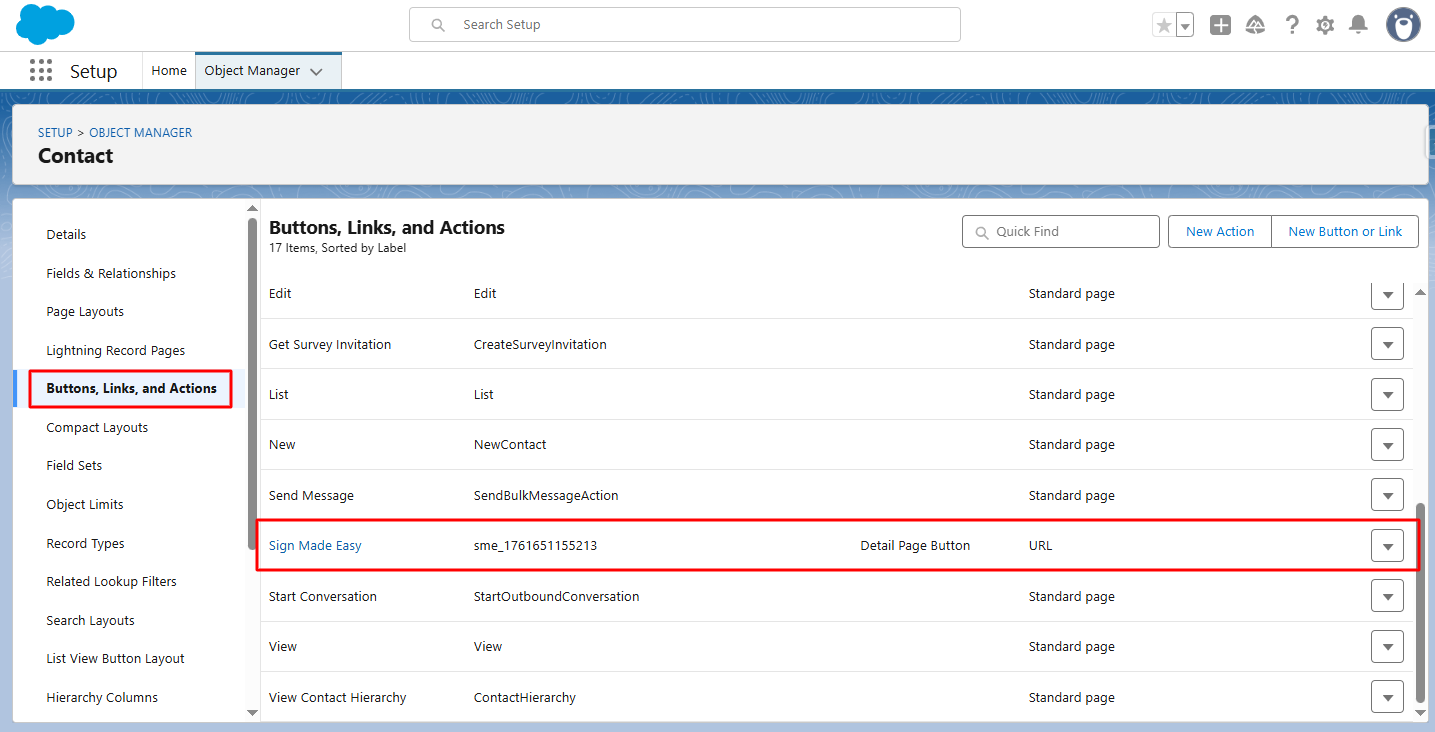
Step 2:- Click Edit.
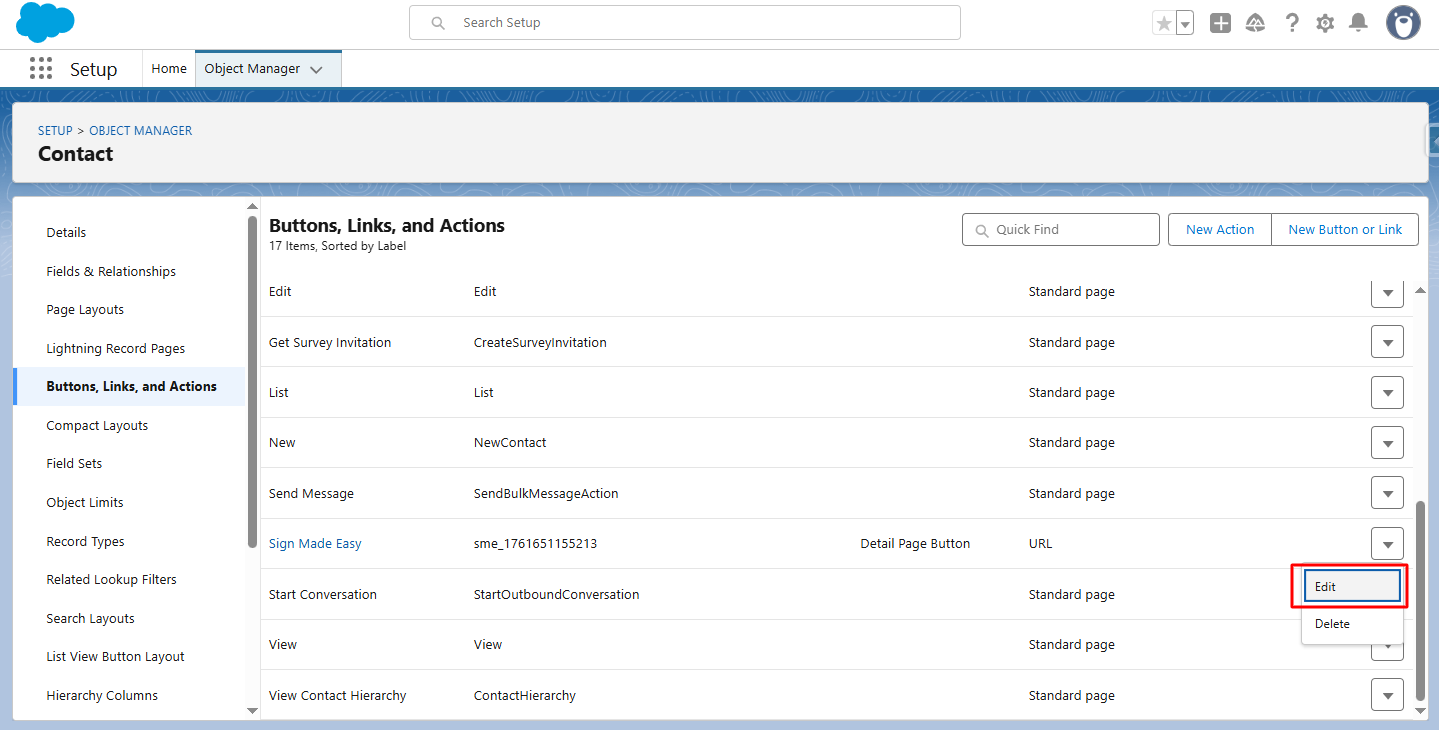
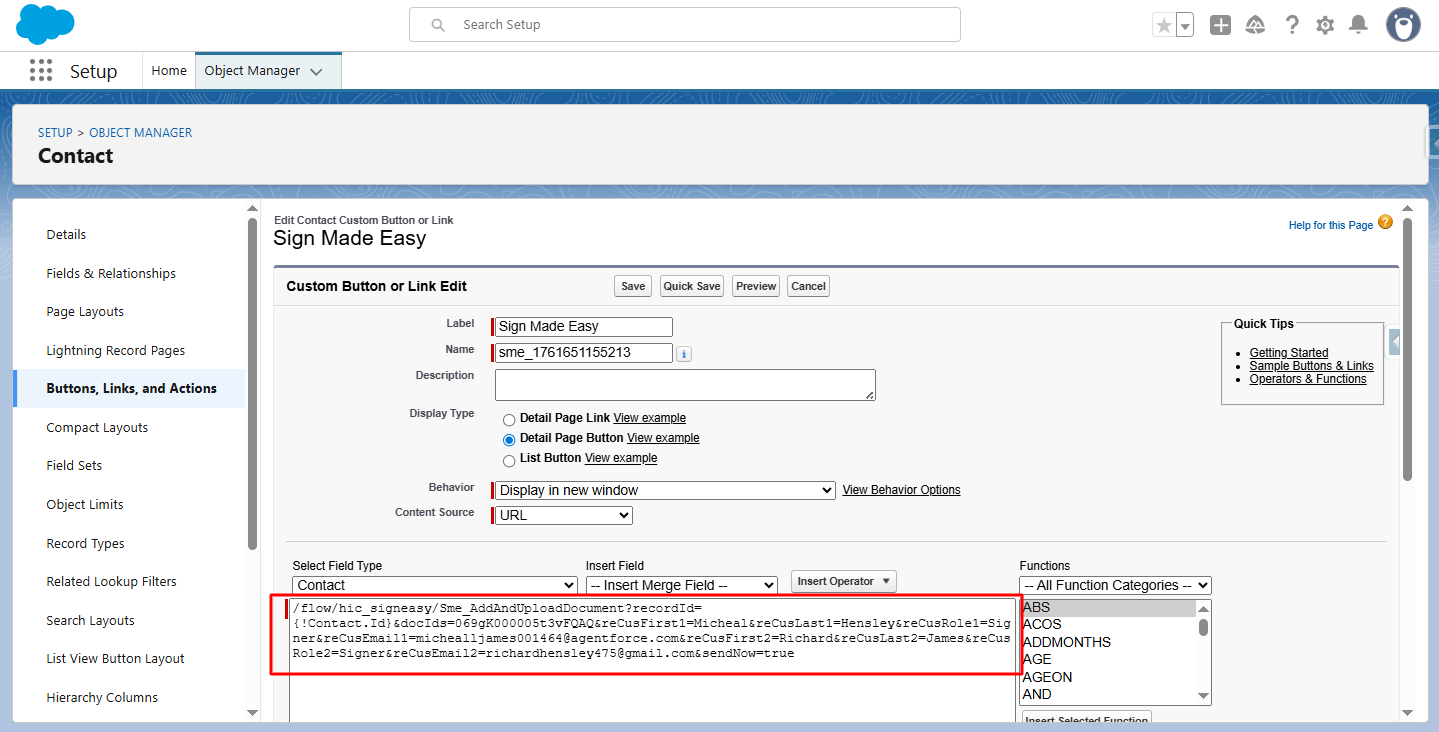
Step 3:- To send an email to the customer in one click using Sign parameters, edit the button link in the Custom Button or Link Editor.
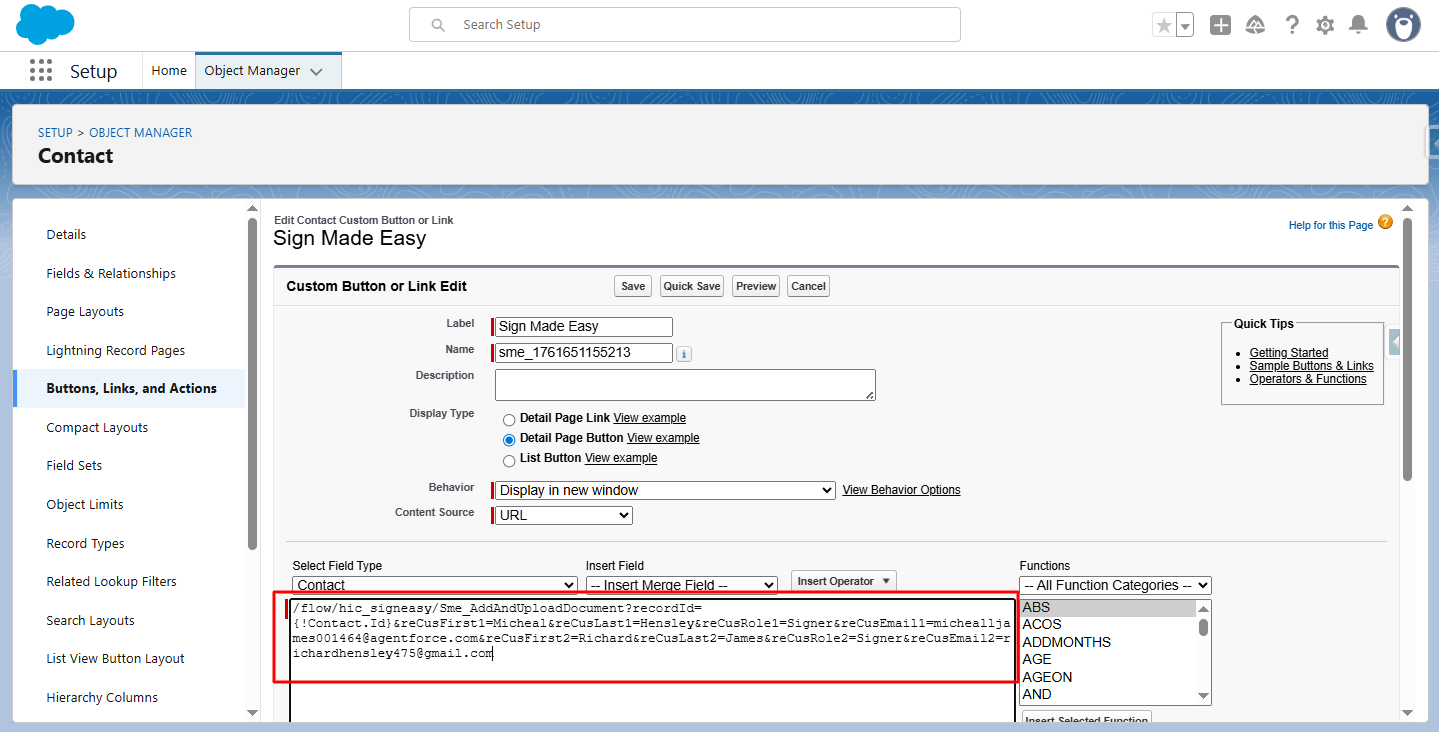
Here, two recipients are already added.
Step 4:- Add document and send Now Parameter
Parameter Name : &docIds Parameter Description: A Document ID that automatically selects a document on the screen.
A comma-separated document ID that automatically selects multiple documents on the screen.
Example: &docIds
Note: Supports a maximum of 3 documents. Documents must be present in the related Notes & Attachments of the record.
Ref: &docIds=069gK000005mtaPQAQ
sendNow
Parameter Name : &sendNow
Parameter Description: Selection of SendNow (true) that your document automatically sends to the email.
Example: &sendNow
Ref: &sendNow=true
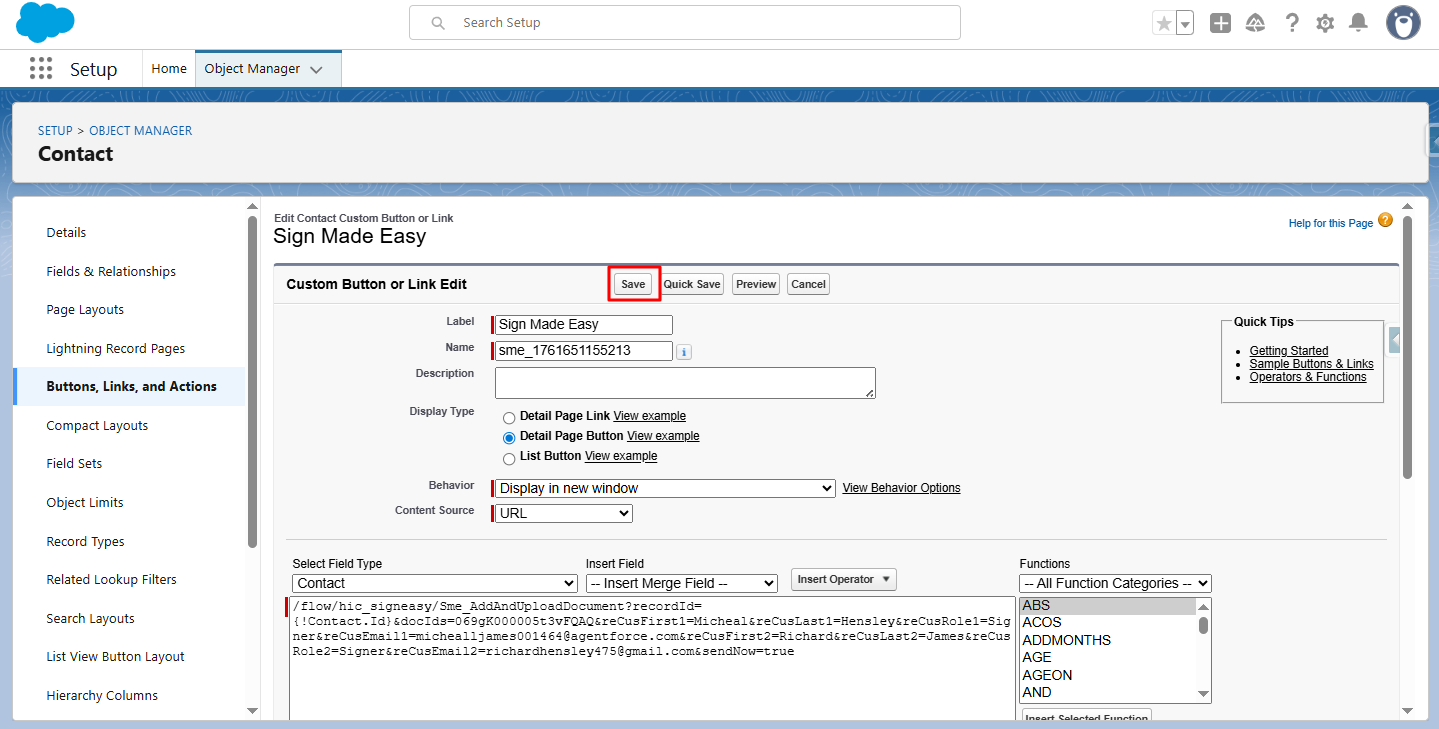
Step 5:- Click Save.
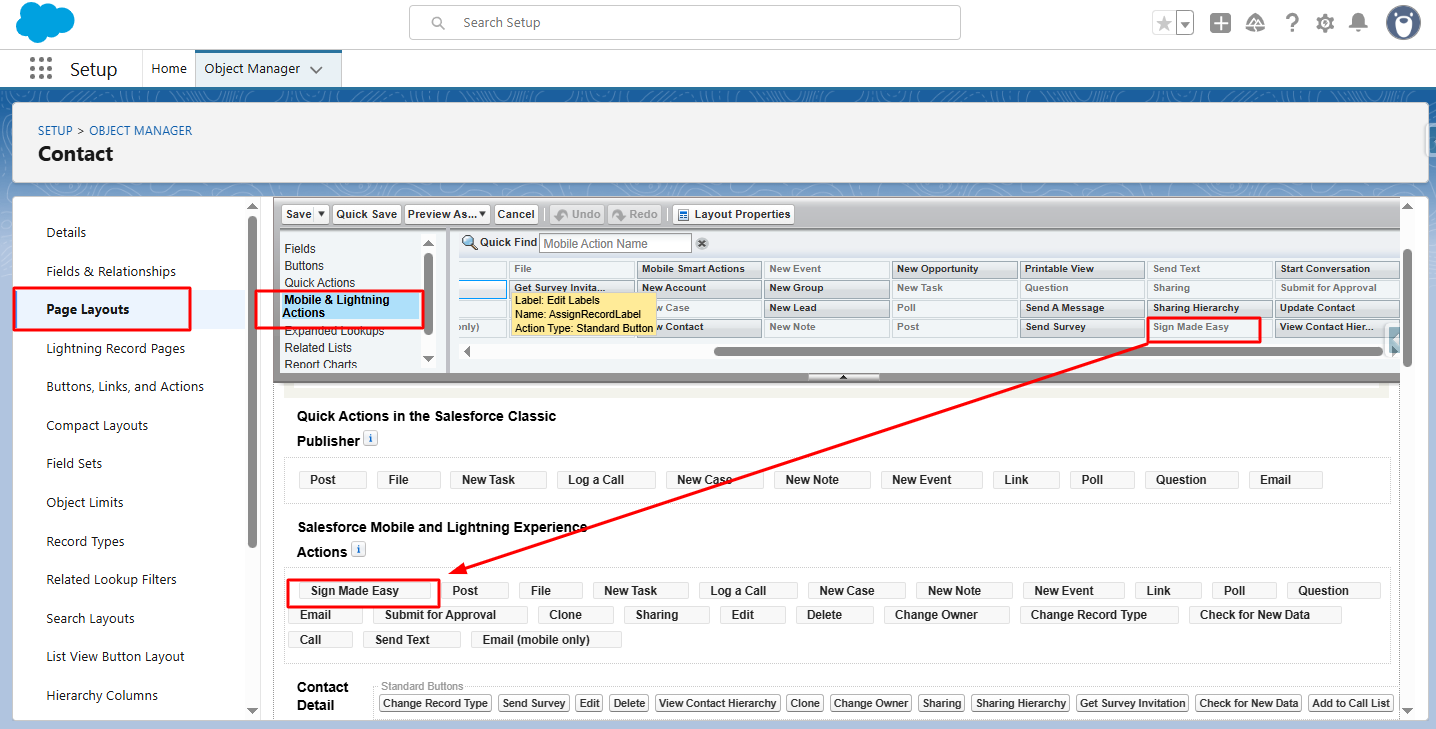
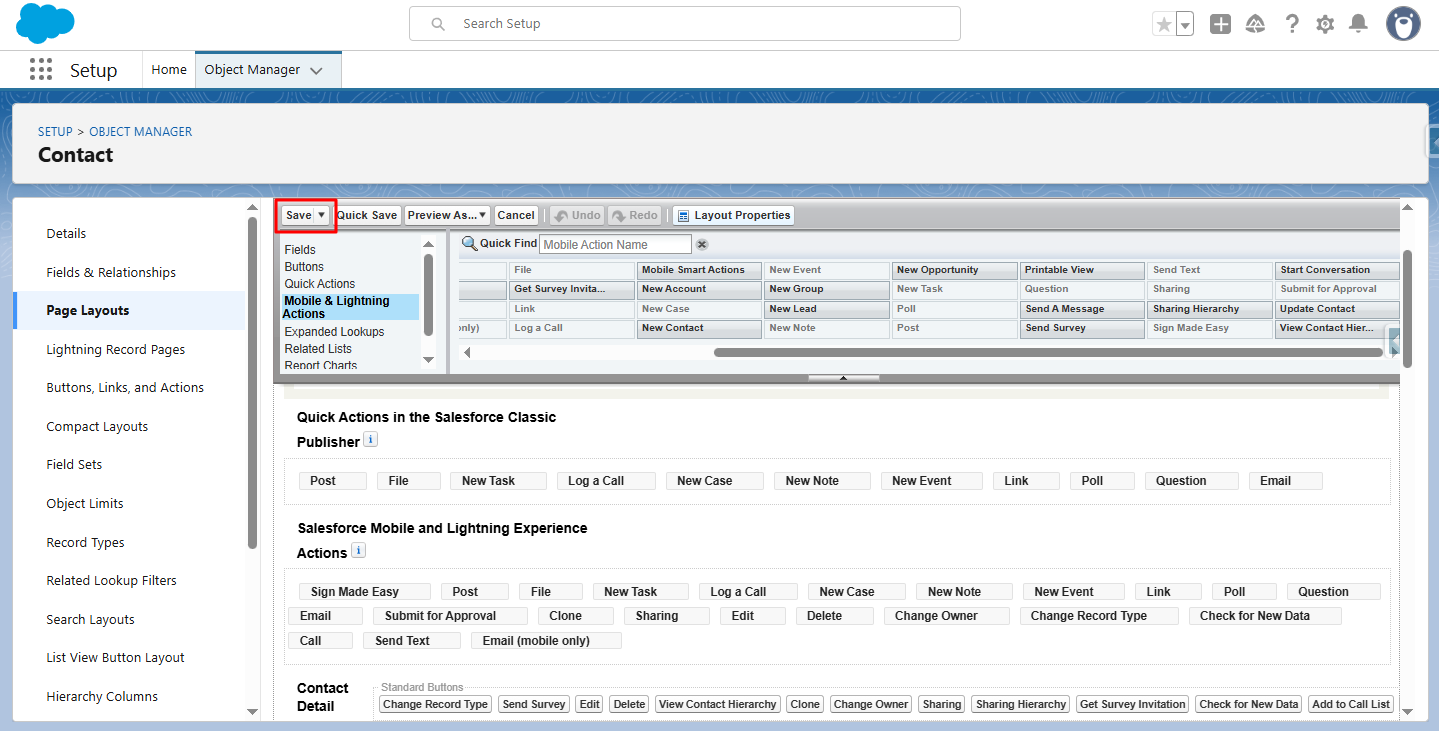
Step 6:- In Page Layout, drag the created button from Mobile & Lightning Actions to the desired section.
Step 7:- Click Save.
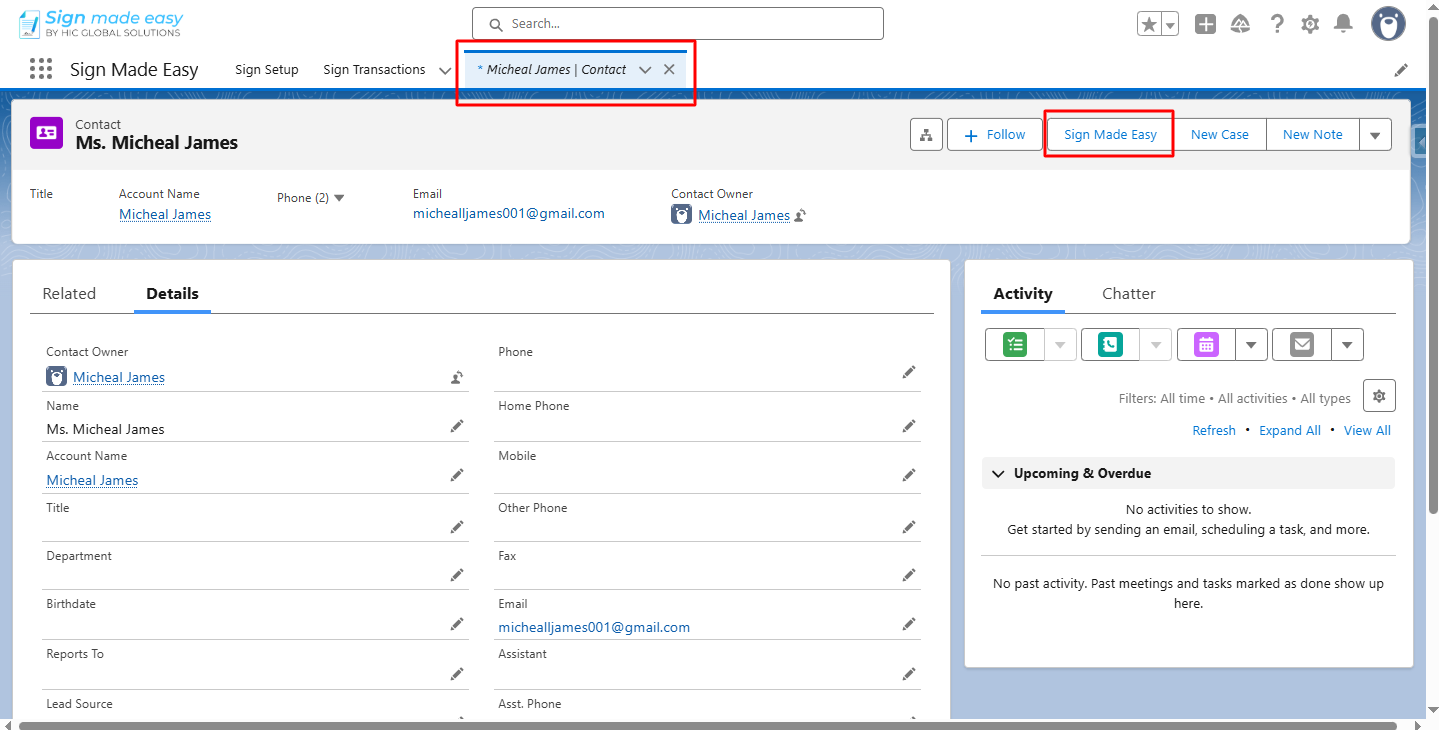
Step 8:- Go to the object’s record detail page and click the button you created.
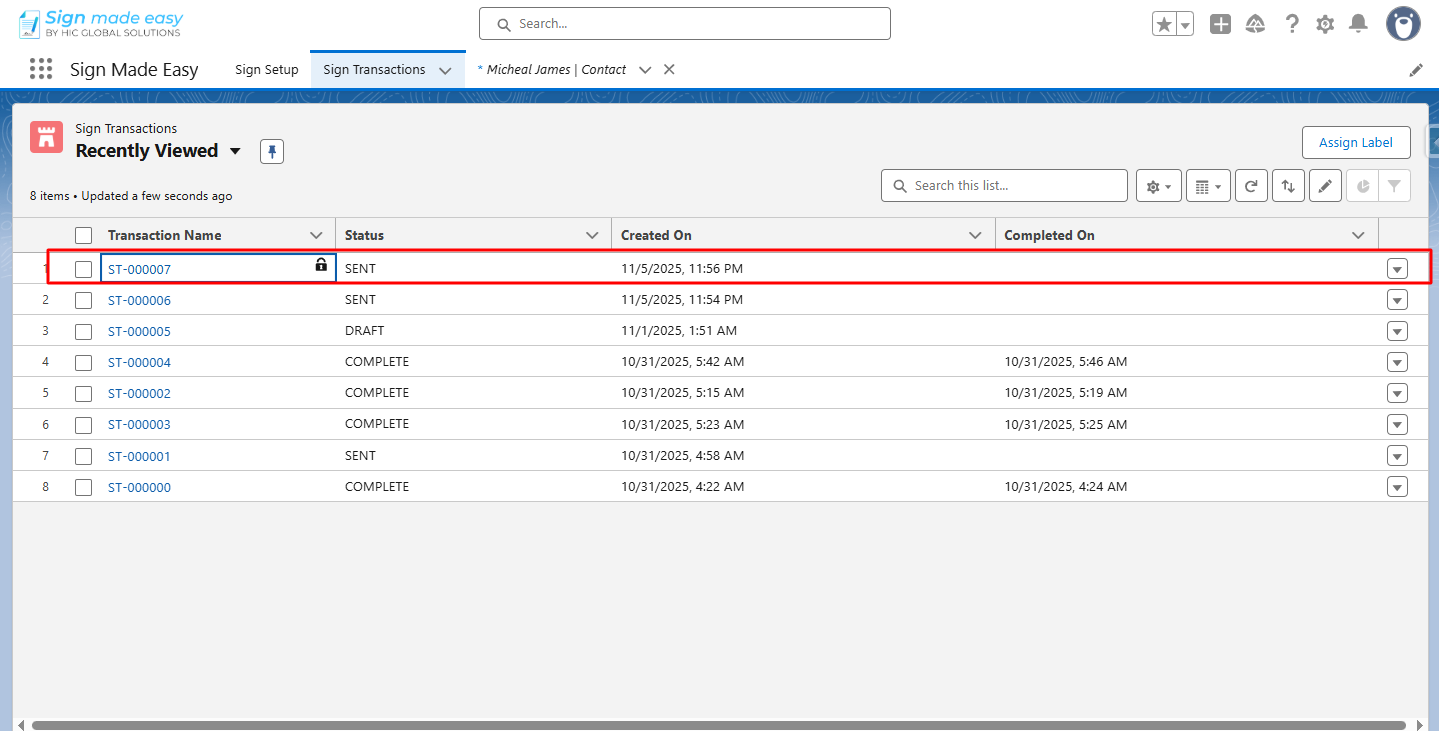
Now, the email is sent to the customer.
Conclusion
With these quick steps, you can send documents using Salesforce eSignature tools in just one click. Using the right sign parameters keeps your process fast, smooth, and automated. This method is especially helpful when working with Salesforce electronic signature features or any eSignature integration that supports immediate document delivery. It not only saves time but also ensures a reliable sending experience for both your team and your customers.