






When businesses think about adopting electronic signature solutions, two questions always come up: Is it secure? and Is it legally valid? The answer is yes e-signatures are just as binding as handwritten ones, and in many cases, even more secure.
The secret behind this trust? The Electronic Signature Audit Trail. It’s like a digital logbook for your eDocuments, recording every action who signed, when they signed, and how they interacted with the document. This makes your eDocuments tamper-proof, verifiable, and fully compliant.
As organizations continue adopting digital agreements and Salesforce esignature workflows, audit trails have become essential for compliance, accountability, and trust. In this blog, we’ll explore how an electronic signature audit trail works, what it tracks, why it matters, and how businesses can use it to strengthen document security.
What Is an Electronic Signature Audit Trail?
An electronic signature audit trail is a detailed digital record that captures every activity associated with a document throughout the signing process. Instead of simply recording that a signature was added, it documents the complete journey of the document from creation to completion.
Think of it as a digital black box for your agreements. Just as a flight recorder captures everything that happens during a flight, an electronic signature audit trail records every important interaction with a document. It tracks the complete journey of a document, from when the first signer opens it to when the final recipient signs it.
For businesses using Salesforce eSignature solutions, this audit record becomes valuable evidence that helps verify authenticity, strengthen compliance, and resolve disputes more efficiently.
What Does an Audit Trail Actually Capture?
Most people assume an audit trail only records signatures. In reality, modern audit trail tracking tools capture much more information throughout the document lifecycle.
| Document Stage | Information Captured | Business Value |
|---|---|---|
| Document Created | Creator details, date, and time | Establishes document origin |
| Document Sent | Recipient information and delivery records | Confirms document delivery |
| Document Viewed | Open timestamps and viewing activity | Tracks recipient engagement |
| Identity Verification | Authentication method used | Verifies signer identity |
| Signature Applied | Exact signing date and time | Creates legal evidence |
| Document Completed | Completion status and final record | Confirms execution |
| Audit Report Generated | Complete activity history | Supports audits and disputes |
This information helps businesses maintain transparency while creating a clear record of every document interaction.
Why Businesses Are Paying More Attention to Audit Trails
Many companies invest in an esignature solution because they want faster approvals and less paperwork. However, speed is only one part of the equation. The real value appears when organizations need proof, accountability, or compliance documentation.
Legal Validity and Evidence
If a contract is challenged, an esignature audit trail helps demonstrate exactly what happened during the signing process. It records who signed, when they signed, and how their identity was verified.
This level of documentation often becomes crucial when agreements are reviewed by legal teams or regulators.
Regulatory Compliance
Industries such as healthcare, banking, insurance, and financial services are subject to strict regulations. Detailed audit records help organizations maintain compliance with frameworks such as ESIGN, UETA, and HIPAA.
Without proper documentation, proving compliance can become significantly more difficult.
Faster Dispute Resolution
When disagreements occur, businesses need facts instead of assumptions.
An esignature audit trail provides:
- Complete document history
- Timestamped activity records
- Identity verification details
- Authentication logs
- Final document integrity records
This makes it easier to resolve disputes without lengthy investigations.
Building Trust in Digital Transactions
As more business processes move online, trust becomes increasingly important.
As Lincoln Chafee once said, “Trust is built with consistency.”
In digital agreements, consistency comes from evidence. Audit trails provide that evidence every time a document moves through the signing process.
The Hidden Risk Most Businesses Never Think About
Many organizations focus on collecting signatures but overlook what happens after the document is signed.
Consider these situations:
- A customer disputes a signed agreement six months later
- A compliance team requests proof of consent
- An employee claims they never approved a policy update
- A regulator asks for a complete document history
- A vendor questions whether contract changes occurred after signing
Without an electronic signature audit trail, finding answers often requires searching through emails, spreadsheets, and internal records.
With modern audit trail tracking tools, the information is already available in a structured and searchable format.
How Audit Trails Work in Real-life Workflow
The easiest way to understand audit trails is by looking at real business workflows.
Healthcare: Protecting Patient Consent and Compliance Records
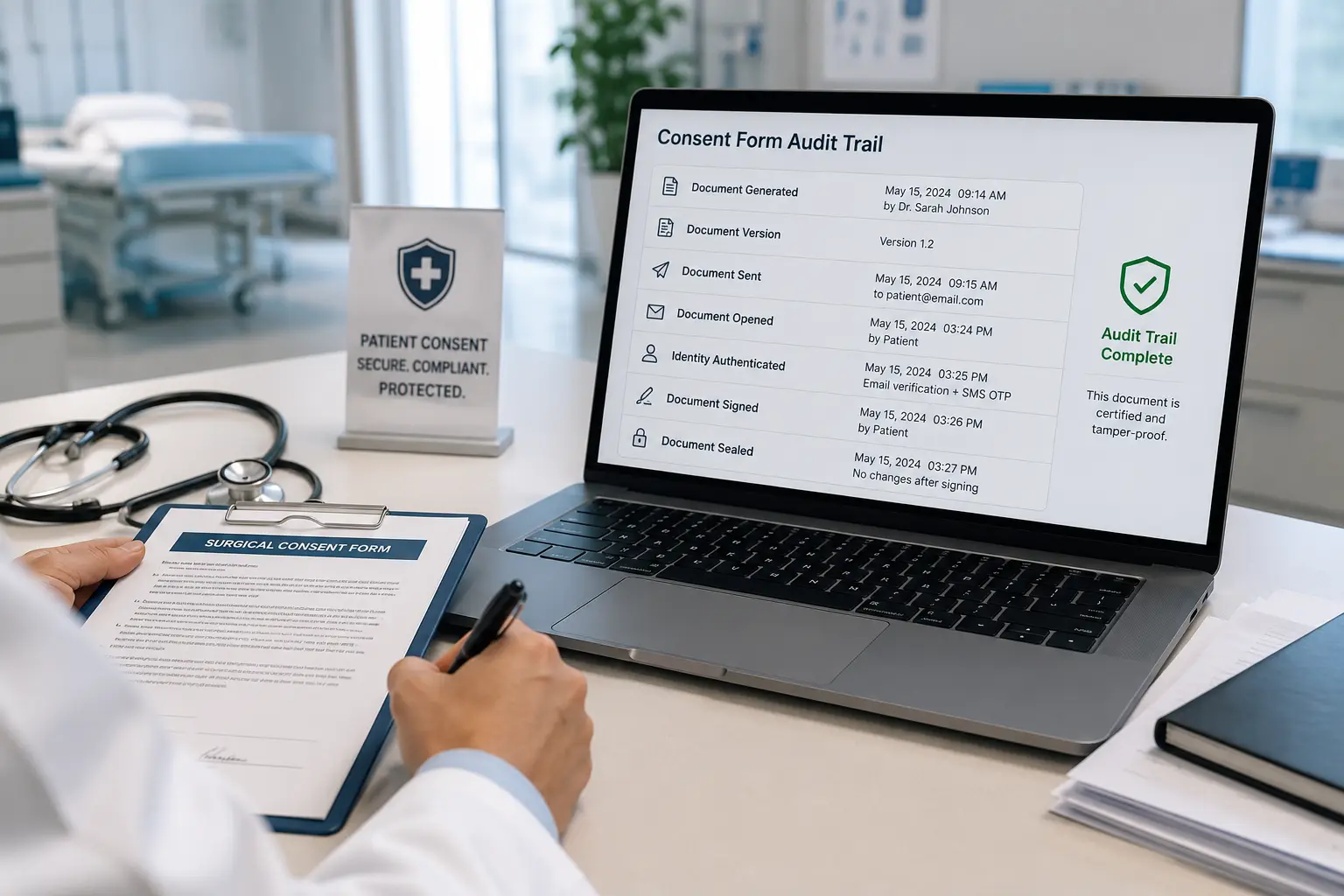
Imagine a hospital sending treatment consent forms before a surgical procedure. A patient reviews the document at home, signs it electronically, and the form is automatically stored in the hospital’s system.
Three months later, the patient disputes whether a specific consent clause was included at the time of signing. Without proper records, the healthcare provider may struggle to prove what version of the document was presented.
An electronic signature audit trail records:
- When the consent form was generated
- Which version of the document was sent
- When the patient opened it
- How the patient authenticated their identity
- The exact signing timestamp
- Confirmation that no changes were made afterward
This creates a defensible record that supports compliance requirements and reduces legal risk.
Financial Services: Verifying Loan and Credit Approvals
Banks process thousands of loan applications, account openings, and financial agreements every month. Many of these transactions occur entirely online without any in-person interaction.
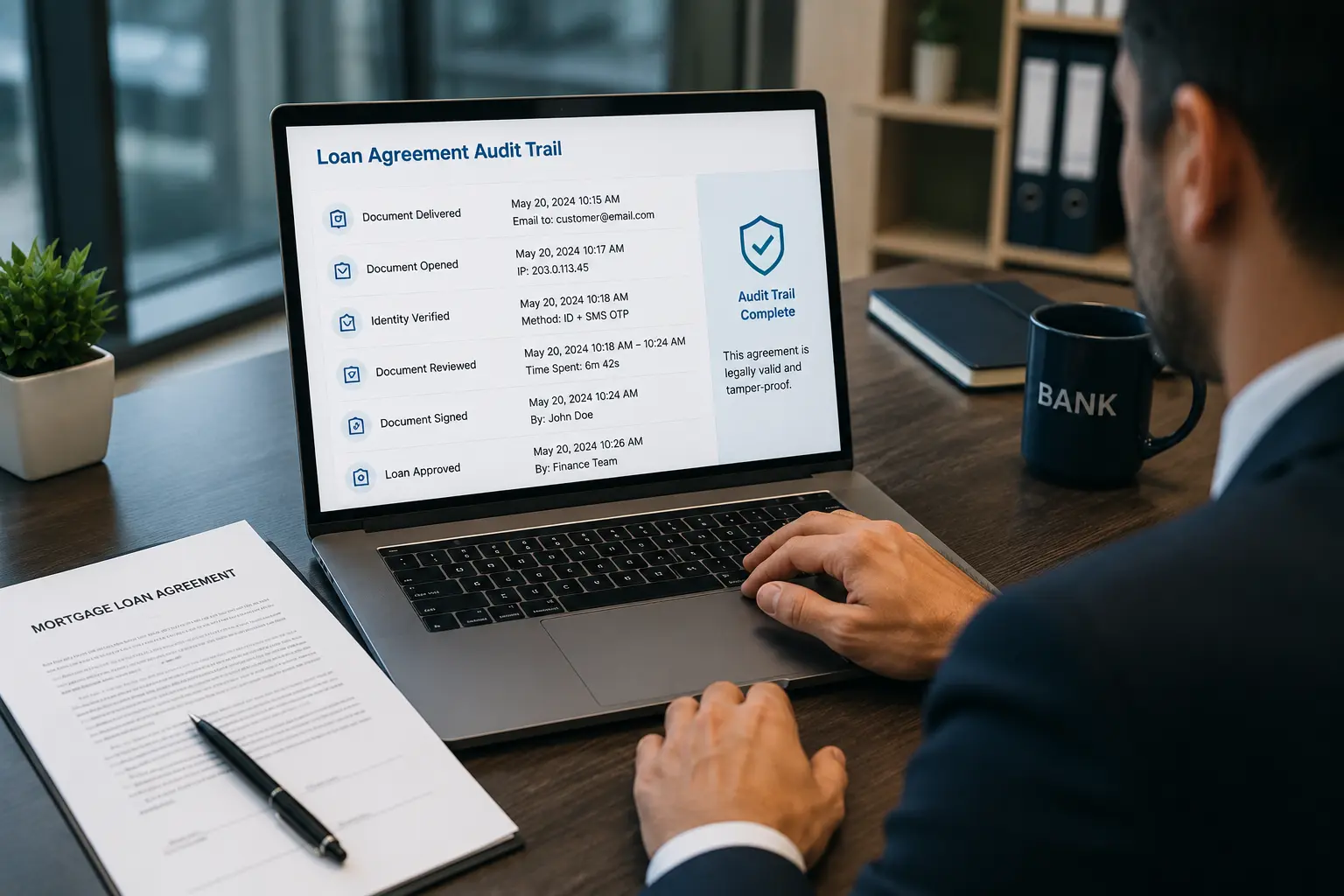
Consider a customer applying for a mortgage. The agreement passes through multiple stages, including document review, approval, identity verification, and final execution.
An esignature audit trail helps financial institutions track:
- When loan documents were delivered
- Whether the customer opened the agreement
- Authentication methods used
- Time spent reviewing documents
- Signature completion details
- Final approval records
During regulatory reviews, these records provide evidence that the customer knowingly reviewed and approved the agreement.
Insurance: Managing Policy Acceptance and Claims Documentation
Insurance providers frequently send policy agreements, beneficiary updates, and claims-related documents for electronic signing.
A common challenge occurs when policyholders claim they never accepted certain policy terms or coverage conditions.
With an electronic signature audit trail, insurers can verify:
- When policy documents were delivered
- Which email address received them
- When the policyholder viewed the documents
- How identity verification occurred
- When signatures were completed
- Whether documents were modified later
This helps reduce disputes and improves operational transparency.

Human Resources: Employee Onboarding and Policy Acceptance
HR teams often send employment contracts, NDA agreements, code-of-conduct acknowledgments, and workplace policy documents through a Salesforce esignature tool.
The challenge is not collecting signatures.
The challenge is proving, sometimes years later, that an employee actually received and accepted specific policies.
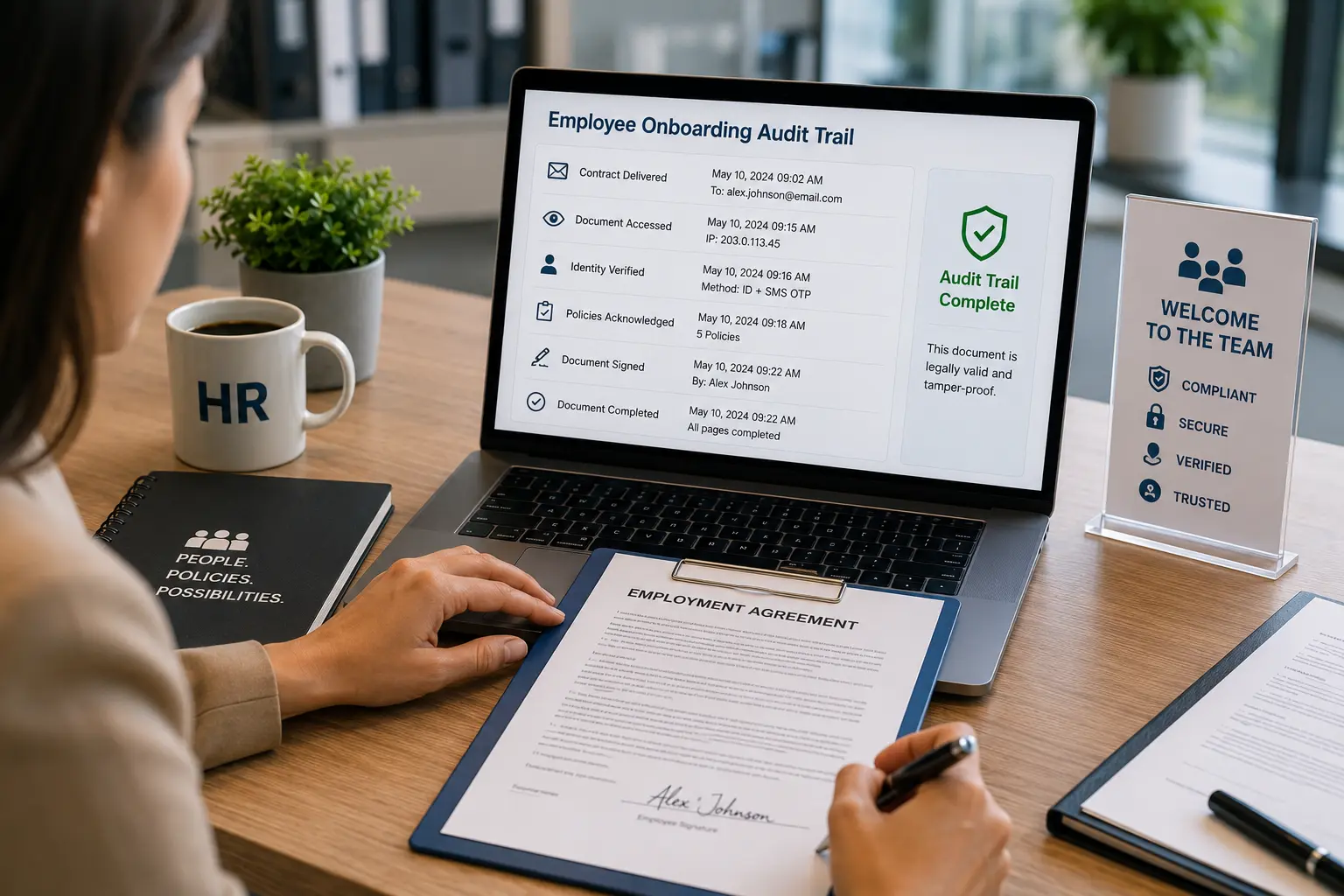
The audit trail captures:
- Contract delivery records
- Employee access history
- Identity verification details
- Acceptance timestamps
- Policy acknowledgment records
- Final document completion status
This becomes particularly important during compliance reviews, employee disputes, or internal investigations.
Sales Teams: Managing Contracts and Revenue Agreements
Sales teams often focus on closing deals quickly, but documentation becomes equally important after the contract is signed.
For example, a customer may later question pricing terms, discount approvals, or renewal conditions included in a contract.
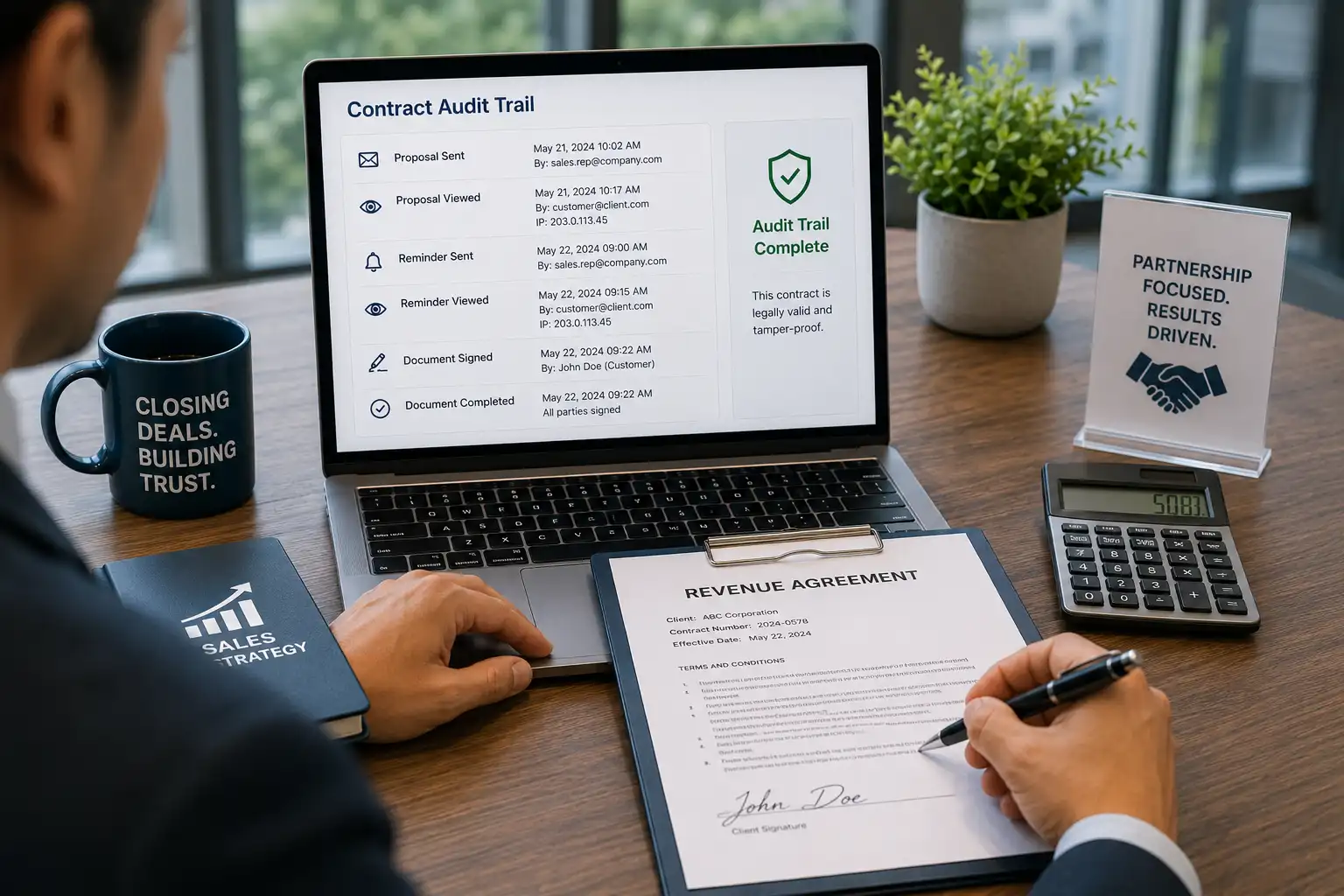
A Salesforce esignature workflow provides visibility into:
- When the proposal was sent
- When the customer viewed it
- Whether reminders were delivered
- Who signed the agreement
- When signatures were completed
- Final contract execution records
This reduces uncertainty and creates a stronger audit trail for revenue-related agreements.
Key Elements of an Effective eSignature Audit Trail
Detailed Identity Verification
A strong audit trail should clearly record who signed the document and how their identity was verified. This helps businesses prove that the right person completed the signing process and reduces the risk of unauthorized access.
Accurate Time Stamps
Every action, from sending the document to completing the signature, should be recorded with exact dates and times. This creates a clear timeline that can be reviewed during audits, compliance checks, or disputes.
Complete Document History
An audit trail should capture the full journey of a document, not just the final signature. Having a complete record helps organizations understand what happened at every stage of the process.
Tamper Detection and Document Integrity
Once a document is signed, it should remain unchanged. A reliable audit trail helps verify that no modifications were made after signing, protecting the authenticity of the agreement.
Easy Reporting and Accessibility
Audit records should be easy to access whenever needed. Whether it’s a compliance review, customer inquiry, or legal request, teams should be able to generate audit reports quickly without searching through multiple systems.
Which is the Best eSignature Tool for Secure and Compliant Document Signing?
Choosing an eSignature platform is no longer just about collecting signatures. Businesses today need visibility, compliance, security, and complete document tracking throughout the signing process.
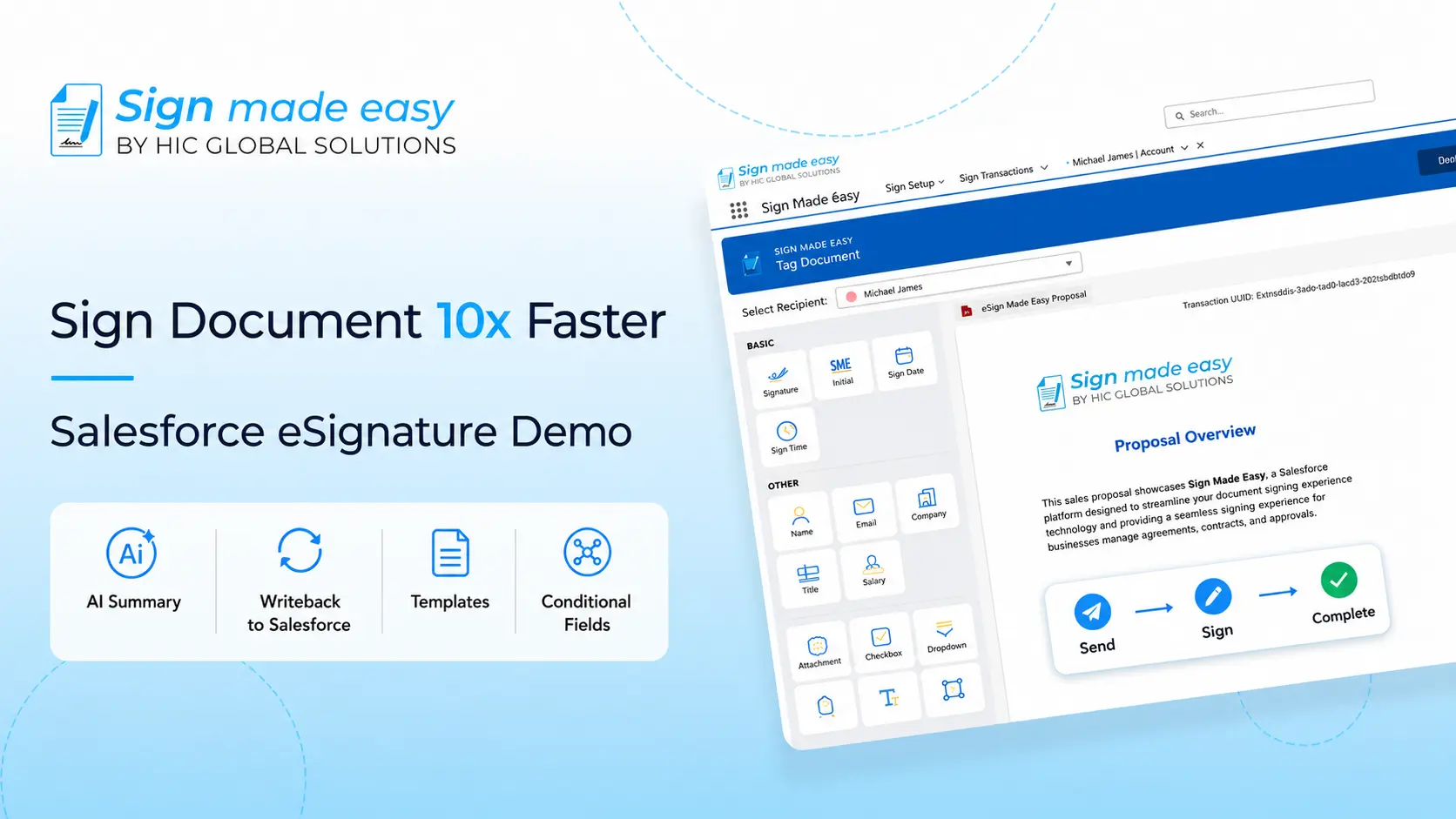
This is where Sign Made Easy stands out. Built for Salesforce users, it helps organizations simplify document signing while maintaining complete control over every stage of the process. From sending agreements to tracking signer activity, everything can be managed directly within Salesforce.
Some key capabilities include:
- Complete electronic signature audit trail for every document
- AI-powered document summarization for faster reviews
- Seamless Salesforce eSignature integration
- Real-time document status tracking
- Automated reminders and notifications
- Secure signer authentication and verification
- Centralized document management inside Salesforce
- Easy generation of audit-ready reports
These features help businesses improve compliance, reduce manual follow-ups, and create a more transparent signing experience for both employees and customers.
To get complete information about Sign Made Easy, how it works, and Salesforce integration, watch this demo video.
Conclusion
The electronic signature audit trail is far more than a compliance feature. It is the foundation of trust, accountability, and transparency in modern digital agreements.
Whether you’re managing customer contracts, employee documents, healthcare records, or financial agreements, having a complete history of document activity helps protect your business while improving confidence in every transaction.
For organizations using Salesforce esignature processes, investing in the right esignature solution means looking beyond signatures themselves. With comprehensive audit capabilities, Sign Made Easy helps businesses create secure, compliant, and verifiable document workflows that stand up to audits, disputes, and regulatory requirements long after a document is signed.