








Choosing an eSignature solution is not just about sending a document and collecting a signature. For enterprises, the real question is how easily teams can send agreements, manage recipients, track signing progress, and complete transactions.
DocuSign, PandaDoc, and Sign Made Easy are established names in electronic signing, but they approach the process differently. Sign Made Easy takes a more Salesforce-focused route, making the comparison especially relevant for businesses that already use Salesforce.
In this blog, we will compare all three platforms, look at their pricing, signing features, and limitations, and see which eSignature solution makes more sense for enterprise teams.
Sign Made Easy vs DocuSign vs PandaDoc: A Quick Comparison
Before getting into the details, here is a quick look at how the three platforms compare. The table focuses on Salesforce compatibility, signing transactions, and starting prices for their Salesforce offerings.
| Features | Sign Made Easy | DocuSign | PandaDoc |
|---|---|---|---|
| Pricing (Starting Price) | Free / $9.99 per user/month (Pro, billed yearly) | $30 per user/month | $49 per user/month + paid Salesforce connector |
| AI-Enabled Document Summary | ✓ | ✓ | ✓ |
| Unlimited Transactions | ✓ | ✕ | ✕ |
| Salesforce Data Update / Writeback | ✓ | ✓ | ✓ |
| Custom Salesforce Objects | ✓ | ✓ | ✓ |
| Tamper-Evident Audit Trail | ✓ | ✓ | ✓ |
| Bulk Signing | ✓ | ✓ | ✓ |
| Sequential & Parallel Signing | ✓ | ✓ | ✓ |
| Automated Signing Reminders | ✓ | ✓ | ✓ |
| Template Matching | ✓ | ✓ | ✓ |
| Built-in App Support | ✓ | ✕ | ✕ |
| Continuous App Maintenance & Monitoring | ✓ | ✕ | ✕ |
The main difference is how each platform handles the signing process. DocuSign supports a broad range of signing requirements, PandaDoc combines document creation with eSignatures, and Sign Made Easy is designed around Salesforce-based signing workflows.
When comparing the best eSignature software for an enterprise, it is worth looking beyond the starting price. Transaction limits, signer authentication, automation, and how completed agreements are recorded can all affect everyday work.
Detailed Comparison of Sign Made Easy, DocuSign, and PandaDoc
Each platform has its own strengths, and the right choice depends on how your business sends agreements, collects signatures, and tracks transaction status. Here is a closer look at what each one offers.
1. Sign Made Easy
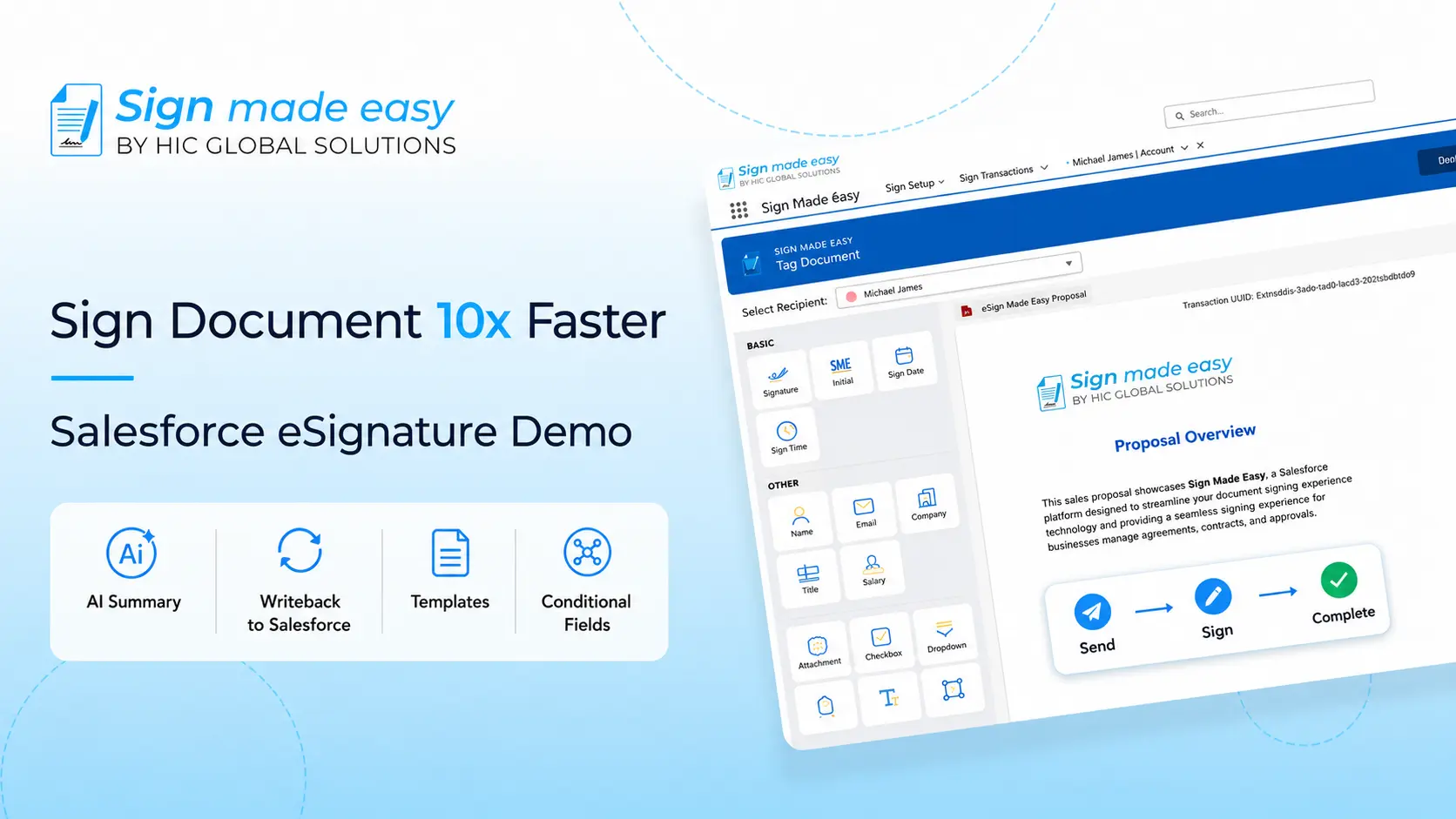
Sign Made Easy is built directly inside Salesforce, allowing users to send documents for signing and manage the entire signing process without moving between separate platforms. This makes it a practical eSignature solution for businesses that want signing activity connected to their Salesforce records.
Its free edition is available through AgentExchange, while the Pro plan costs $9.99 per user/month when billed yearly. For businesses exploring a PandaDoc alternative or DocuSign alternative within Salesforce, it offers a more focused signing experience.
Strengths
- Salesforce-native signing: Users can send documents, manage recipients, and track signing activity directly within Salesforce.
- Flexible signing workflows: Supports sequential and parallel signing, multiple recipients, remote signing, and in-person signing.
- Transaction tracking: Teams can monitor sent, completed, declined, cancelled, and authentication-failed transactions through the Sign Dashboard.
- AI-powered document summaries: Helps users quickly understand lengthy documents by generating summaries of important information, reducing the need to read through every page manually.
- Docs Made Easy integration: Works alongside Docs Made Easy to support document generation and automation, allowing businesses to create documents using Salesforce data and move them into the signing process more efficiently.
Things to consider
- It is primarily designed for Salesforce users, so businesses working across several CRMs may need a different platform.
- Teams looking for a complete contract lifecycle management suite may need additional tools for contract negotiation and repository management.
2. DocuSign
DocuSign is a widely used electronic signature software platform with a strong presence across industries and business sizes. It works well for organizations that need to collect signatures across different applications, departments, and external stakeholders.
Its Salesforce AgentExchange offering starts at $30 per user/month.
Strengths
- Broad integrations: Connects with a large range of business applications, making it suitable for teams working outside Salesforce.
- Enterprise adoption: Its established presence and familiarity can make it easier to introduce across departments and external partners.
- Advanced signing options: Supports templates, authentication, signing order, bulk sending, and payment collection, depending on the plan.
- Signing records: Offers audit trails and transaction tracking, helping teams check the status and history of agreements.
Things to consider
- Pricing can increase with team size: Per-user subscriptions can become expensive when many employees need to send documents.
- Envelope limits: Standard and Business Pro plans have sending allowances, so organizations with high signing volumes need to monitor usage.
- Salesforce experience: Although a Salesforce integration is available, the product is not built directly inside Salesforce in the same way as a Salesforce-native app.
For enterprises comparing a DocuSign alternative, the key consideration is whether they need a platform that works across several business applications or one that keeps signing activities closer to Salesforce.
3. PandaDoc
PandaDoc combines document creation, collaboration, and eSignatures in one platform. It is particularly useful for sales teams that prepare proposals, share them with prospects, track engagement, and collect signatures through the same platform.
The Salesforce offering starts at $49 per user/month, with the Salesforce connector available as a separately purchased add-on.
Strengths
- Flexible signing experience: Teams can prepare agreements, share them with recipients, and collect electronic signatures through one platform.
- Sales-focused workflows: Combines document sharing, collaboration, tracking, and signing in one environment.
- Templates and branding: Reusable templates, content libraries, and custom branding help maintain consistency across sales agreements.
- Recipient activity tracking: Real-time notifications and document analytics help teams understand how recipients interact with shared documents.
Things to consider
- Additional Salesforce cost: The Salesforce connector is a paid add-on, so the overall cost can be higher than the base subscription.
- Plan restrictions: The Salesforce integration is available on Business Annual and Enterprise Annual plans, rather than every subscription.
- Salesforce API requirements: Two-way sync requires Salesforce Enterprise edition or Professional edition with API access. Without the required access, documents can still be created from Salesforce, but updates will not sync.
- A broader platform: Businesses that only need a focused signing process may find the wider document creation and sales workflow platform more than they require.
For teams considering a PandaDoc alternative, the decision often comes down to whether they need its wider sales document capabilities or mainly want to send, sign, and track agreements.
Which Is the Best Solution for Salesforce Enterprises?
For businesses that already use Salesforce as their central system, Sign Made Easy is a strong option to consider. It keeps the signing process close to customer and business records, rather than making employees manage another disconnected workflow.
Its Salesforce-native setup, transaction tracking, automated reminders, multi-signer support, and data writeback can help teams manage everyday agreements with less manual work. These capabilities also support e-signature workflow automation by reducing the need to follow up on each transaction manually.
There is also a difference in the pricing approach. The free edition gives teams a starting point, while the Pro plan is available at $9.99 per user/month when billed yearly. For organizations comparing a Salesforce digital signature option, this can make budgeting easier, particularly when many employees need access.
This makes Sign Made Easy worth considering for companies looking for an eSignature solution that works within their existing Salesforce environment. It may not replace every contract management tool, but it covers many everyday signing requirements without requiring a separate signing platform.
Conclusion
The right platform depends on what your business needs from its signing process. DocuSign is a familiar choice for organizations with broad integration requirements, while PandaDoc suits teams that want document creation and sales collaboration alongside signing. Both have their place, but their Salesforce pricing and integration conditions are worth reviewing before making a decision.
For businesses that want a more direct Salesforce experience, Sign Made Easy offers a practical alternative. Its native setup, signing automation, and transaction tracking make it a useful choice for everyday enterprise workflows. If you are looking for an eSignature solution that keeps signing activity connected to Salesforce, you can install Sign Made Easy from Salesforce AgentExchange and explore its free edition.
Boosted deal closure time by 78% & signature turnaround by 81% with real-time eSign