



Sending a form-field compatible PDF using eSignature for Salesforce is simple when you have the right integration in place. By preparing your PDF with form fields, the signing process becomes faster, cleaner, and more accurate.
Whether your team relies on Salesforce digital signature tools or needs a secure Salesforce eSignature workflow, this method ensures every field is captured correctly and the signer has a seamless experience.
Therefore, this guide will dig deep into the steps of sending a Form Field compatible PDF for eSign using Sign Made Easy.
How to Send a Form-Field Compatible PDF for eSignature in Salesforce?
Here are the steps you need to follow to complete the process of eSigning with the Form Field compatible feature.
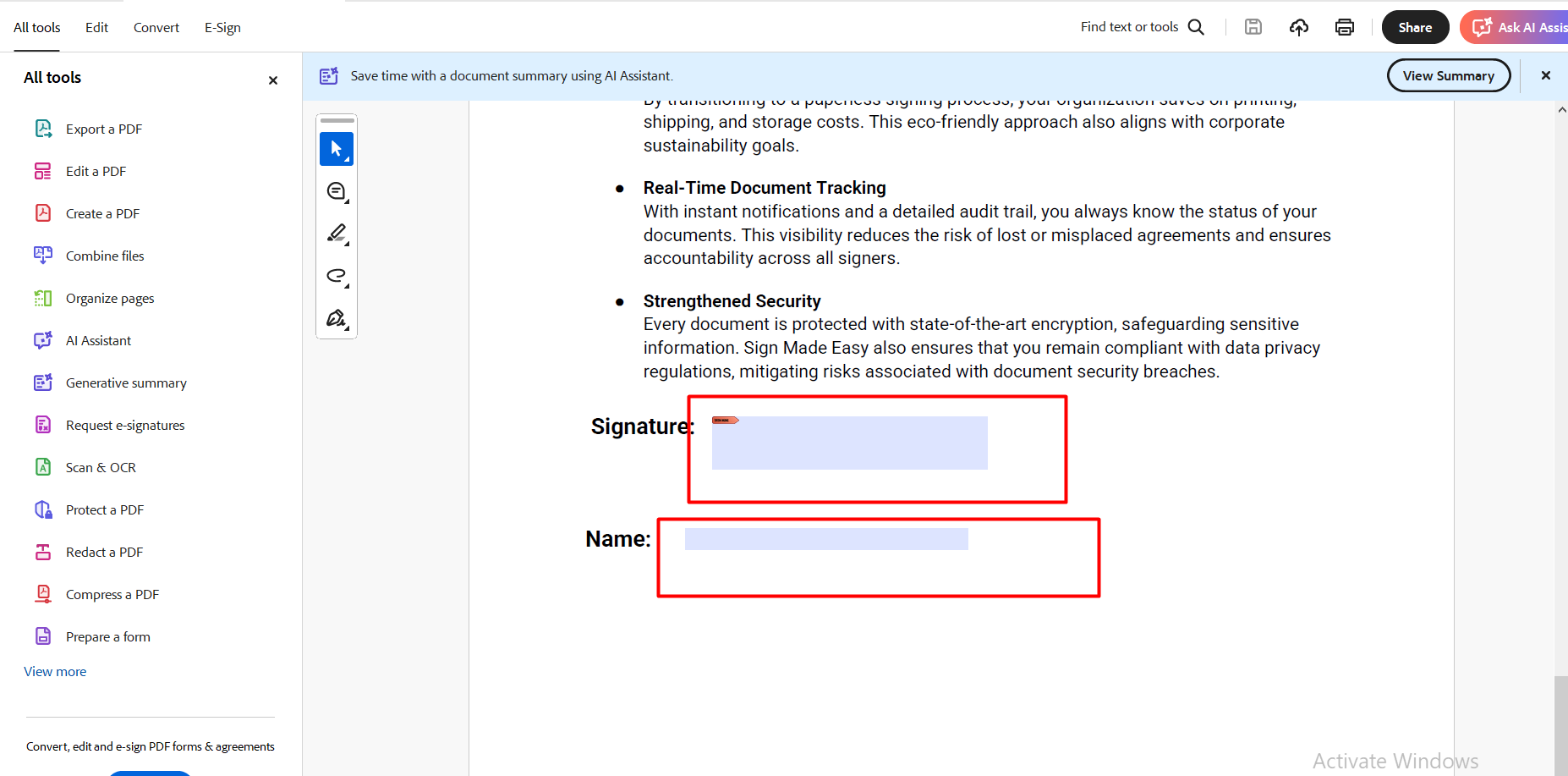
Step 1:- Embed the form field into the PDF document.
Note:- A form field in a PDF is a space that allows users to input information directly into the document.
Note: In case the SME Button is not yet configured, navigate to the Button Configuration section of the Sign Setup page and create it prior to proceeding.
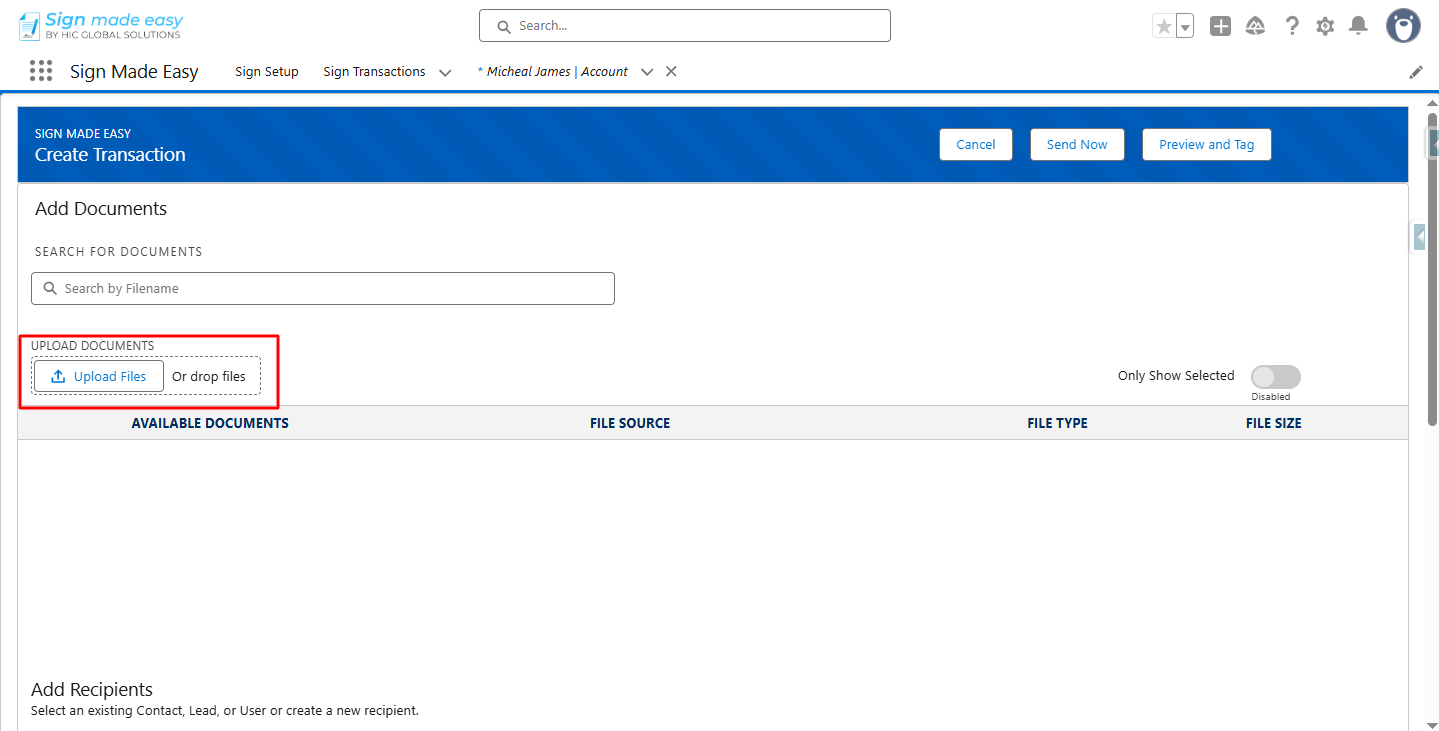
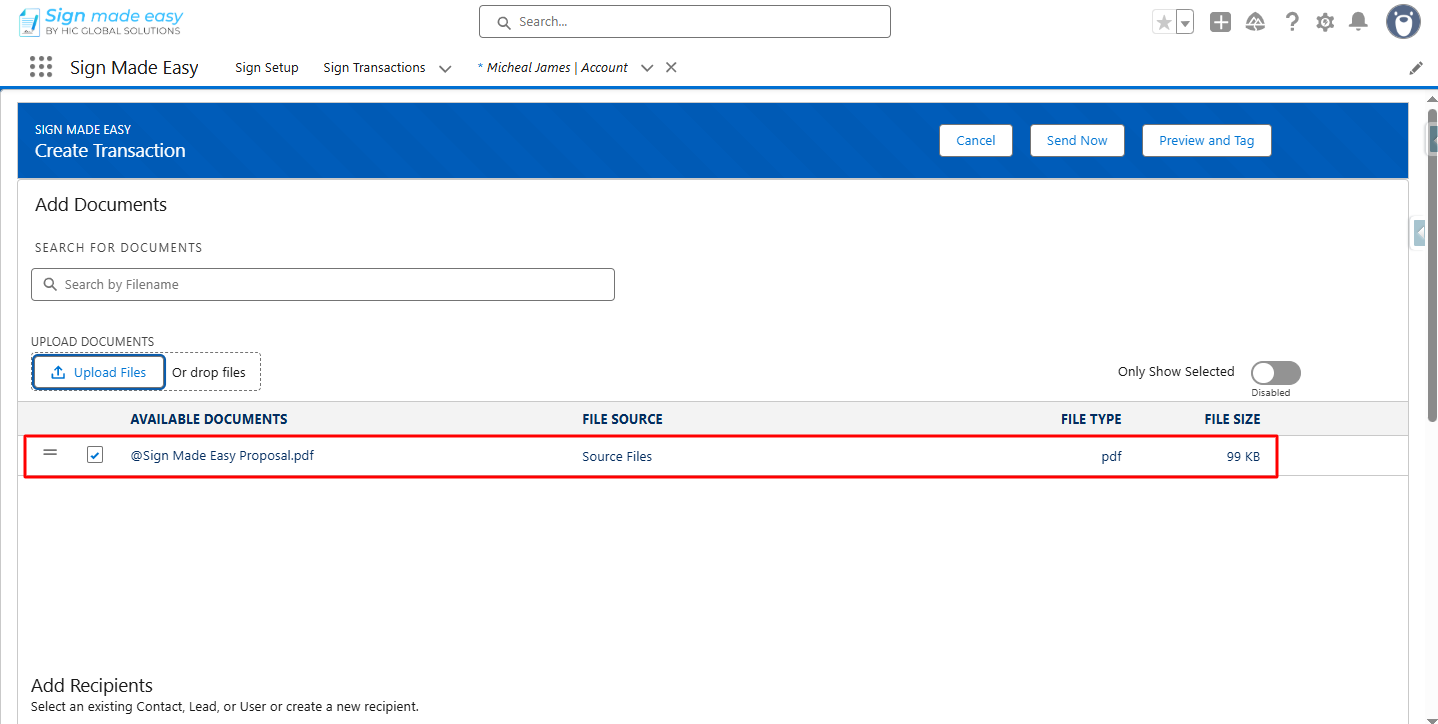
Step 2:- Next, you have to upload the files.
Step 3:- Add Recipient.
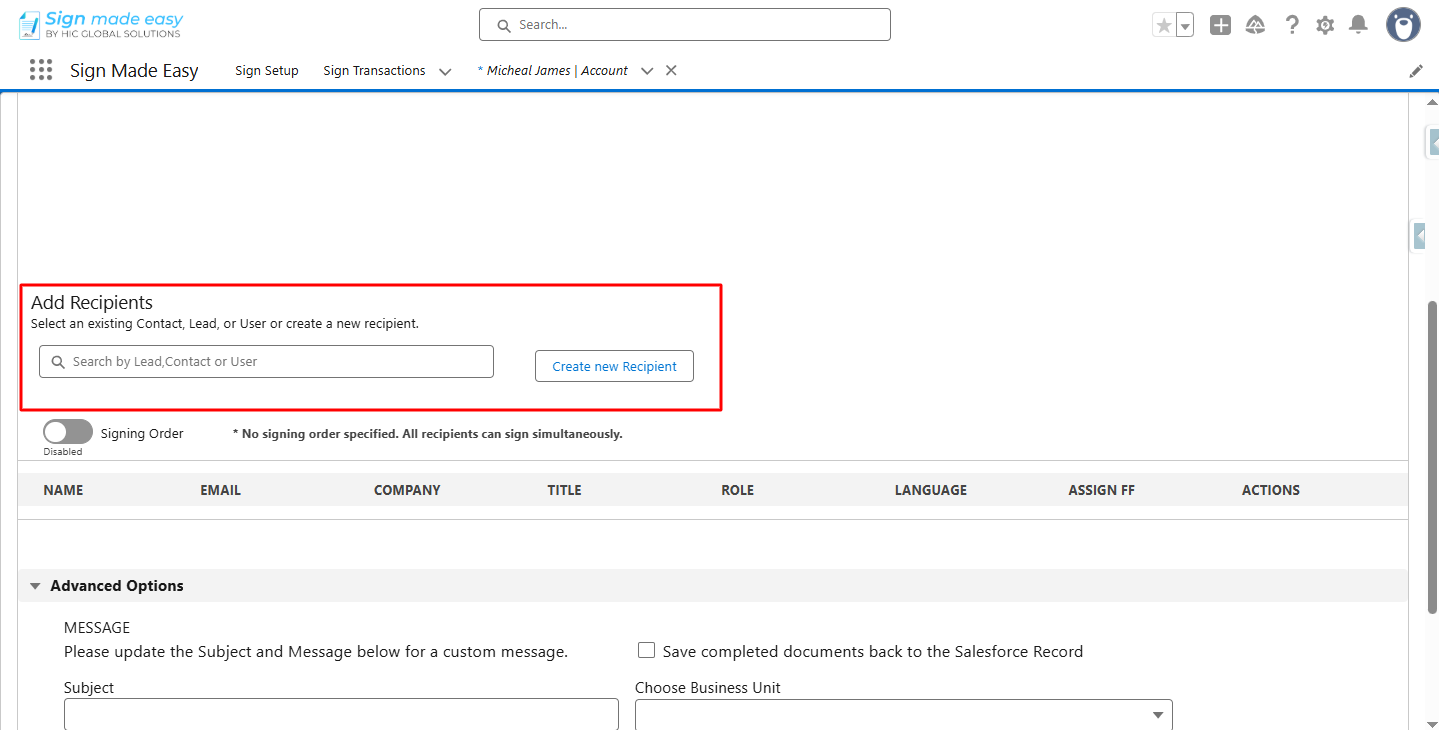

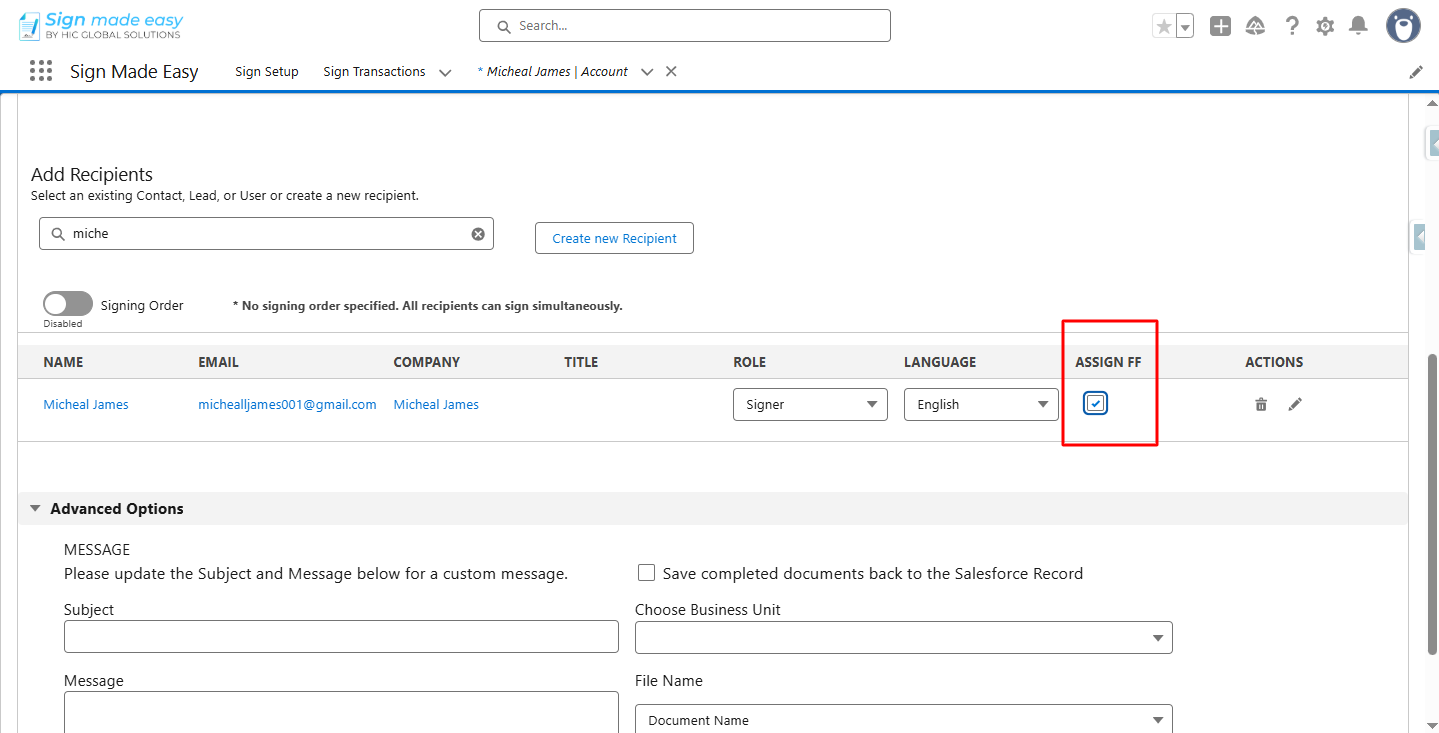
Step 4:- Check the ASSIGN FF checkbox.
Note:- If your PDF already contains form fields, they are automatically recognized and converted into SME tags, making the signing process seamless and efficient.
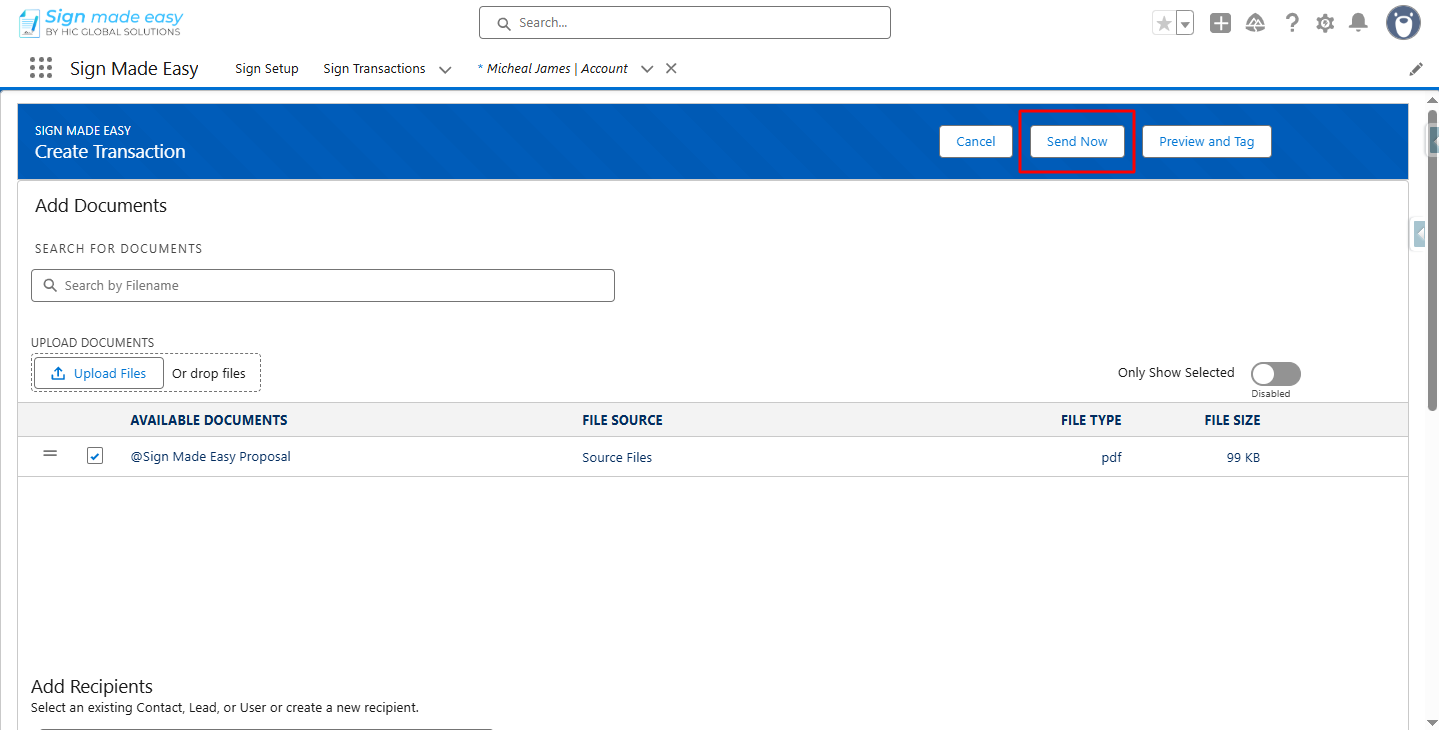
Step 5:- Click the Send Now button to send the email to the recipient.
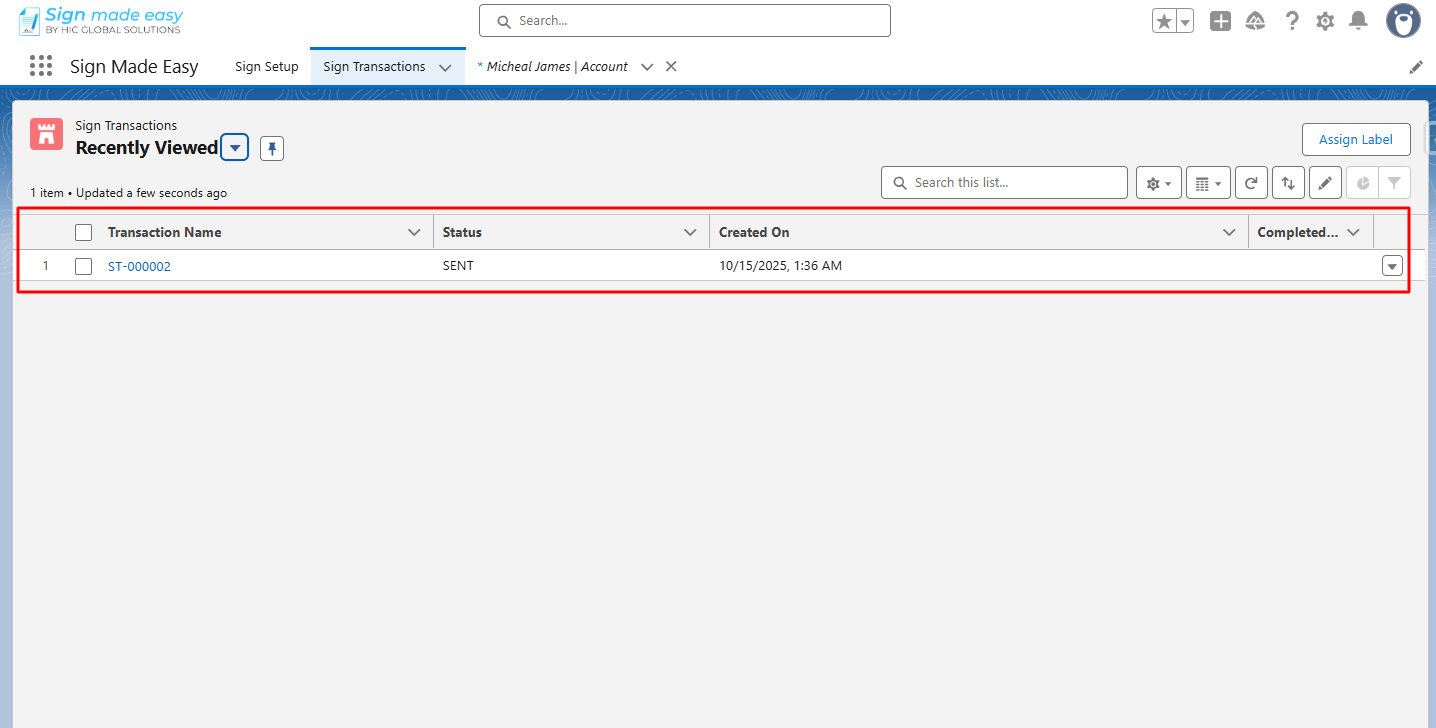
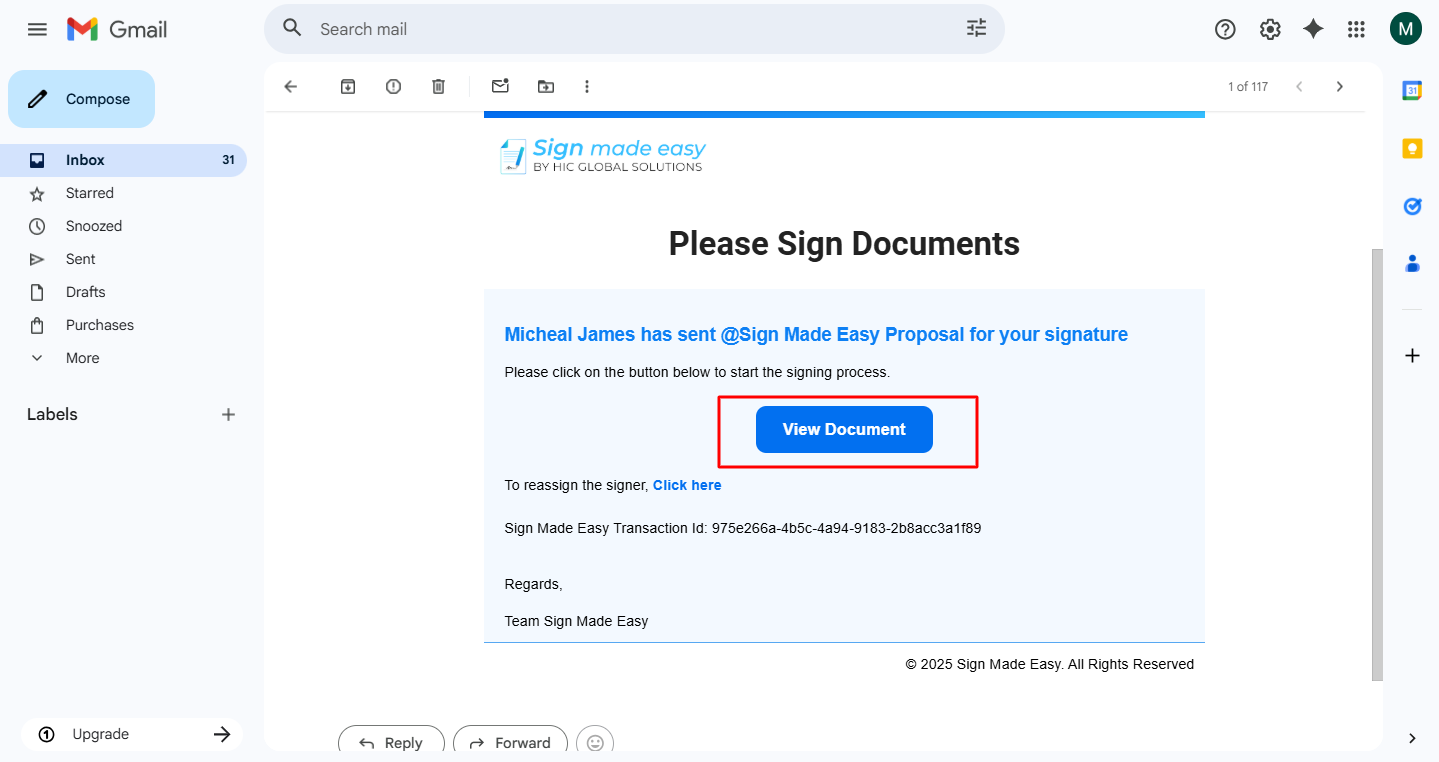
Step 6:- To complete the transaction, click on each tag and enter the required information to complete the transaction.
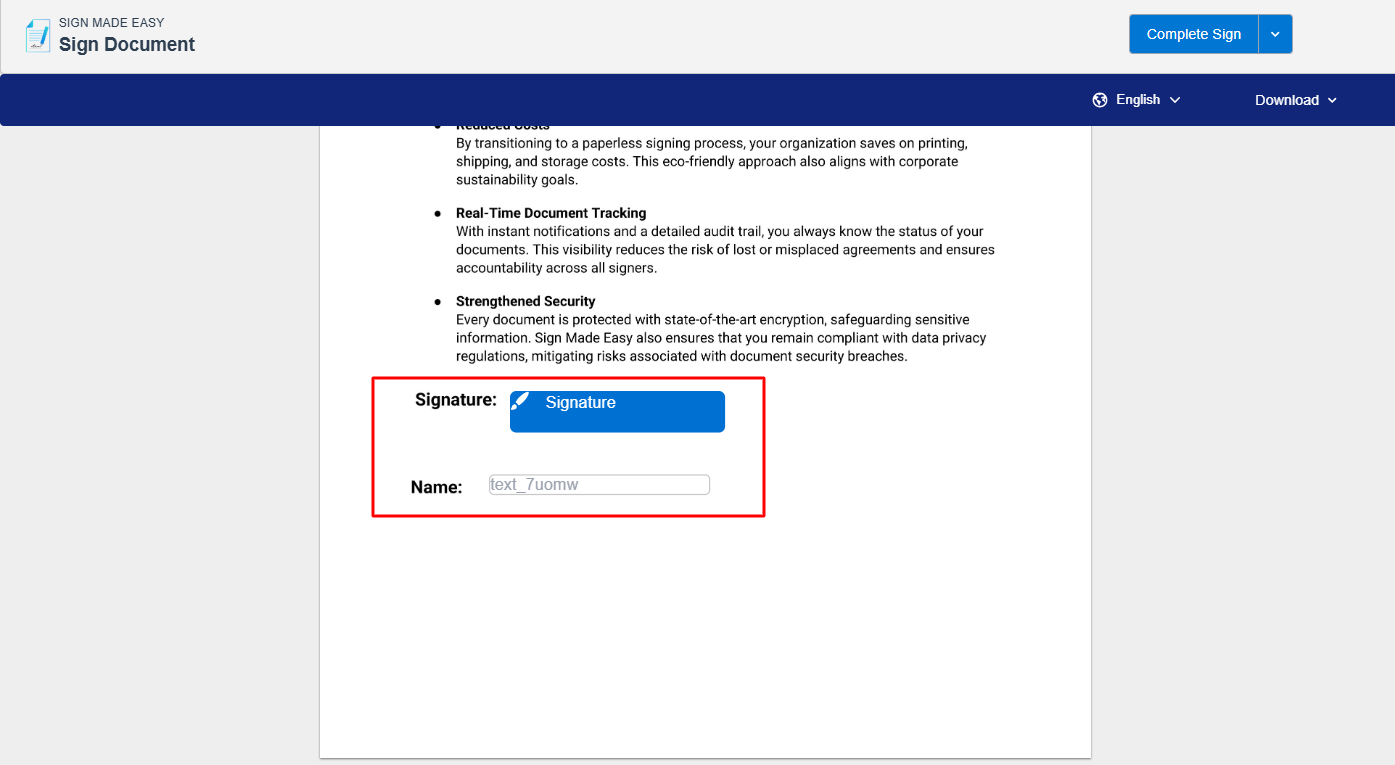
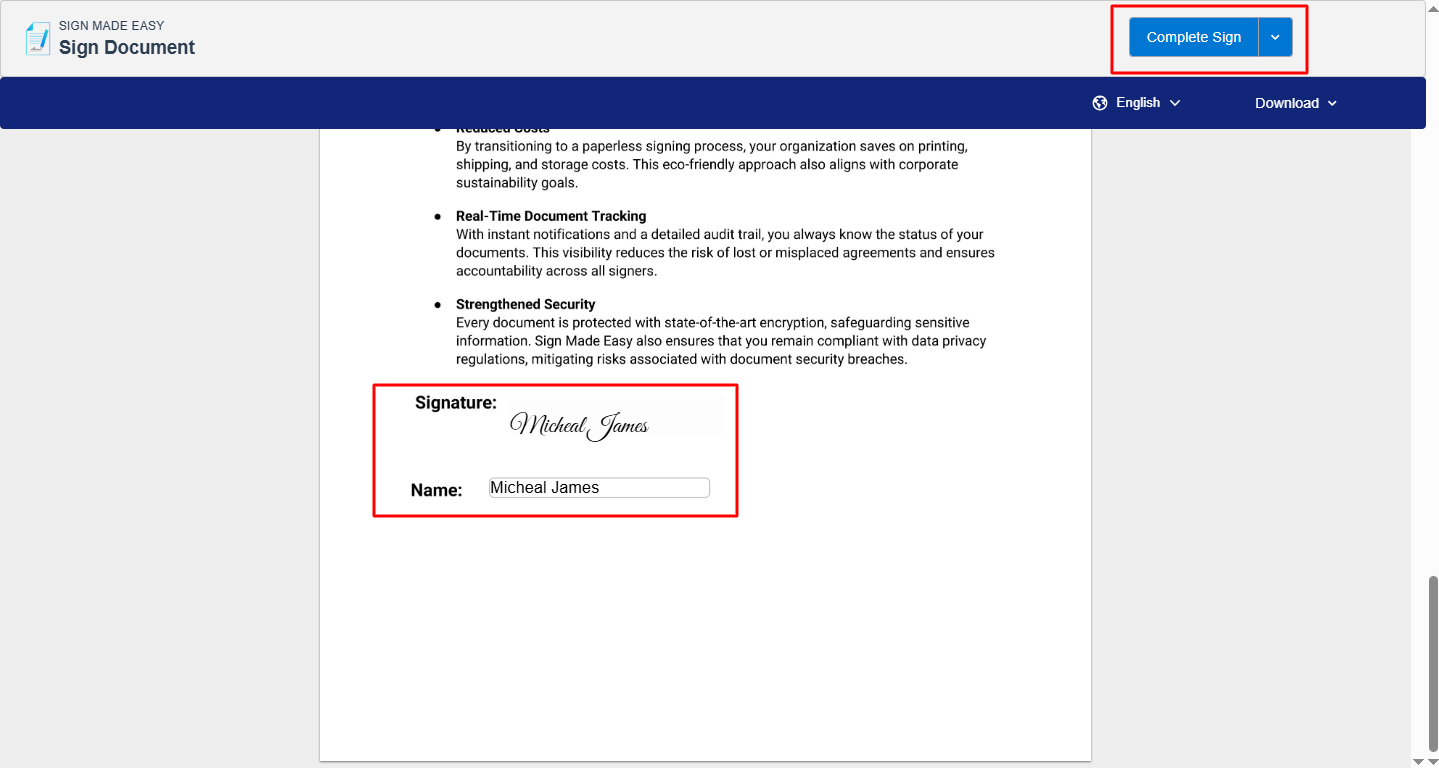
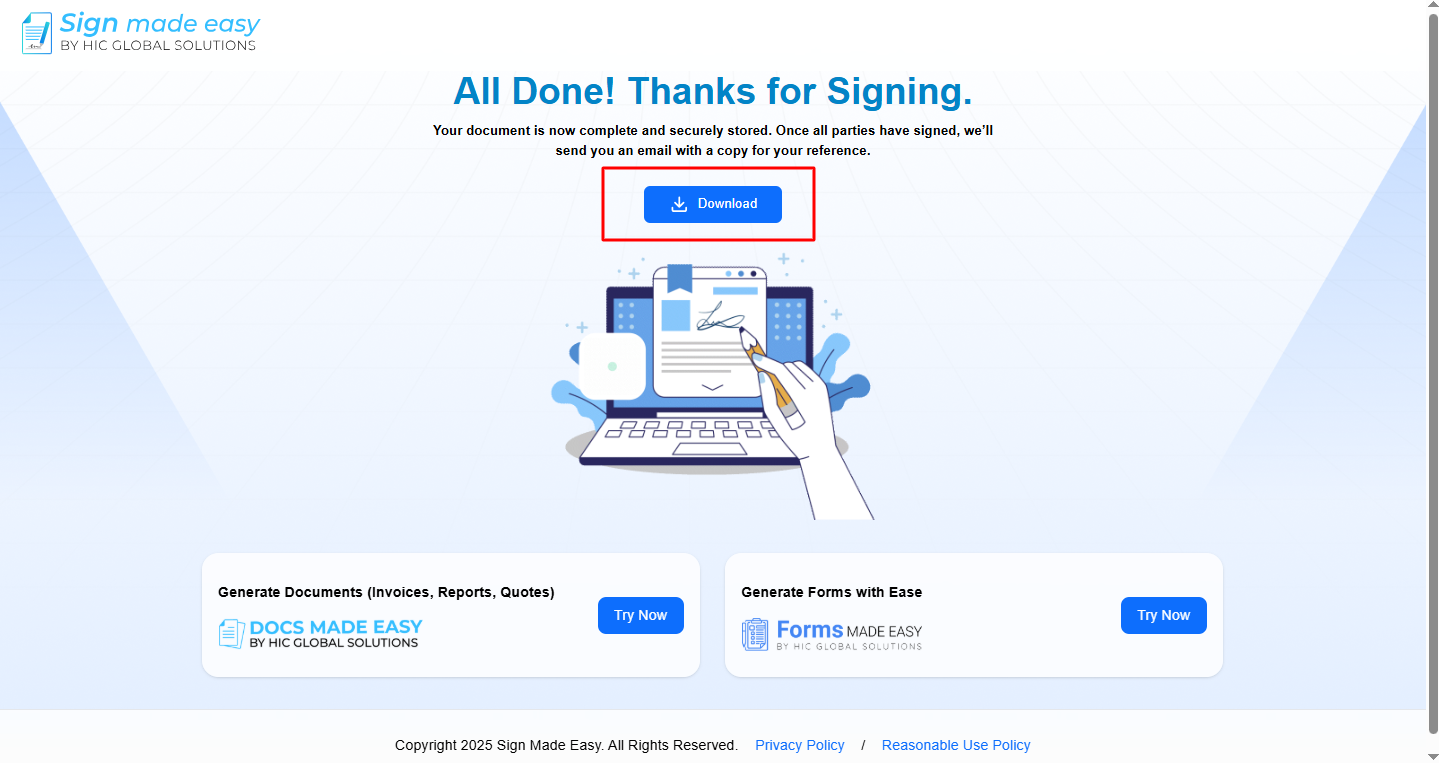
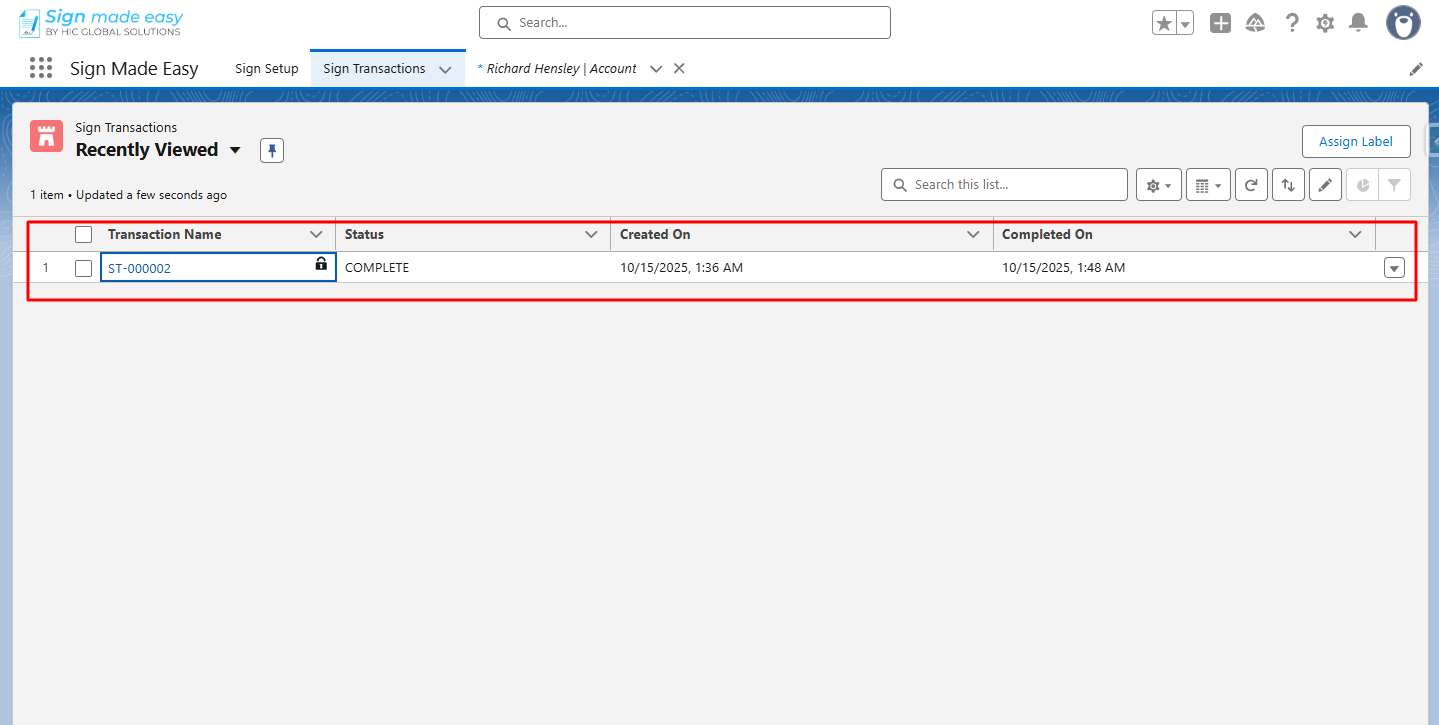
Step 7:- Thus, the eSignature for Salesforce is completed, and now you can download the document by clicking on the Download button.
Conclusion
With these steps, your form-field PDF becomes ready for a quick and accurate signing experience using eSignature for Salesforce. Since existing fields automatically convert into tags, the signer only needs to fill in what’s required – making the process smooth, reliable, and efficient.
Therefore, this approach not only strengthens your Salesforce electronic signature workflow but also ensures every document is completed without errors. Let your teams send, sign, and finish their transactions with confidence.