





5 Signs Your Business Has Outgrown Its Current eSignature App

Share article via
Posted on October 29, 2026
By Team Sign Made Easy | 7 Mins Read
eSignature app
TL;DR
As businesses grow, their eSignature apps can become bottlenecks, complicating contract approvals and document handling. This blog outlines five signs indicating that your current eSignature solution may be inadequate, including the need for workarounds, disconnection from CRM systems, and rising costs without added value. It emphasizes the importance of a scalable, secure, and integrated eSignature solution that meets evolving business needs. Sign Made Easy is presented as a viable alternative, offering Salesforce-native features, workflow automation, and unlimited eSignatures to streamline the signing process.

An eSignature app can quietly become a bottleneck as a business grows. What once felt like a quick way to close deals may start adding extra steps to contract approvals, customer onboarding, and everyday document handling.

The shift often happens gradually. Teams begin chasing signatures manually, switching between applications, or paying for features they barely use, while the people managing the process find it harder to keep everything moving.

In this blog, we will walk through five signs that your current eSignature app may be holding your business back, from disconnected workflows to rising costs, and what to look for in a more suitable Salesforce eSignature solution.

Five Warning Signs Hiding in Your Everyday Signing Process

The real problem often goes beyond collecting signatures. Businesses need documents to move through the right people, connect with existing records, and remain secure and accessible after signing. These five situations can help you decide whether your current system still fits.

1. Your Team Has Built Workarounds Around the Software
The issue is not always that employees have created workarounds. It may be that the eSignature app handles the standard agreement well but struggles with the exceptions your business encounters every day. A contract may need an additional approver, a different signer based on deal terms, or extra fields for a particular customer.
When these situations require employees to step in and manage each request separately, the process becomes harder to maintain as the business grows.
Look at how your team handles:
  • Agreements that need different approval paths depending on deal value or document type.
  • Requests involving several signers or changing signer roles.
  • Contracts that need different fields or clauses based on Salesforce record data.
  • Reusable templates that still need frequent adjustments for specific business cases.
A suitable eSignature workflow should handle the variations your business actually encounters, rather than work only when every agreement follows the same path.
2. Your CRM, Documents, and Signing Process Operate Separately
Salesforce may contain the latest opportunity details, account information, or contract status, but that does not guarantee your signing process is using them correctly. When templates, signer details, and completed agreements do not stay aligned with CRM records, teams can lose visibility into where a deal stands.
This becomes especially important when signing needs to start from different Salesforce objects or follow conditions based on record data. A connected eSignature for Salesforce solution should support the way your team works with those records, not simply provide a button to send a document for signing.
Check whether your current setup can:
  • Start signing from the Salesforce records your teams use.
  • Populate templates with current CRM data.
  • Handle different signing paths based on record conditions.
  • Keep completed agreements and signing statuses accessible from relevant records.
If these capabilities require separate tools or substantial custom development, your current platform may no longer be the right fit for your Salesforce environment.
3. Higher Signing Volumes Are Exposing the Limits of Your Templates
A process that works for ten agreements may become difficult to manage when hundreds need to be sent across different teams. Bulk requests, multiple signers, conditional fields, and documents generated from changing Salesforce data can expose limitations that were not obvious at a smaller scale.
The same applies to templates. If employees repeatedly edit documents by hand because templates cannot handle the required fields or signing order, the problem is not simply the number of agreements. It is the amount of manual effort required for each one.
A more scalable electronic signature software setup should support reusable templates and suitable automation, so higher volumes do not automatically mean more administrative work.
4. Security Reviews Are Raising Questions Your Current Tool Cannot Answer
Security needs can change as a business expands into new markets, works with larger customers, or handles more sensitive documents. A basic record showing that an agreement was signed may no longer provide enough detail for internal reviews or customer requirements.
The broader Salesforce eSignature market is also moving beyond signature collection towards digital trust, with greater attention to identity verification, document integrity, and the ability to establish a reliable record of a transaction.
When reviewing your current eSignature solution, consider whether it offers the controls your agreements require:
  • Signer verification: Options such as OTP or passcodes for transactions that need an additional identity check.
  • Reliable audit records: A clear history of signing events, timestamps, and relevant actions.
  • Document integrity: Appropriate controls to help establish that the completed agreement has not been altered.
  • Access management: Permissions that limit document access to the right people.
  • Retention and compliance support: Records and processes that align with your organisation’s legal and industry requirements.
The right controls depend on the type of agreement and the laws that apply. If your team cannot easily demonstrate how a document was verified, signed, and retained, it is worth reviewing whether your current platform meets those needs.
5. The Price Keeps Growing, but the Value Has Not
Subscription pricing only tells part of the story. As usage grows, businesses may also need to account for additional users, transaction allowances, premium integrations, implementation work, and the internal effort required to maintain the setup.
A lower-priced tool is not automatically better, just as a more expensive platform is not necessarily the right choice. What matters is whether the overall cost makes sense for the features and outcomes your team receives.
When comparing electronic signature software, review:
  • Pricing as usage grows: Check how additional users, signature requests, and premium capabilities affect the bill.
  • Integration and maintenance costs: Include the effort needed to maintain connections with Salesforce and other business systems.
  • Feature overlap: See whether you are paying for capabilities that are already available elsewhere in your software stack.
  • Support and implementation: Consider whether the level of assistance included meets your team’s needs.
  • Time saved versus cost: Assess whether the platform meaningfully reduces the effort involved in preparing, signing, and managing agreements.
If the overall expense continues to rise while important workflow gaps remain unresolved, comparing alternatives may help you find a setup that better fits your current needs.

A Smarter Way to Move Beyond Your Current eSignature Setup

Switching platforms is worth considering when your current tool adds costs, requires too much manual work, or struggles to keep up with your business needs. The right replacement should simplify signing, connect with your existing systems, and handle growing document volumes without adding more work for your team.

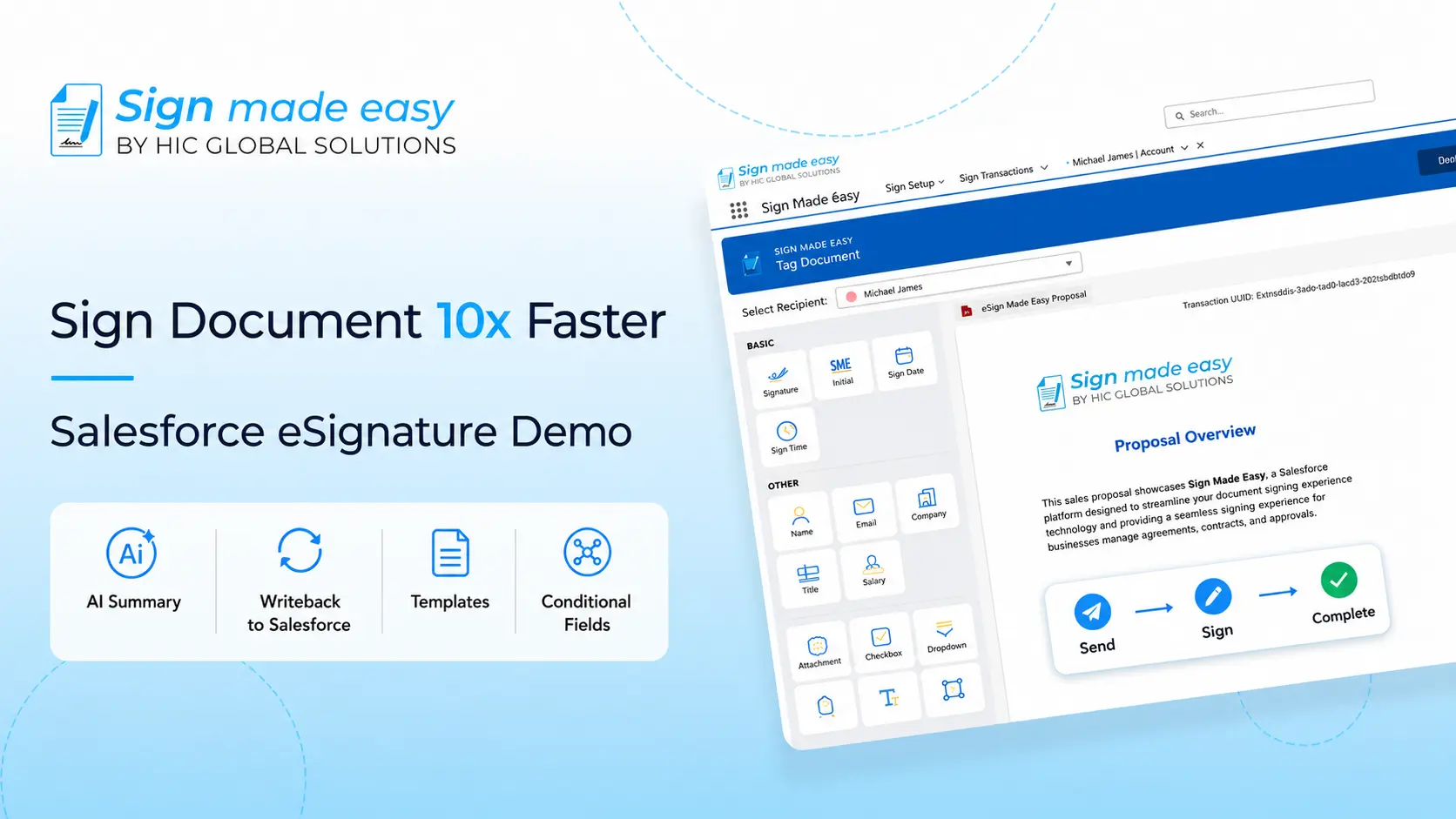
After evaluating different tools, Sign Made Easy is worth considering for businesses already using Salesforce. It is a Salesforce-native eSignature solution that connects document signing with CRM records, supports automated workflows, and works with Docs Made Easy to connect document generation and signing.

Why Sign Made Easy Is Worth Considering

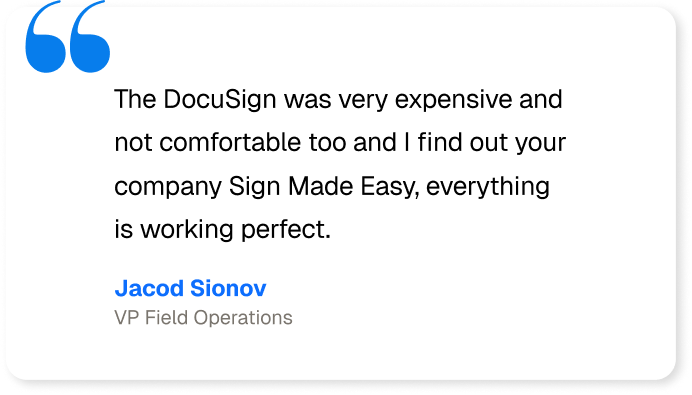
  • Best alternative to existing tools: Businesses such as Aqualife USA, Mountain Mover, and others have moved from DocuSign or Conga products to Sign Made Easy.
  • Salesforce-native signing: Send documents and track signing progress directly within Salesforce.
  • Connected document generation: Integrate with Docs Made Easy to generate documents from Salesforce data and send them for signatures.
  • AI document summaries: Review key information from lengthy documents more quickly.
  • Workflow automation: Use Salesforce Flow to reduce repetitive steps and manual follow-ups.
  • Signing visibility and security: Access signing status, audit trails, and supported signer verification features.
  • Unlimited eSignatures: Handle signing requests without envelope-counting limits, according to the product listing.

It also offers features such as bulk signing, audit trails, multi-factor authentication, support for 19 languages, and more to help businesses manage signing processes more easily.

Conclusion

Outgrowing an eSignature app is not just about sending more documents. It is about whether the platform can keep up with your workflows, integrations, security needs, and budget without forcing employees to create workarounds.

If your current process is becoming harder to maintain, review what your team actually needs and compare it with the available options. You can install Sign Made Easy from Salesforce AgentExchange and explore whether it fits your business.

Sign documents from any device

Sign Any Document Anytime, Anywhere

Fast, secure and legally binding.

Try Sign Made Easy

Frequently Asked Questions

Consider switching when your eSignature app creates workflow delays, lacks integrations, struggles with higher signing volumes, or increases costs.
Look for Salesforce integration, reusable templates, workflow automation, audit trails, signer verification, and pricing that scales with your business.
Sign Made Easy is a Salesforce-native eSignature solution that helps businesses manage document signing, track signing status, and automate workflows within Salesforce.
Electronic signature software can support signer verification, audit trails, document integrity, and access controls to help businesses manage signing securely.
Yes. Sign Made Easy offers bulk signing, workflow automation, audit trails, and unlimited eSignatures to help Salesforce businesses manage signing as they grow.