



Managing document workflows efficiently is essential for seamless eSignature processes, especially when recipients change during a transaction. One common requirement in modern eSign solutions is the ability to reassign a document to another signer without restarting the entire process. This ensures flexibility, reduces delays, and keeps your workflow moving smoothly.
In this guide, you’ll learn how to reassign a signer in an eSignature workflow using Sign Made Easy. Whether you’re handling approvals, contracts, or agreements, this feature helps maintain continuity while improving overall efficiency in your digital signature process.
Note: Recipient reassignment is allowed only when the ‘Reassign Signer’ setting is enabled within the Sign Setup configuration. When disabled, reassignment authority is restricted to the System Administrator.
Here are the steps to reassign a signer in an eSignature workflow:
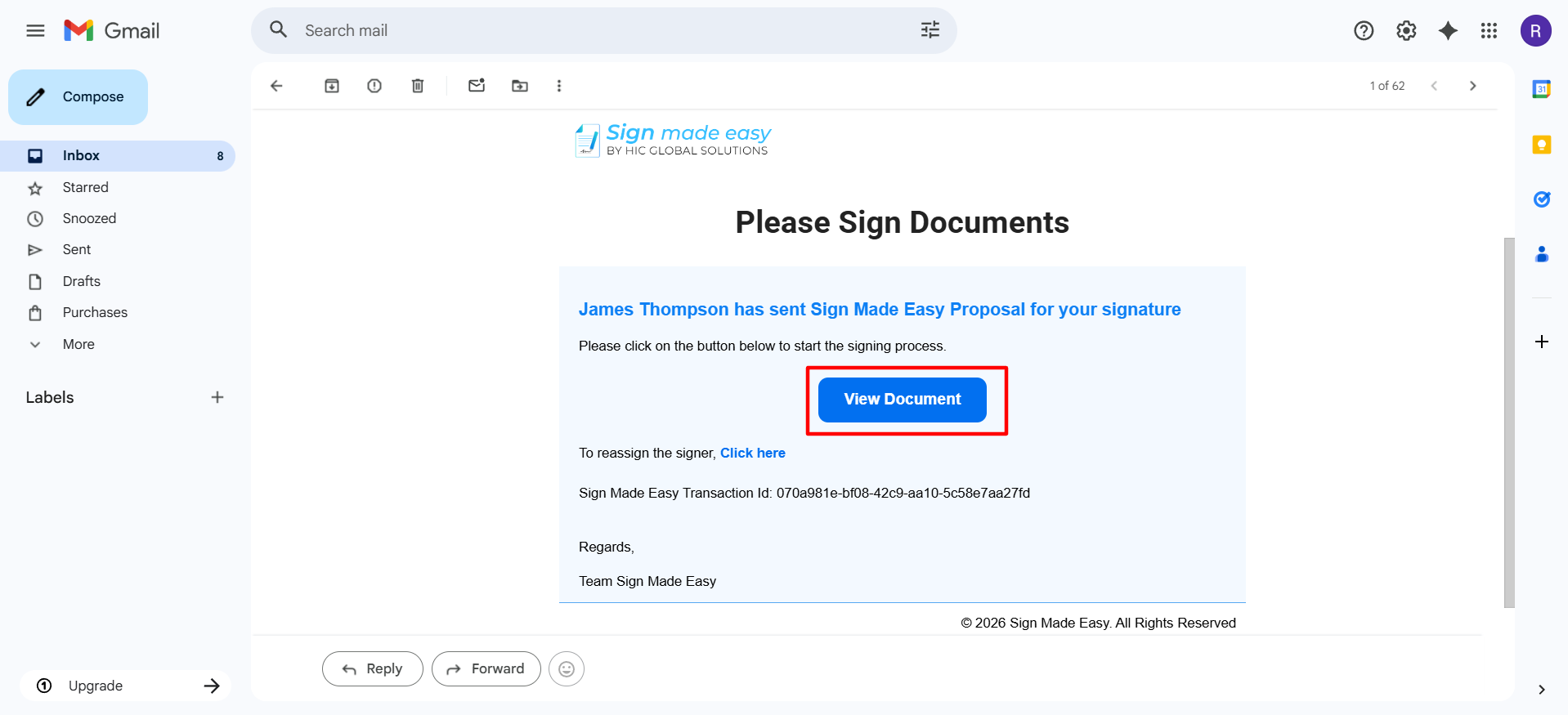
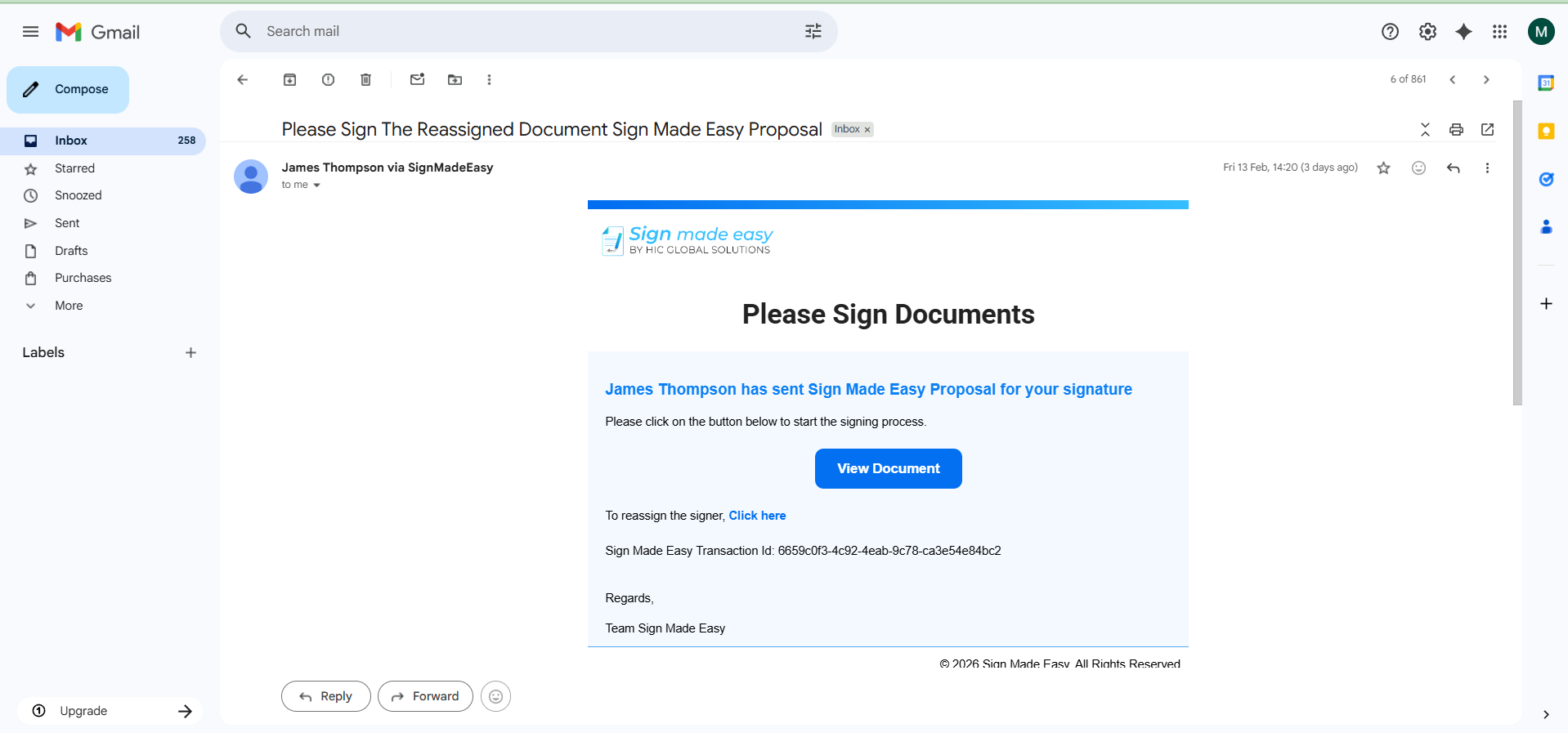
Step 1: Open the Sign Made Easy Transaction Mail that you want to reassign.
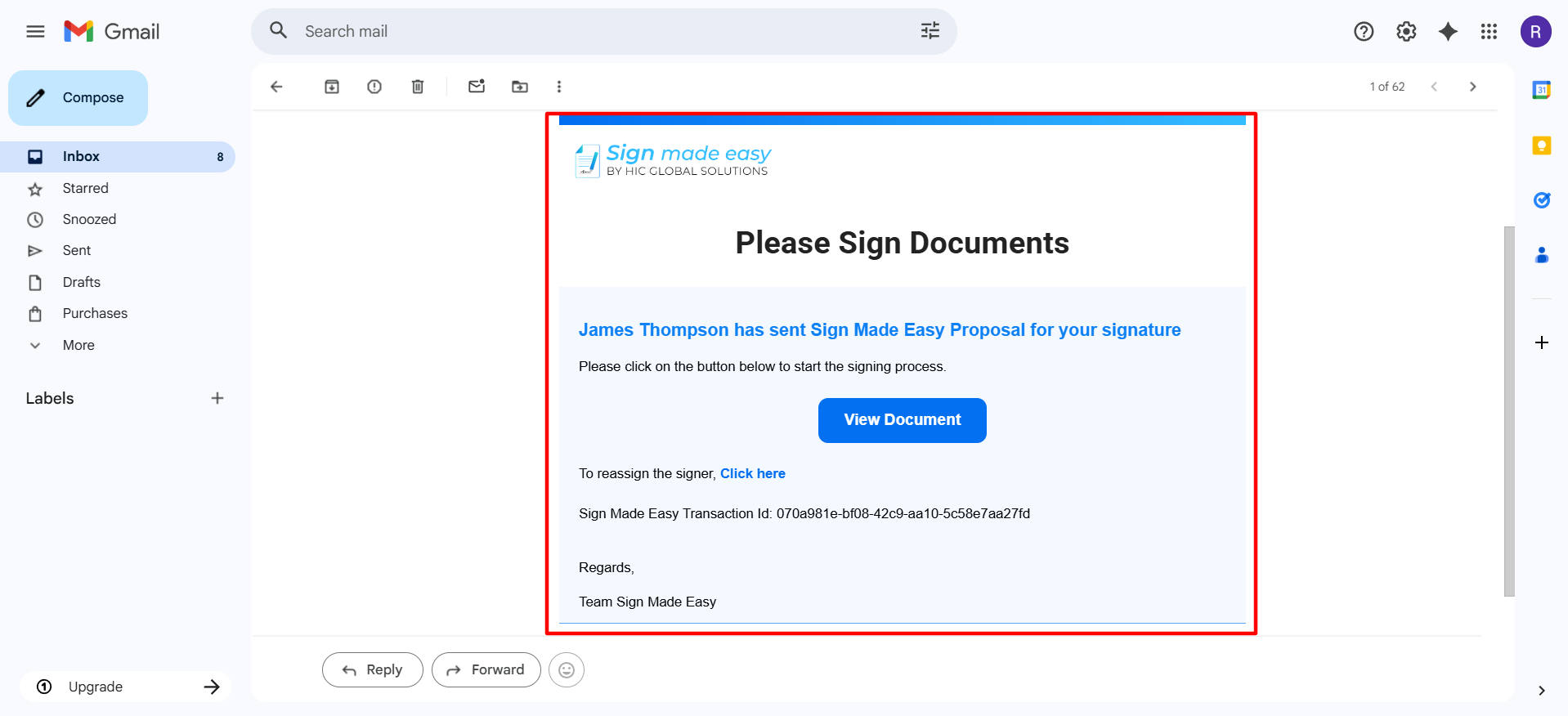
Note: A signer can reassign the document to the other signer through the template, as shown in the image below.
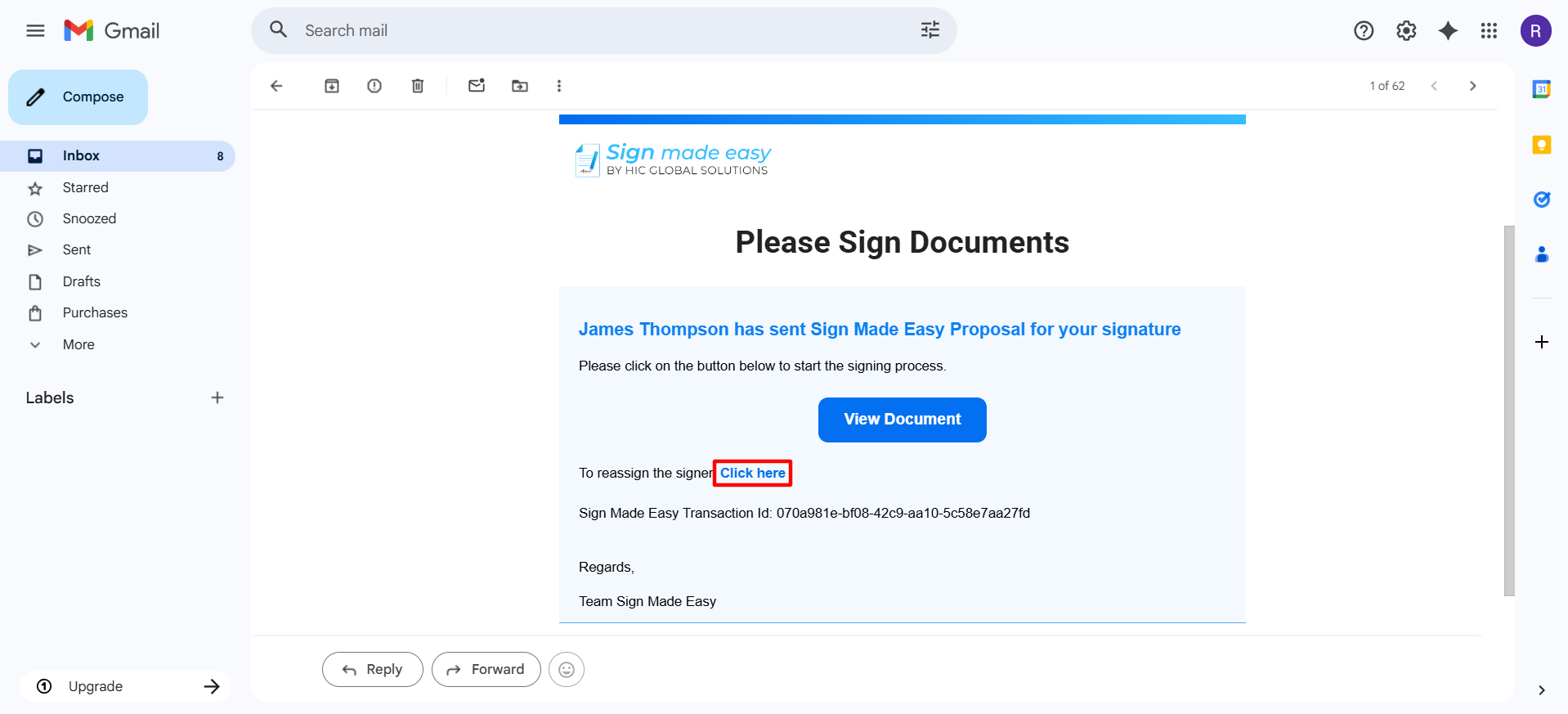
Step 2: Click on the View Document button.
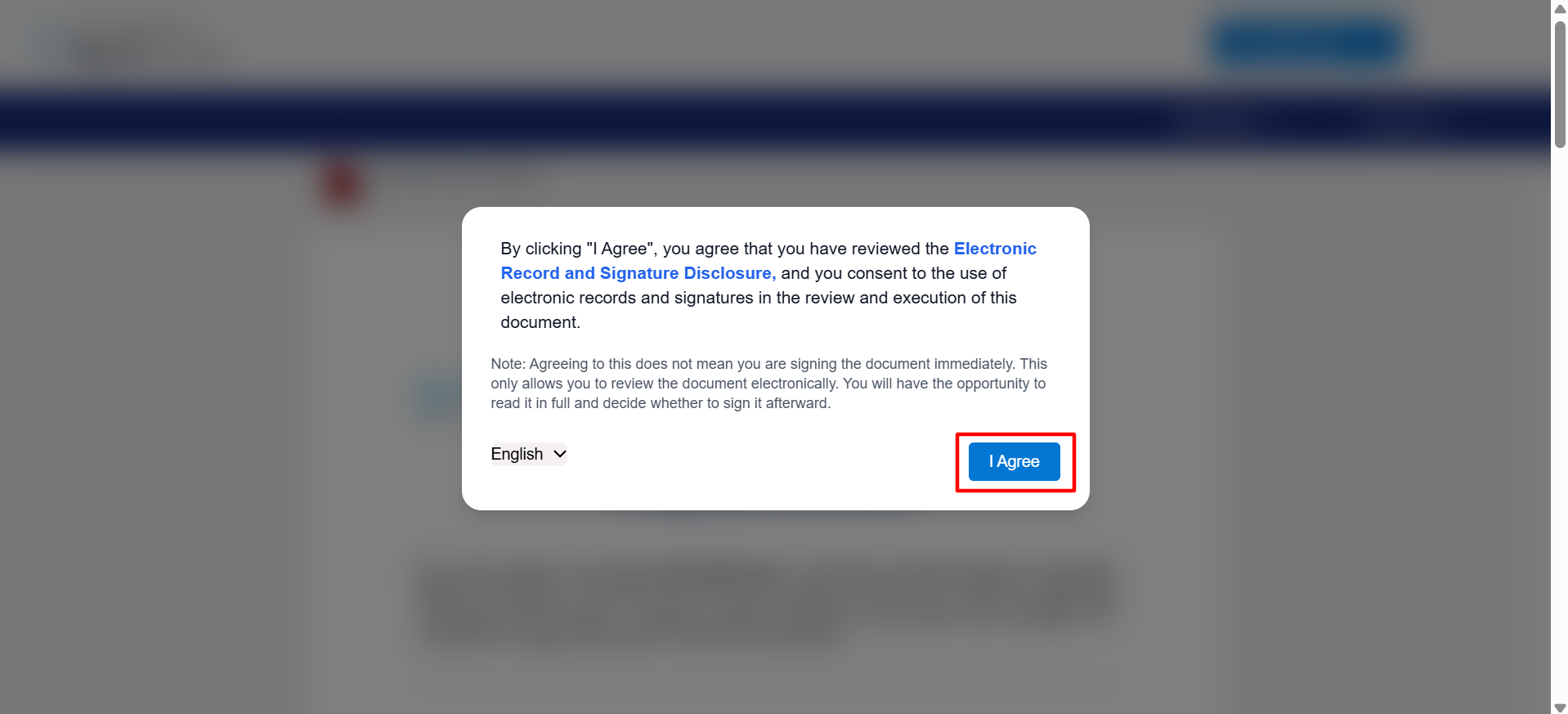
 Step 3: By selecting ‘I Agree’, you acknowledge that you have reviewed the Electronic Record and Signature Disclosure and consent to conduct this transaction using electronic records and electronic signatures. You will not be able to proceed without providing this consent.
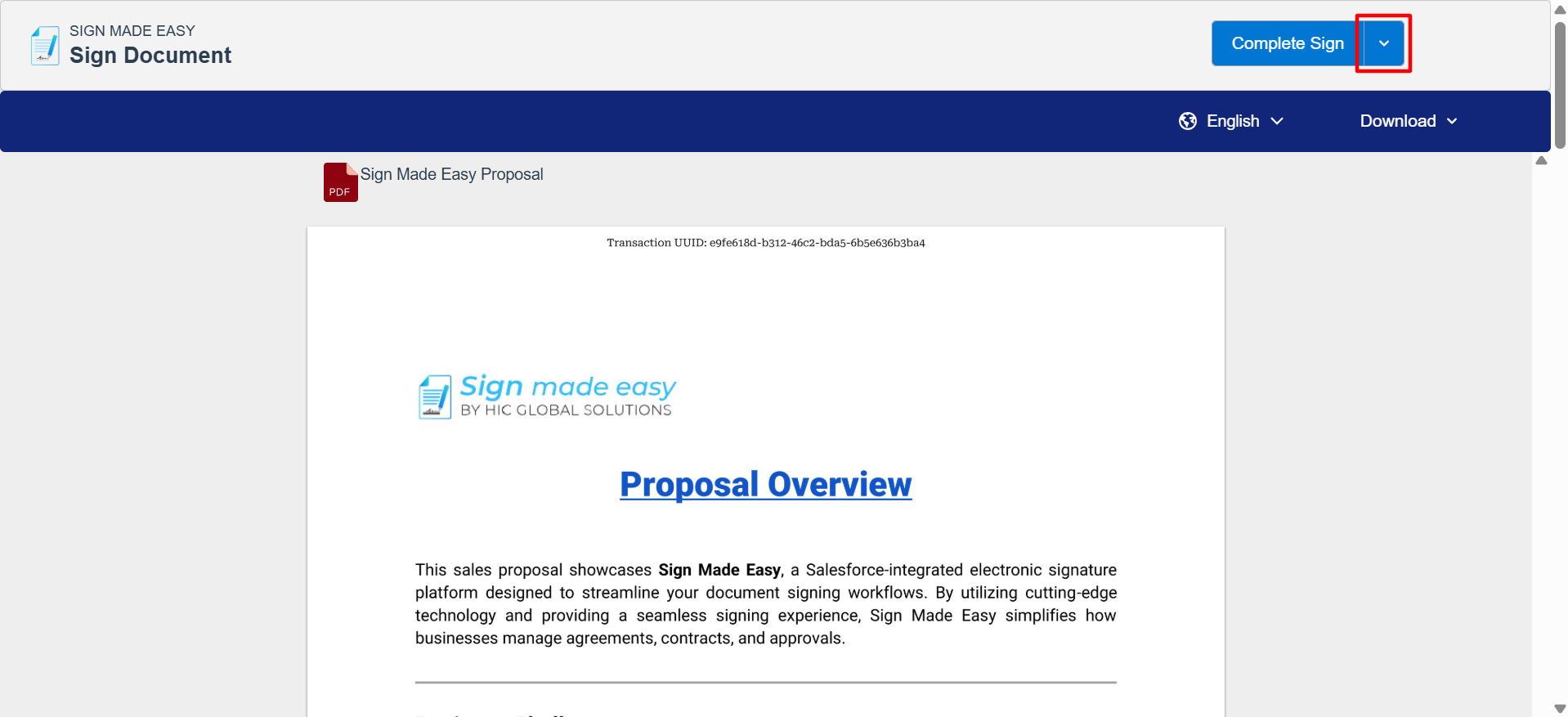
 Step 4: Click on the icon next to the Complete Sign button, to view the drop-down list
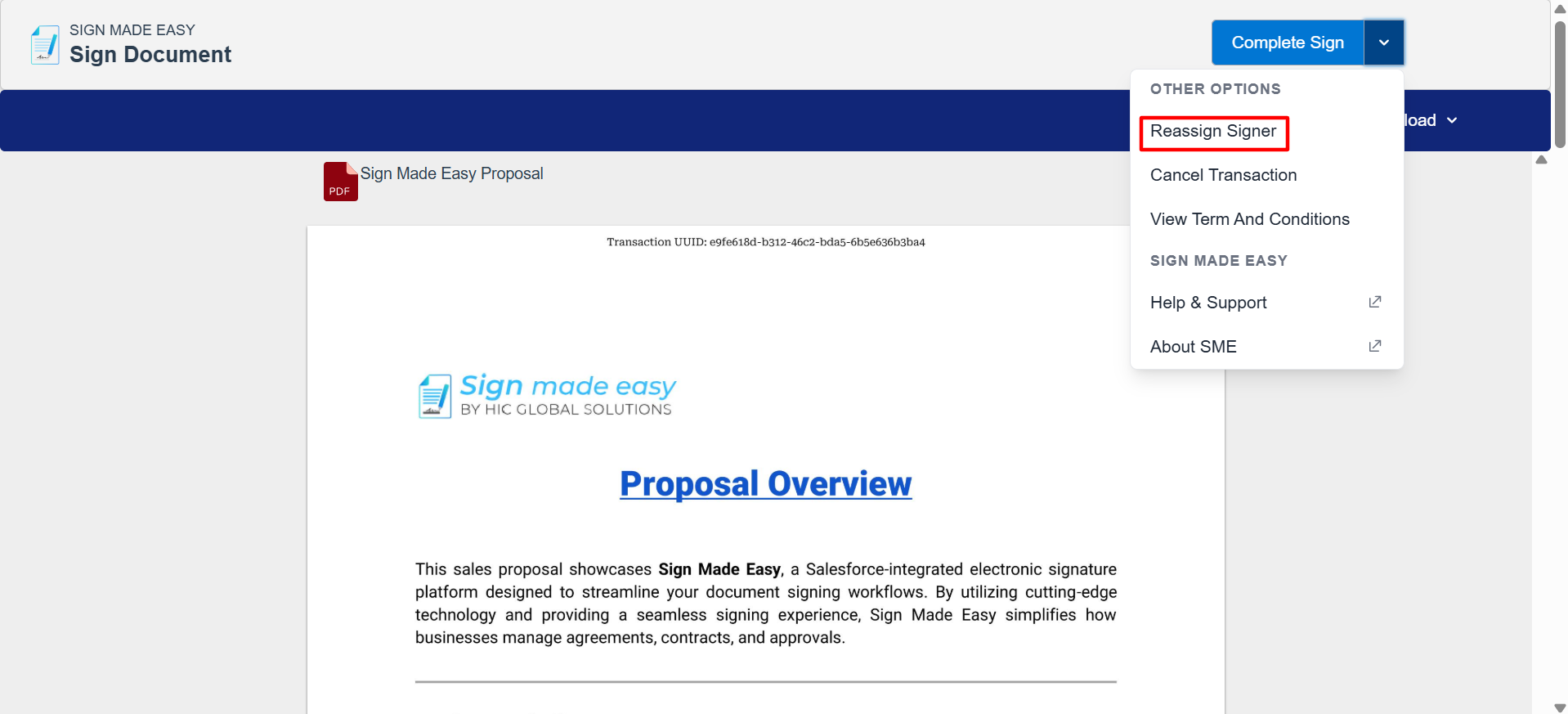
 Step 5: From the drop-down, click on the Reassign Signer option.
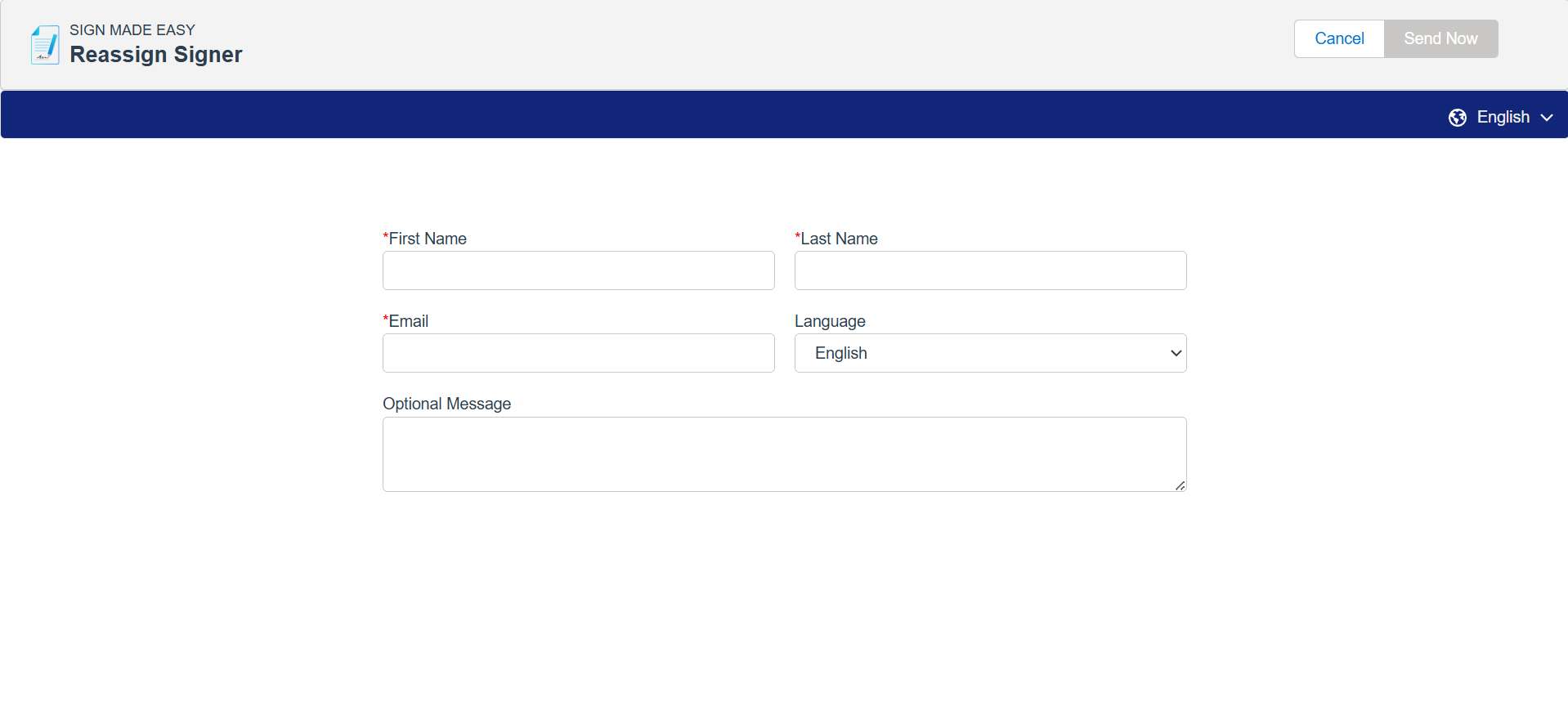
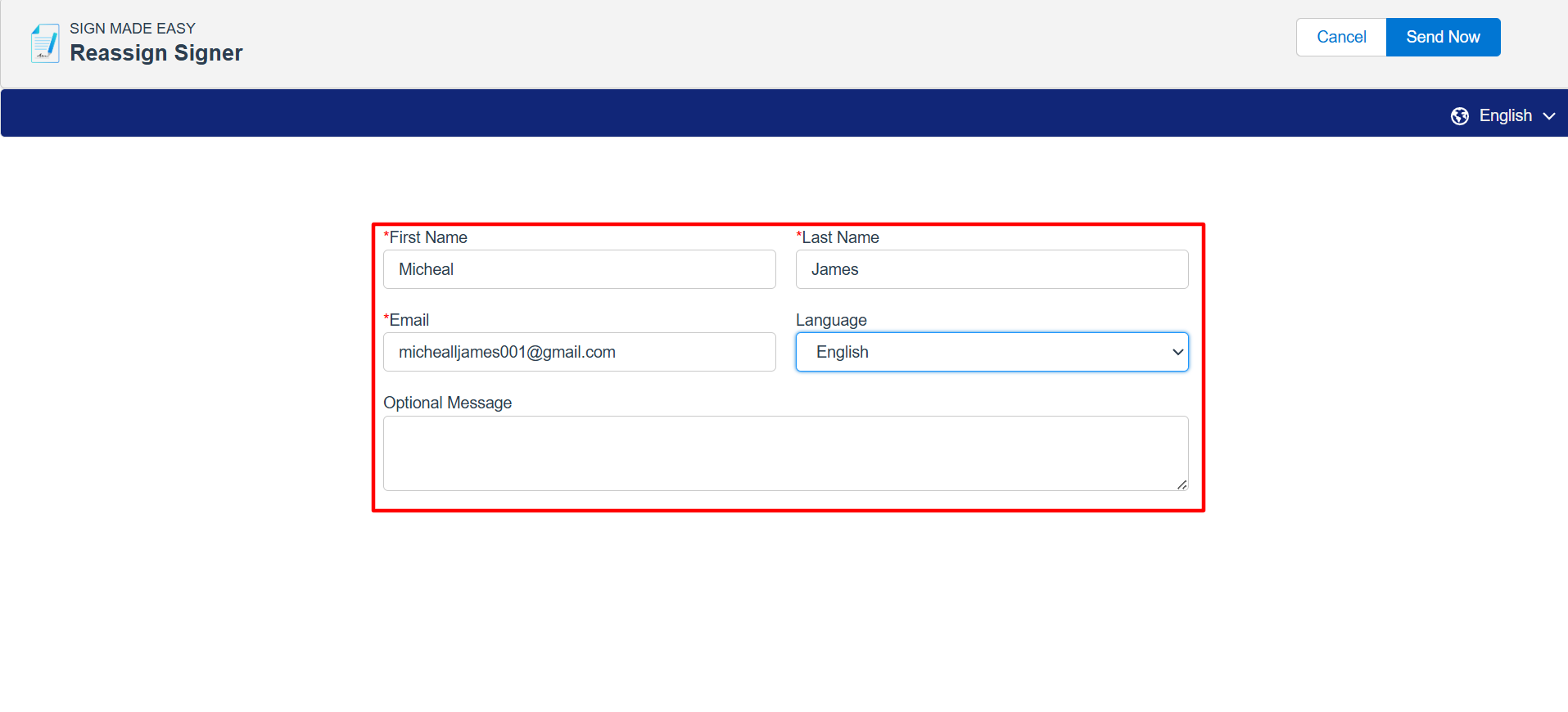
 Step 6: Enter the required information to proceed with reassignment of the signer.
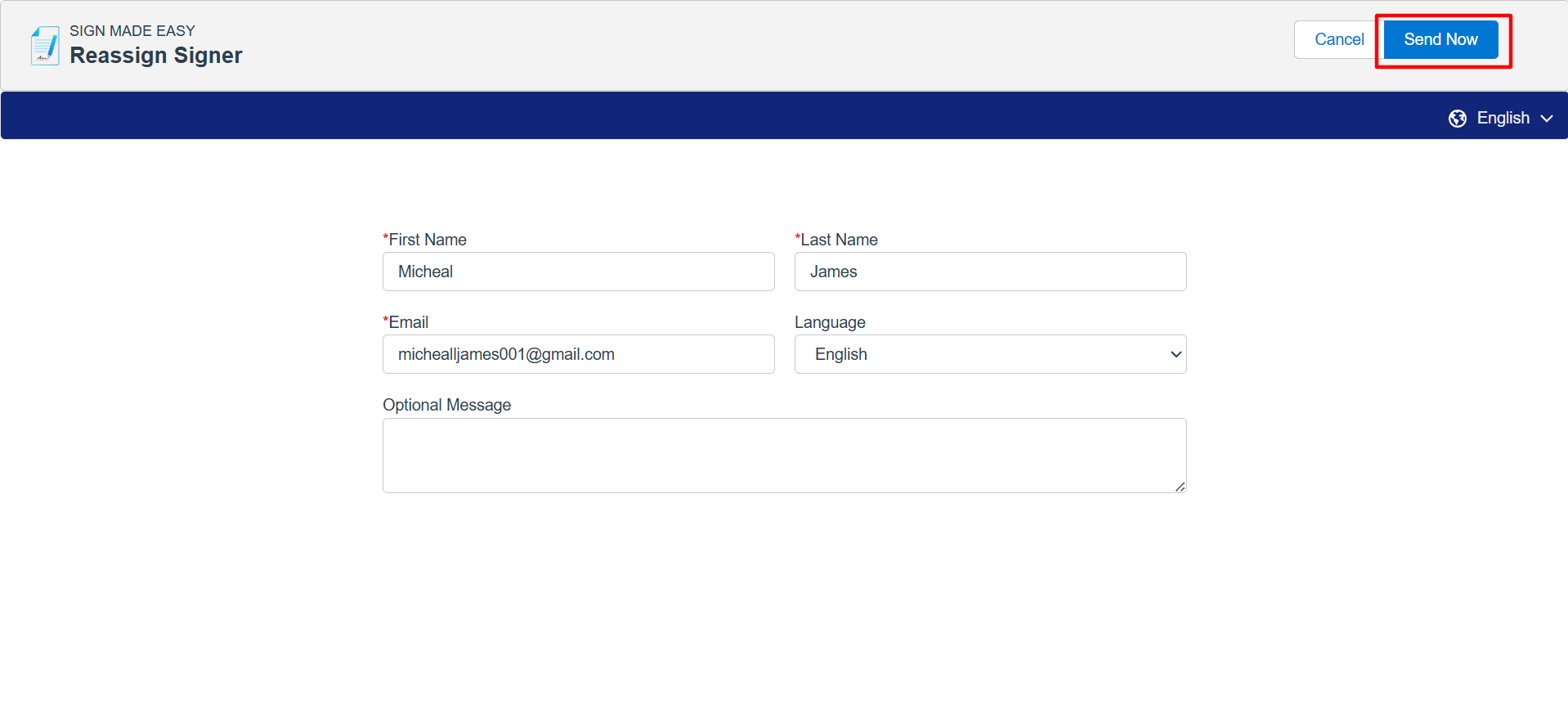
Step 7: After filling in all the details, click on the Send Now button.
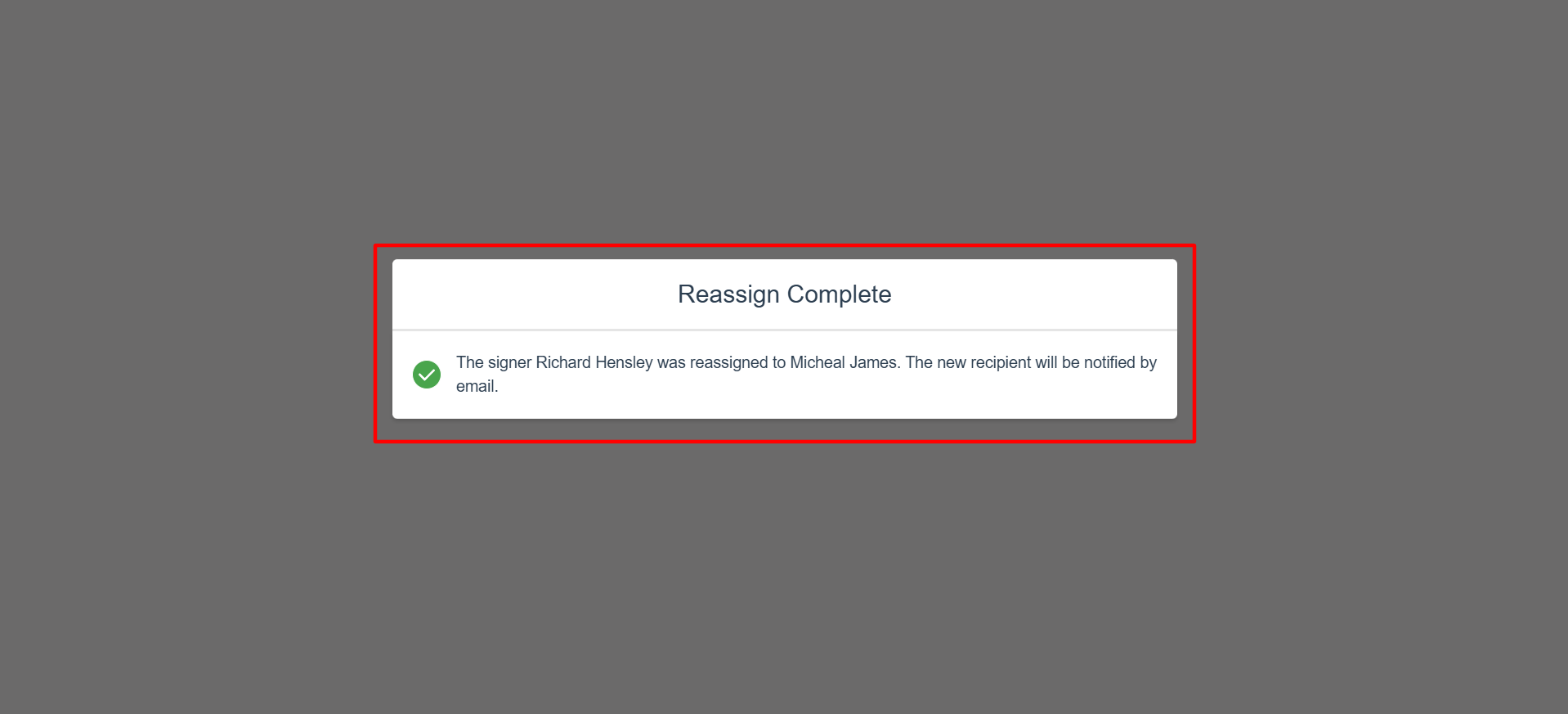
The recipient reassignment process has been successfully completed.
An email notification will be sent to the former signer informing them of the successful reassignment. The reassigned signer will receive an email requesting them to review and sign the document.
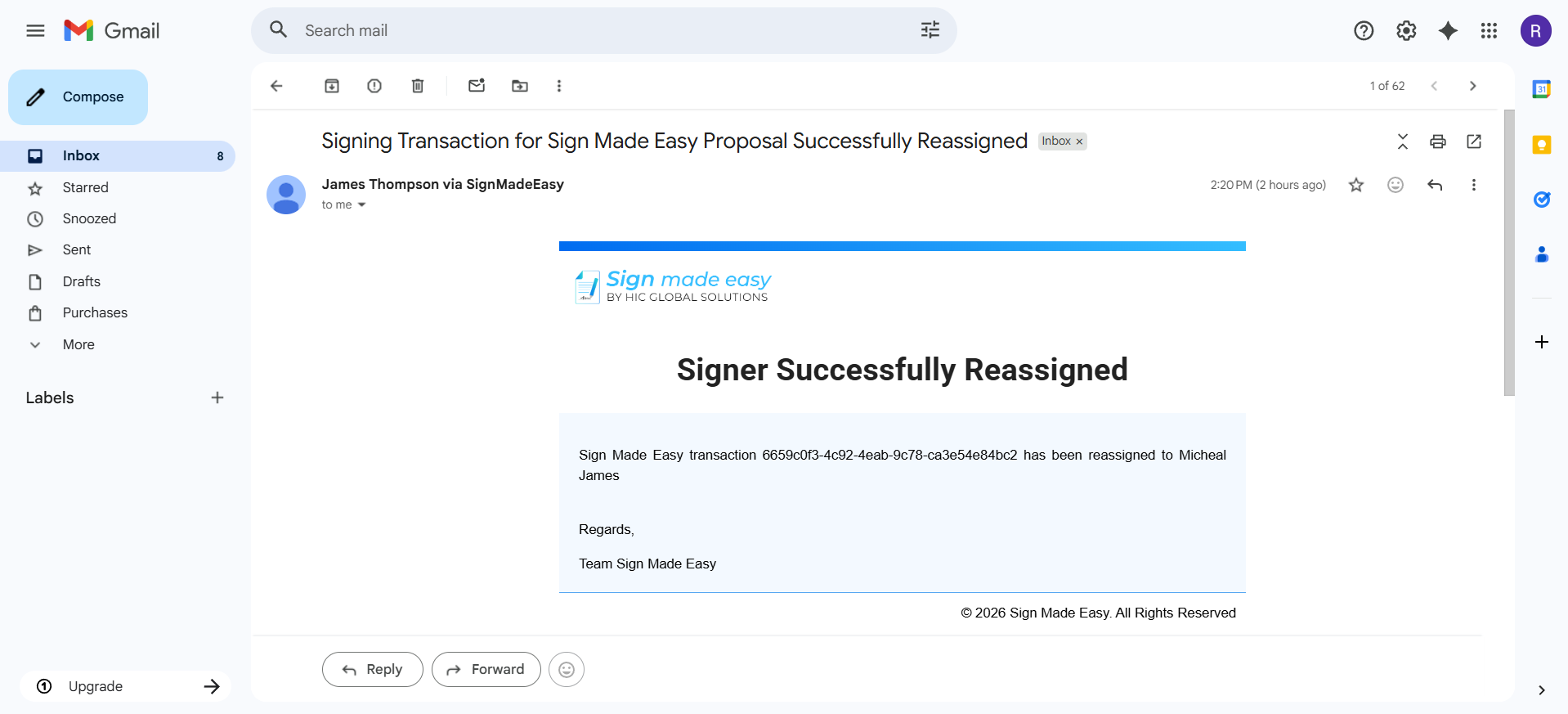
An email notification has been successfully delivered to the reassigned signer to initiate the eSignature process.
Conclusion
The ability to reassign a signer ensures that your eSignature workflow remains flexible and uninterrupted, even when changes occur. Instead of restarting the process, businesses can quickly redirect documents, saving time and improving productivity.
With a reliable eSignature solution, features like signer reassignment enhance user experience and streamline document management. By leveraging such capabilities, organizations can ensure faster approvals, better collaboration, and a more efficient digital signature workflow overall.