






When it comes to eSignature solutions, Adobe Acrobat Sign is one of the most well-known and widely used platforms in the world. However, with multiple Adobe sign plans, varying Adobe Sign pricing, and feature-rich tools, it can be challenging to determine whether it is the right fit for your business.
Choosing the right eSignature platform requires careful consideration. Adobe Acrobat Sign offers more than just electronic signatures, including PDF editing, payment collection, and integrations with popular productivity tools. While this makes it a multifunctional solution for enterprises globally, it can also increase complexity and overall costs.
In this article, we’ll break down Adobe Sign pricing, explore common challenges, compare it with other solutions, and introduce the best Adobe Sign alternative – Sign Made Easy. By the end, you’ll have the insights you need to make an informed decision for your organization.
How Does Adobe Sign Pricing Work?
Adobe Sign pricing can be complex. Costs include a base subscription, add-ons, API usage, and limits on users or signatures. Adobe isn’t just an eSignature tool it’s a full digital document platform. This means you may pay extra for features like PDF editing, workflow automation, storage, and integrations. While powerful, these layers make it harder to predict the total Adobe Sign cost, especially for small businesses or teams scaling up looking for an affordable eSignature for small businesses solution.
Adobe Sign Pricing Plans: A Detailed Breakdown
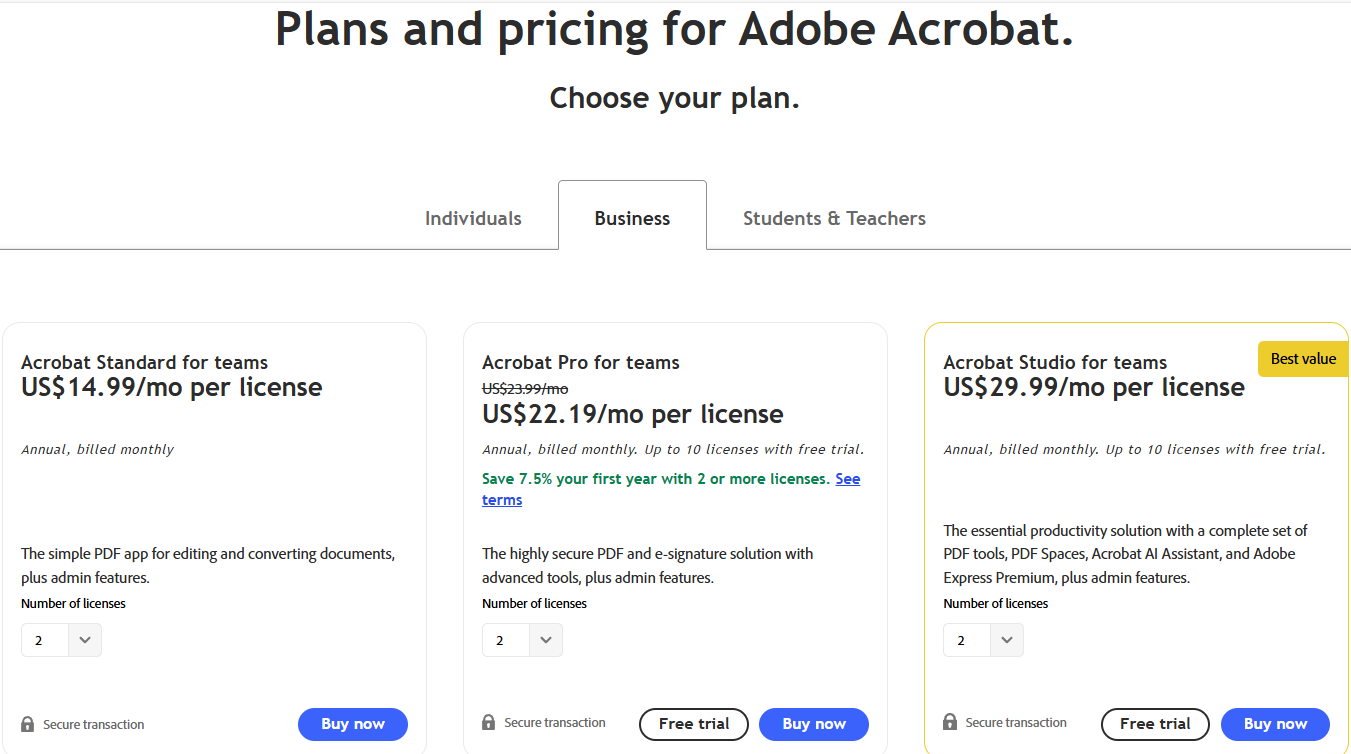
Here’s a summary (as of 2025) of common Adobe Acrobat Sign pricing / Adobe acrobat sign pricing offerings. Note: these vary by region and promotion:
5 Challenges with Adobe Sign Pricing
Adobe Sign offers subscription plans based on users, workflows, and signature volume, providing secure, compliant eSignatures with app integrations for businesses. Here’s a look at the Adobe Sign pricing challenges:
Complicated Pricing Structure
Adobe Sign pricing includes multiple layers subscriptions, add-ons, and usage-based limits. This makes it hard to predict monthly costs. Businesses often realize they’re paying extra for features they rarely use, like PDF editing or integrations, making budget planning and ROI evaluation difficult.
Expensive for Growing Teams
As your team expands, the cost of Adobe Sign rises sharply. Each additional user, workflow, or signature request can push you into a higher pricing tier. For small and mid-sized companies in the finance sector, scaling up becomes a financial strain especially when compared to lightweight eSignature for finance solutions that offer simpler, more predictable pricing.
Limited Flexibility in Salesforce Integration
Although Adobe Sign for Salesforce exists, the integration can be restrictive. Businesses need technical help or additional setup costs to fully automate their workflows. Unlike simpler Salesforce eSignature solutions, Adobe’s model doesn’t offer easy customization or direct mapping of objects inside Salesforce.
Additional API and Workflow Costs
Using the Adobe Sign API for automation or external systems quickly adds extra charges. When you exceed transaction or API call limits, costs increase steeply. This limits scalability and discourages automation, especially for startups and teams using high volumes of eSigned documents every month.
Overpaying for Unused Features
Many users pay for features like PDF editing, identity verification, or advanced analytics that they rarely use. Since Adobe bundles these tools together, even small businesses end up paying enterprise-level prices. This lack of customization makes Adobe less cost-effective compared to flexible Adobe Sign alternatives.
5 Reasons to Choose an Adobe Sign Alternative
Explore the top reasons companies choose Adobe Sign alternatives, including simpler pricing, faster setup, and enhanced workflow flexibility.
Transparent and Predictable Pricing
Alternatives like Sign Made Easy offer straightforward pricing without hidden fees or add-on costs. You pay only for what you actually use. This helps businesses budget easily and eliminates the uncertainty that often comes with Adobe Sign plans and pricing.
Built for Salesforce Users
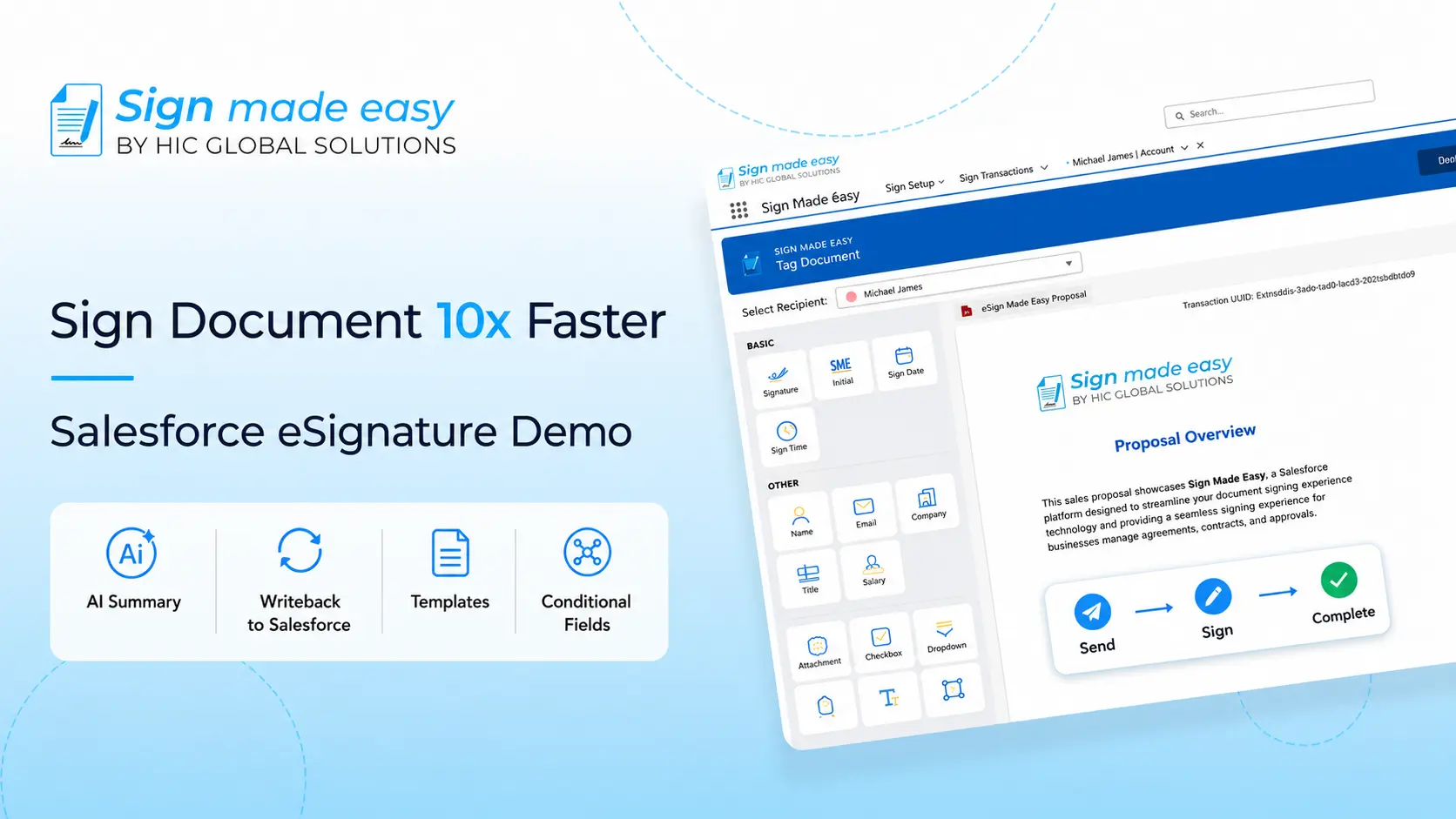
Sign Made Easy is a purpose-built eSignature for Salesforce solution. It lets you send, track, and manage documents directly inside Salesforce without extra setup or third-party connectors. This deep integration saves time, boosts productivity, and avoids the limitations of Adobe Sign and Salesforce workflows.
Flexible and Scalable for Teams
Whether you’re a small startup or a large enterprise, Sign Made Easy scales with your needs. Add or remove users anytime without penalties. Unlike Adobe Sign subscription plans, you don’t have to commit to rigid tiers or pay for seats you don’t need.
Faster Setup and Easy to Use
No complex installations or long training sessions. Sign Made Easy can be deployed within Salesforce in minutes. Its simple interface and drag-and-drop functionality make eSigning quick, efficient, and hassle-free for both senders and recipients ideal for businesses wanting a Salesforce eSign app that just works.
Affordable and Compliance-Ready
With Sign Made Easy, you get enterprise-grade compliance, detailed audit trails, and legally binding signatures without the enterprise price tag. It’s an affordable Salesforce eSignature solution that meets security standards while staying budget-friendly, making it the perfect free alternative to Adobe Sign for growing businesses.
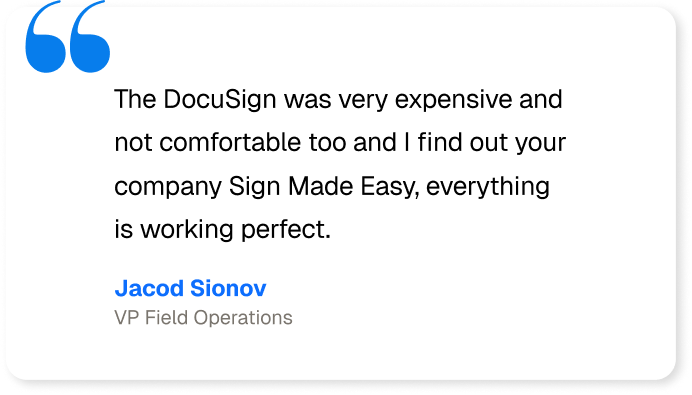
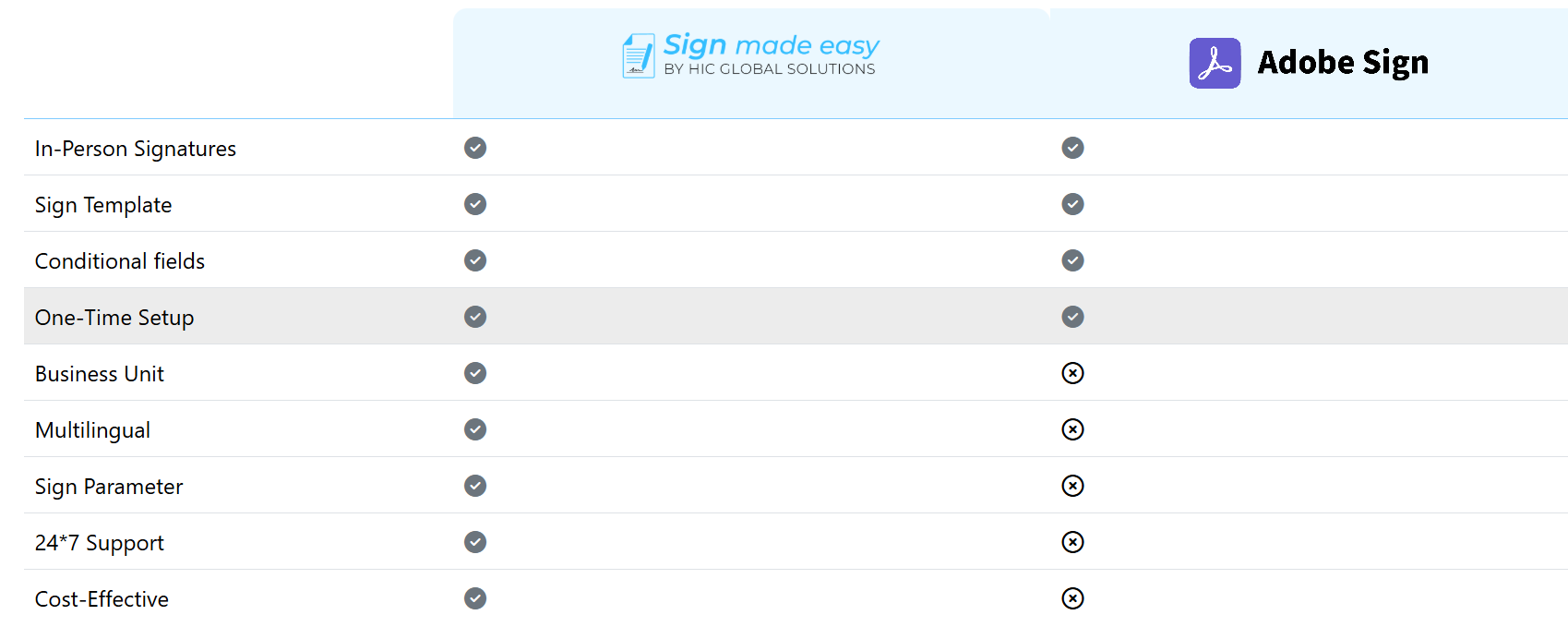
When it comes to finding the best eSignature solution, businesses have plenty of choices, including Adobe Sign, DocuSign, Conga Sign, and Sign Made Easy. While many tools provide basic electronic signature software for Salesforce, Sign Made Easy stands out with its smooth Salesforce eSignature integration, user-friendly interface, and quick, hassle-free setup. It offers a cost-effective, reliable alternative for teams looking to streamline document signing without the complexity or high costs of other platforms.
Best Adobe Sign Alternative: Sign Made Easy
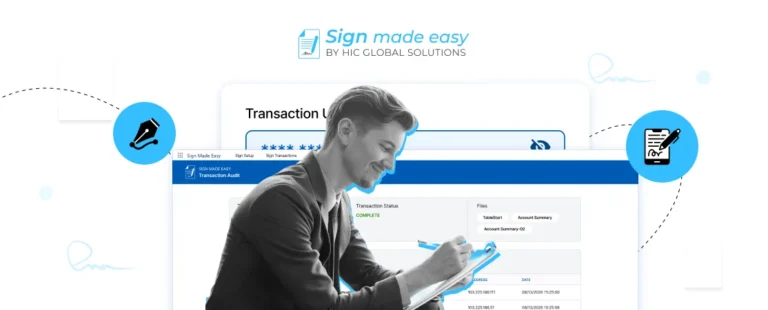
Sign Made Easy is a Salesforce eSignature solution that meets strict security requirements, including SOC 2 Type II and HIPAA compliance. It offers encrypted data storage, audit trails, and advanced authentication features to protect against fraud and unauthorized access.
The platform offers encrypted data storage, detailed audit trails, and advanced authentication features to protect documents from fraud and unauthorized access. By combining security, compliance, and ease of use, Sign Made Easy enables organizations to manage Salesforce eSignature processes efficiently, ensuring that all electronic signatures are secure, legally valid, and seamlessly integrated within Salesforce. This makes it a trusted and reliable solution for businesses of all sizes looking for a complete, secure, and easy-to-use eSignature experience.
Conclusion
Sign Made Easy is the best Adobe Sign alternative for businesses that rely on Salesforce. It offers strong security, including SOC 2 Type II and HIPAA compliance, to keep your documents safe and legally valid. With features like encrypted storage, audit trails, and advanced authentication, it ensures complete protection and transparency. The platform is easy to use, integrates seamlessly with Salesforce, and helps teams complete signing workflows faster. Plus, Sign Made Easy Pricing is affordable, making it a perfect fit for businesses looking for a secure, efficient, and cost-effective eSignature solution.