








Sign Made Easy logo

How to Save Signed Documents Back to Salesforce with Seamless eSignature for Salesforce Integration

Share article via
Posted on December 30, 2025
By Team Sign Made Easy | 2 Mins Read
Esignature solutions

On this page

    Saving signed documents directly inside Salesforce is an important part of keeping approvals organized, secure, and easy to track. Instead of manually downloading and re-uploading files, teams can rely on built-in automation to store completed agreements right on the record. This guide will provide the exact steps to complete the process using eSignature for Salesforce, Salesforce digital signature, and other powerful Salesforce eSignature features that streamline every signing workflow.

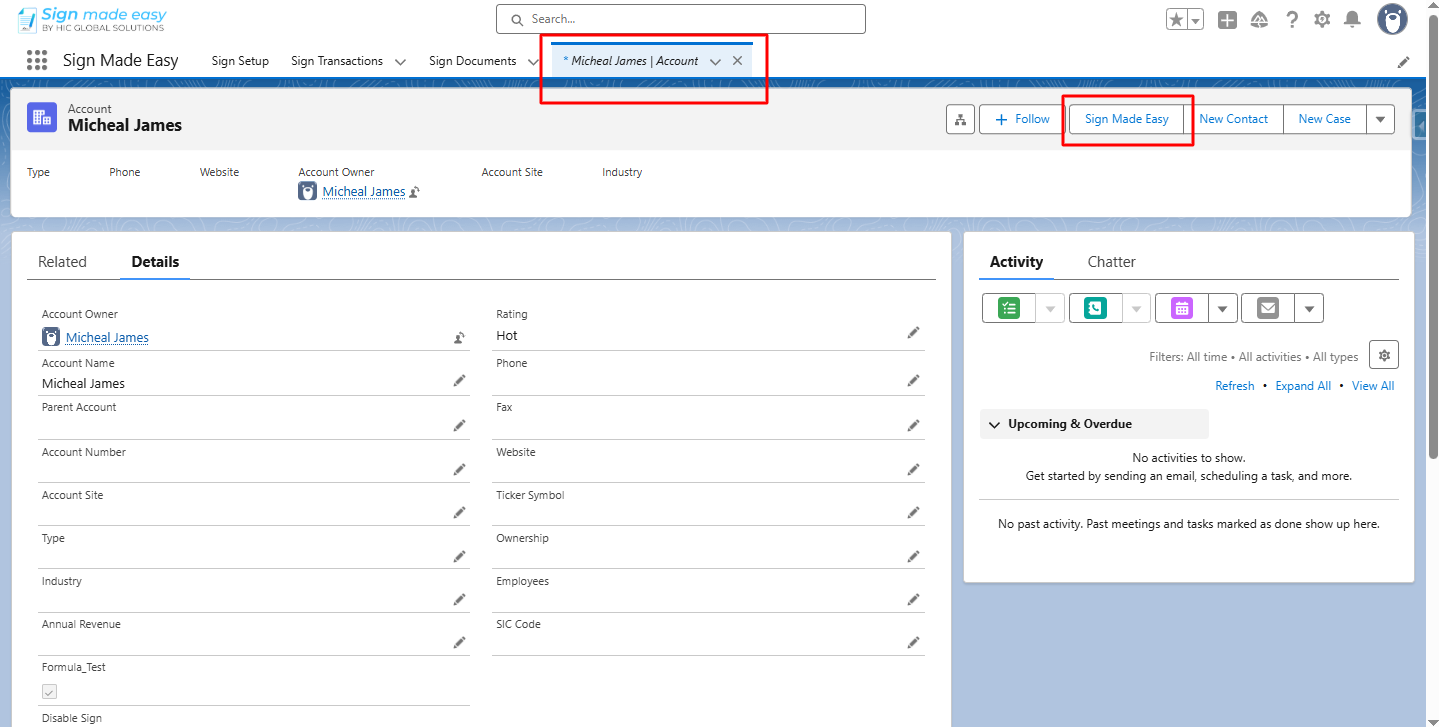
    Step 1:- Navigate to the object’s record detail page, then click the custom button you created.
    Esignature Solutions


    Step 2:-
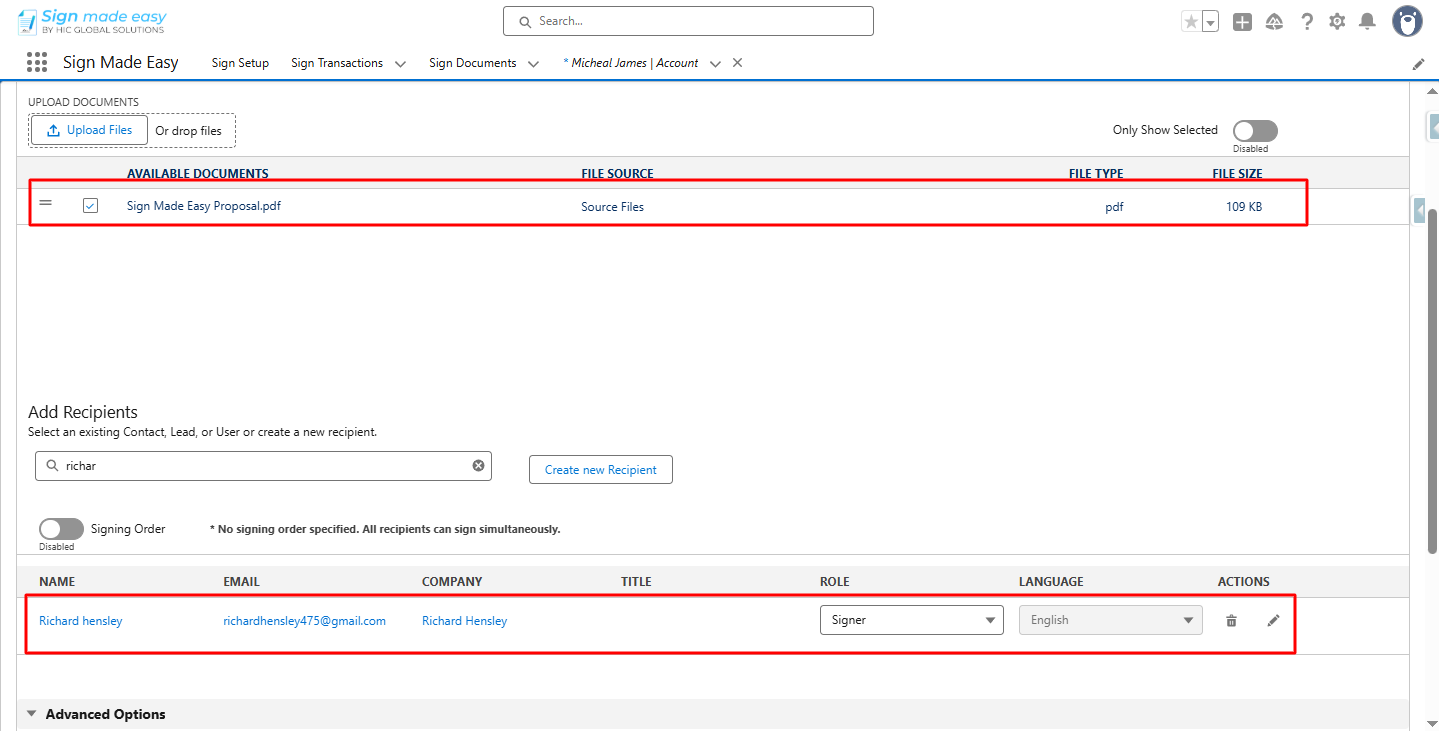
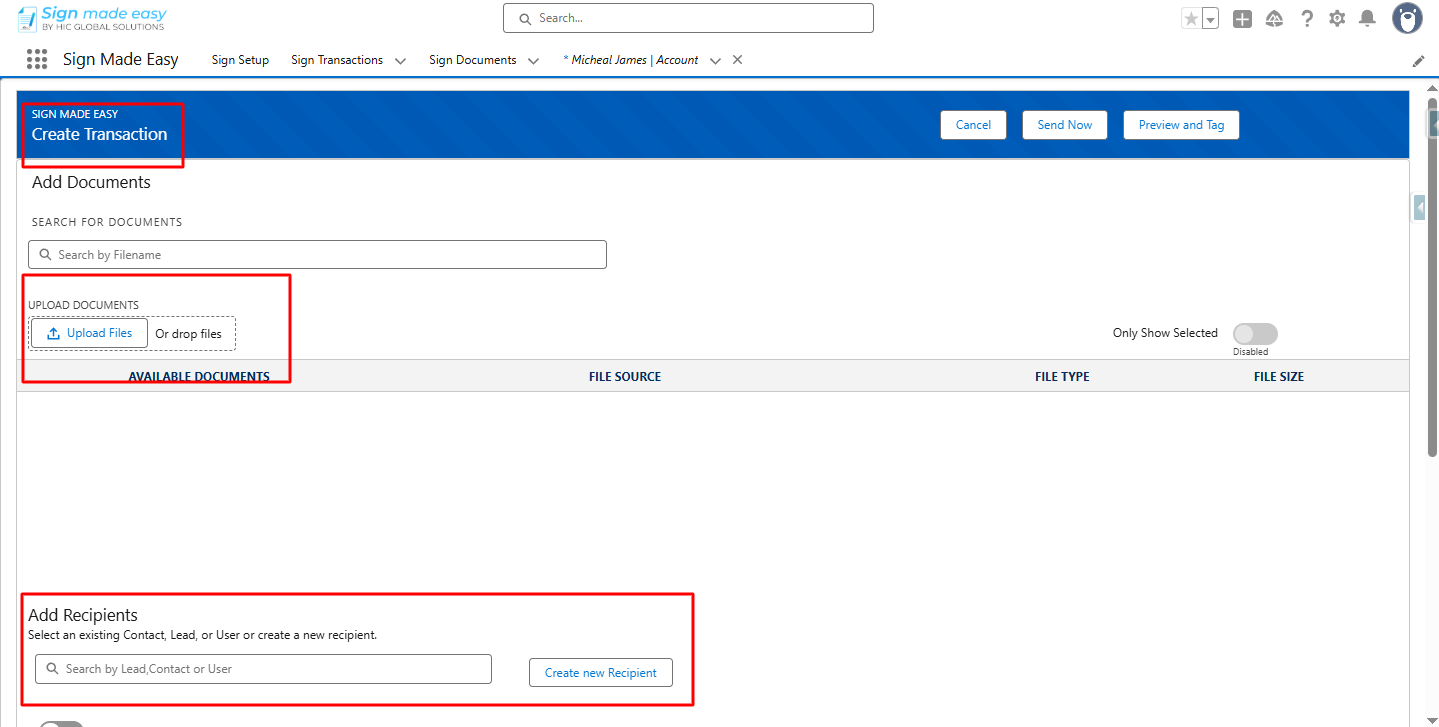
    The Create Transaction page is launched. Upload the document and add Recipients.
    Esign Solution


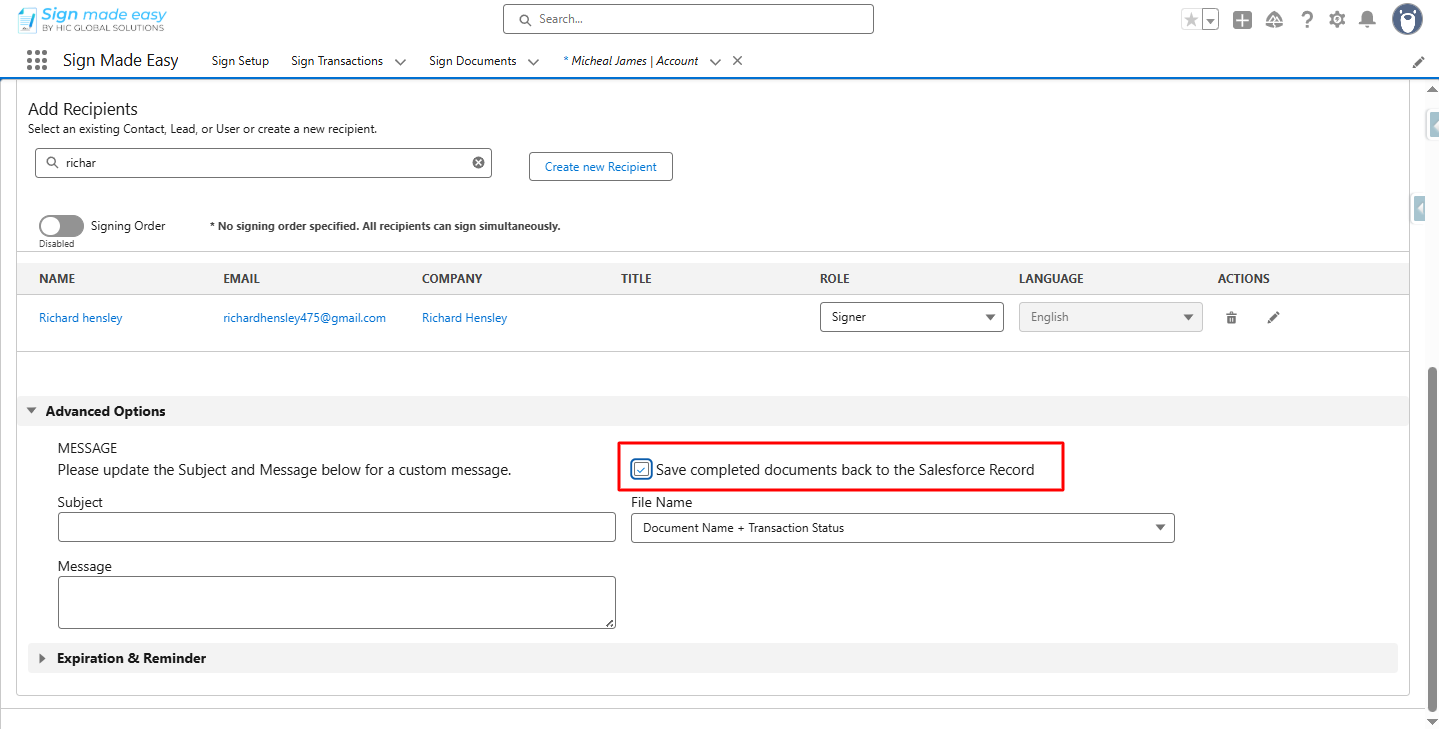
    Step 3:- Select the checkbox to save completed documents back to the Salesforce Record.
    Esign app for Salesforce

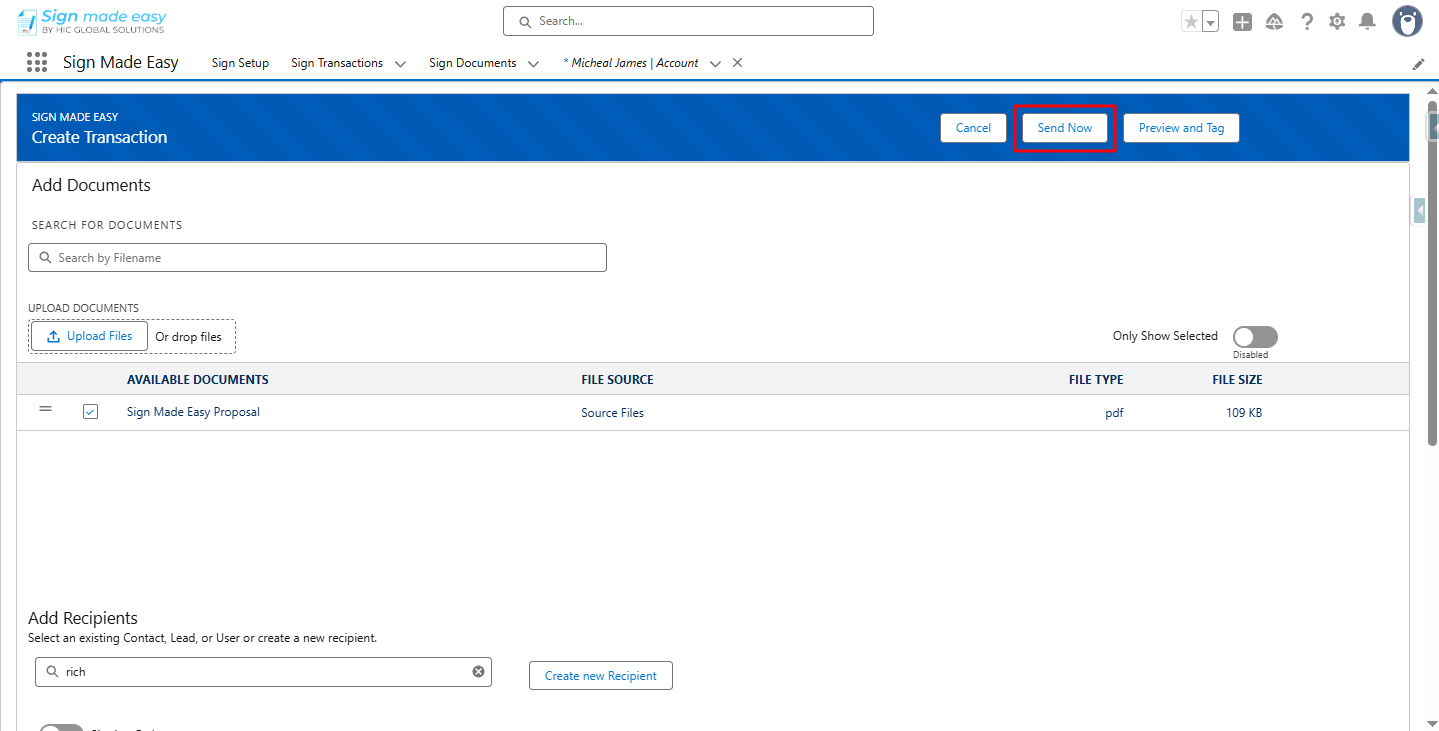
    Step 4:- Click Send Now.

    Esignature app for salesforce


    The email is sent to the selected recipient.
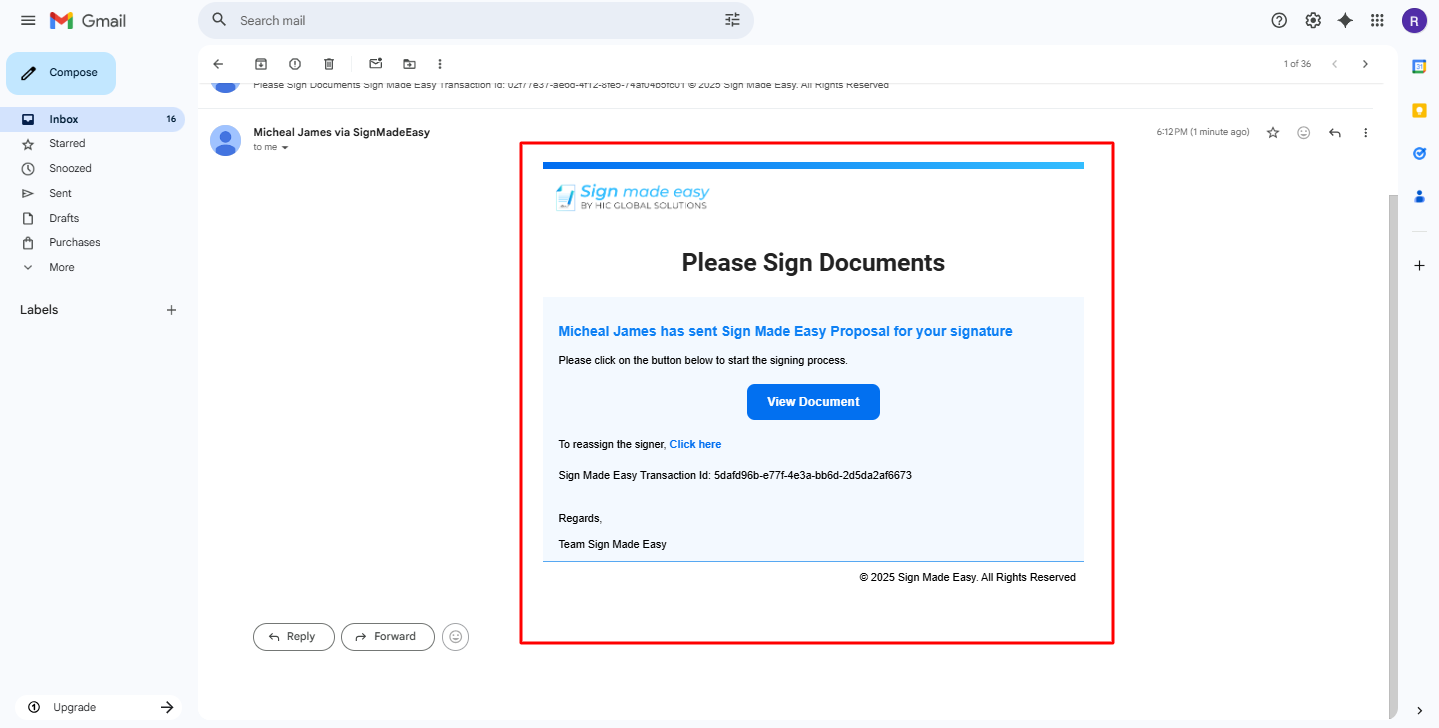
    Esignature Salesforce


    Step 5:-
    Complete the signing process, then click the Complete Sign button.
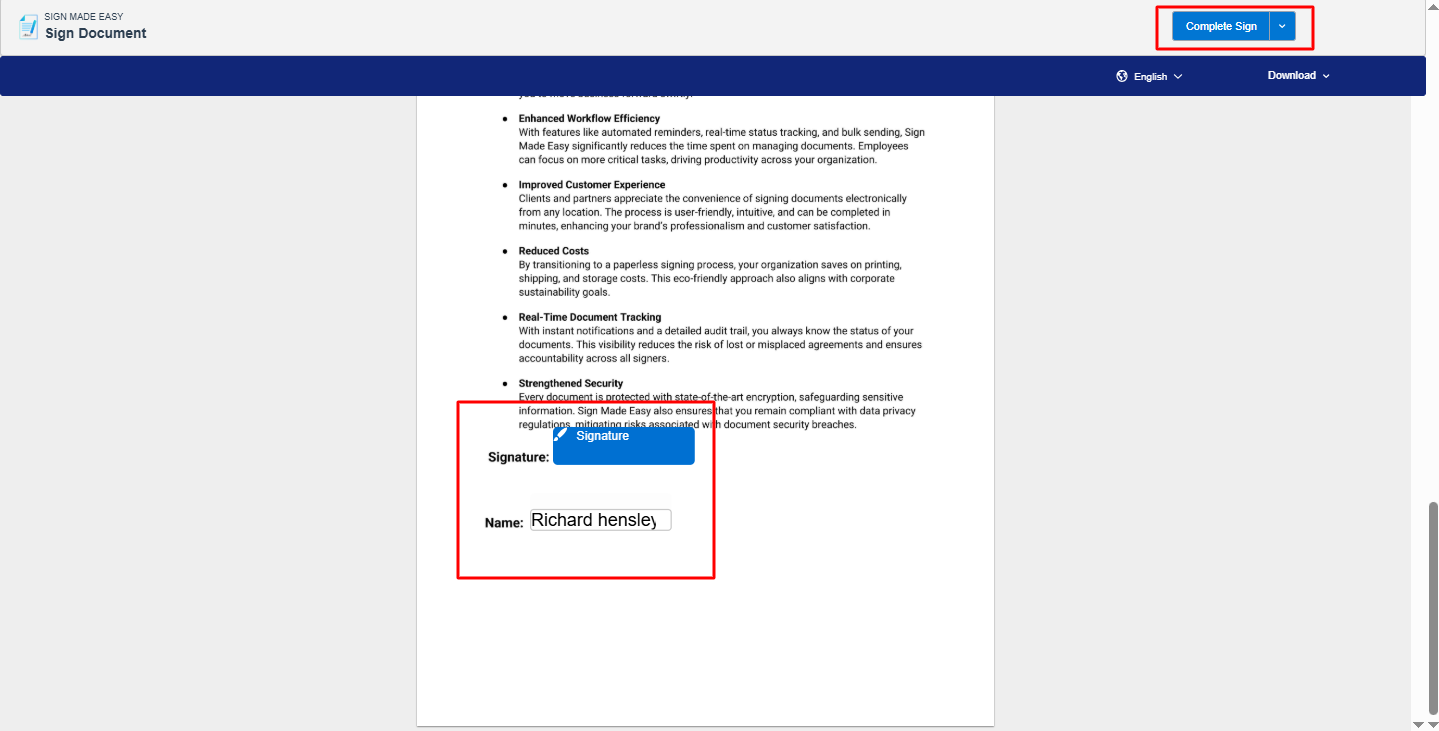
    esign for Salesforce


    Step 6:- Upon completion of the signing process, the document is stored in Salesforce.
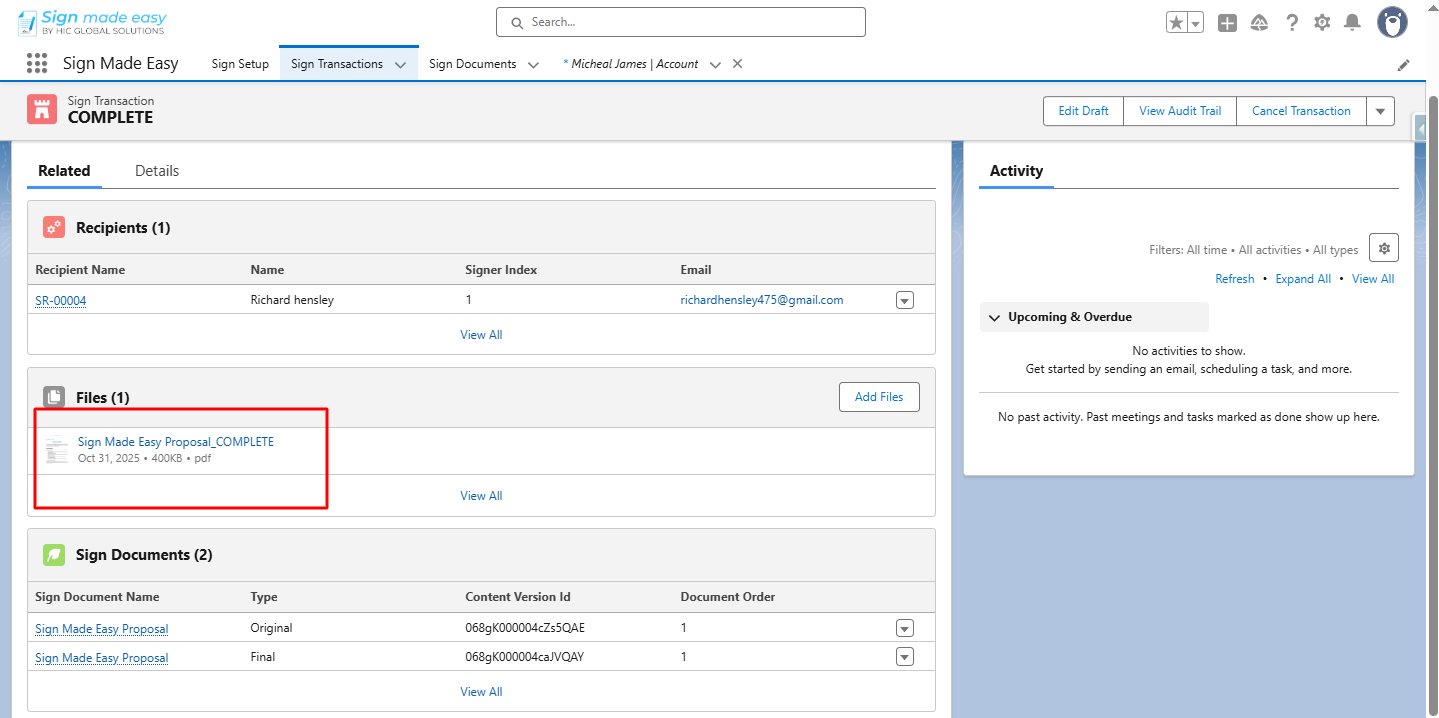
    Esignature for Salesforce

    Conclusion

    By saving completed documents directly in Salesforce, your approval process becomes faster, cleaner, and fully traceable. With dependable Salesforce electronic signature capabilities and seamless eSignature integration, teams can reduce manual effort, maintain accurate recordkeeping, and ensure every signed document remains securely attached to the right Salesforce record for future use.

    Frequently Asked Questions

    You can save signed documents directly in Salesforce by enabling the option to store completed files back to the Salesforce record during the eSignature transaction. Once signing is complete, the document is automatically attached to the related object without manual uploads.

    Yes. Salesforce supports automatic storage of completed eSignature documents when using a Salesforce eSignature solution. This ensures signed files are securely saved on the correct record as soon as the signing process is finished.

    Signed documents can be saved on standard objects like Opportunities, Accounts, Contacts, and Cases, as well as custom objects, depending on how your Salesforce digital signature setup is configured.

    No. With Salesforce eSignature automation enabled, documents are stored automatically on the record after completion, eliminating the need for downloading and re-uploading files.

    Recent Posts

    Validation Before Sending Documents for eSignature in Salesforce (DS & DSM Parameters)

    Modern businesses rely on eSignature for Salesforce to automate approvals and close deals faster, but not every recipient should be…

    Read More
    CNX 2026
    Ultimate Guide to CNX 2026: Everything You Need to Know

    CNX 2026 is set to become one of the most anticipated Salesforce events 2026 professionals are preparing for. As the…

    Read More
    Top Salesforce Integration Apps at Dreamforce 2025 You Can’t Miss
    Top Salesforce Integration Apps at Dreamforce 2025 You Can’t Miss

    Dreamforce 2025 Overview Salesforce organizes its Dreamforce event every year, bringing together the global community to connect, learn, and celebrate…

    Read More