



Signing a document sounds simple. Send it, someone signs it, done. But when that same thing happens hundreds of times, across sales, operations, service, and approvals, suddenly it is not that simple anymore.
Aqualife USA was dealing with this exact problem. The company had been using DocuSign for its signing needs while Salesforce was already being used as its CRM, and the cost and overall experience of its Salesforce eSignature setup were becoming difficult to justify. Aqualife eventually moved to Sign Made Easy and built its signing process directly into Salesforce.
And the result was pretty interesting, a 90% increase in productivity and a 60% reduction in document storage usage were reported after improving the process. The bigger lesson here is not only about Aqualife, it is about how businesses can rethink the way signatures work inside Salesforce.
How Sign Made Easy Turned Signing Challenges Into a Simpler Workflow
The problem was not that electronic signatures did not work. The problem was everything around them.
A business can have an excellent signing tool, but if people still have to jump between Salesforce and another platform, chase recipients, manage drafts, and deal with unnecessary files, the workflow still feels like a lot of work.
Too Much Document Clutter Was Making Things Harder
Aqualife had both draft and unsigned documents being saved under Notes and Attachments. Over time, that created unnecessary clutter and made it harder for teams to quickly find the documents that actually mattered.
The solution was to keep only finalized and signed documents in the required place, while filtering out drafts. Thus, the Salesforce eSignature environment became much cleaner and teams could get to the completed documents without searching through everything.
The Existing Signing Setup Was Becoming Expensive
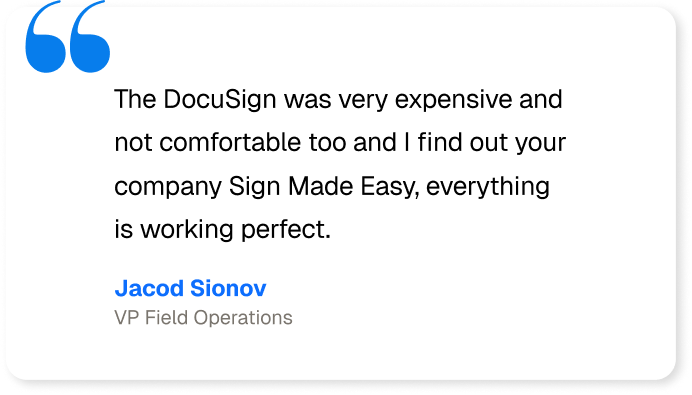
For around five years, Aqualife had been using DocuSign for its signature requirements. They team found the setup expensive and not comfortable enough for the way they were working with Salesforce. Thus they were looking for a Docusign alternative.
Instead of continuing with a setup that was becoming difficult to justify, Aqualife looked for another option and moved to Sign Made Easy, bringing eSignature for Salesforce functionality into its working environment.
Switching Between Systems Was Creating Extra Work
When the CRM and signing platform sit separately, even a small signing task can become a multi-step process. Open Salesforce, find the record, move somewhere else, send the agreement, wait for updates, and then come back again.
A Salesforce electronic signature and Salesforce eSignature approach can keep more of these actions around the Salesforce record itself. This means sales and operations teams can work closer to the place where the customer information already lives.
Following Up on Signatures Should Not Become Someone’s Full-Time Job
Unsigned agreements are another common headache. A document gets sent, the recipient forgets, somebody from the team notices it two days later, and then another email goes out.
A modern Salesforce eSignature workflow can include automated reminders and real-time status tracking, so teams can see whether a document is pending, viewed, signed, or declined without manually checking every agreement. Salesforce itself also supports e-signature workflow states and actions for contract processes.
The Process Needed to Be Easier, Not Just Digital
Going from paper to electronic signing is useful, but that alone does not mean the workflow is actually simple.
The bigger improvement comes when the signing process fits into the existing Salesforce process. For businesses already working in Salesforce, eSign Salesforce capabilities can help teams send and manage signatures without creating another disconnected routine.
The eSignature Problems Businesses Are Still Dealing With
Aqualife USA is one example, but the problem is much bigger than one company.
Across healthcare, professional services, sales, finance, real estate, and other industries, teams are still dealing with signing processes that involve too many clicks, too many systems, and sometimes, yes, too much waiting.
Also, organizations are focusing on digitizing patient intake, consent, staffing, compliance, and other agreement processes.
Sales Teams Need Faster Agreement Turnaround
Sales teams are usually not waiting for another tool to manage. They want the agreement sent, signed, tracked, and completed.
With eSignature for Salesforce, teams can start the signing process from Salesforce and keep the status connected with the customer record. This is especially useful when the agreement is part of a larger sales process.
Operations Teams Need Fewer Manual Checks
Operations often has to keep track of whether forms, agreements, service documents, or approvals have been completed.
When the signing status is visible inside Salesforce, teams do not need to keep opening different systems just to check what happened. Moreover, automated notifications can help keep everyone aware of pending actions.
Regulated Industries Need Better Control
Healthcare, financial services, insurance, and other regulated industries cannot treat signatures as just another PDF.
They need proper records, controlled access, audit trails, and secure handling of signed information. A Salesforce electronic signature solution should therefore fit into the company’s security and compliance requirements instead of becoming another loose system sitting outside the main workflow.
Remote Customers Expect Signing to Be Easy
Customers are not necessarily sitting at a desk waiting for a document.
They may be on a phone, tablet, laptop, or somewhere completely different. A modern eSignature for Salesforce process needs to make it easy for them to review and sign without unnecessary steps.
That is also why Salesforce eSignature has become more about the overall signing experience, not simply replacing a handwritten signature.
Simplifying Salesforce eSignatures With Sign Made Easy
This is where Sign Made Easy fits into the picture.
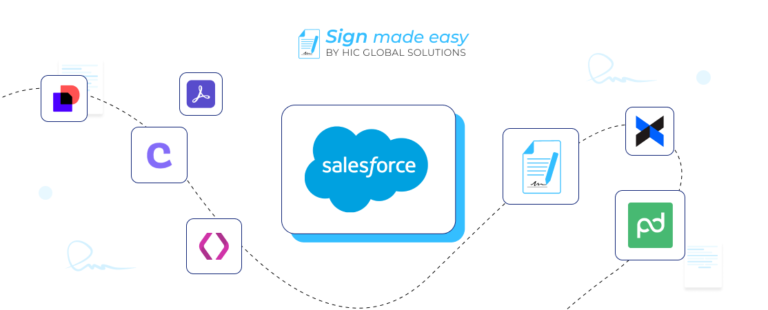
Sign Made Easy is a Salesforce-native eSignature solution that lets businesses create, send, manage, and track signatures directly within Salesforce. It supports signing workflows, templates, real-time status tracking, audit trails, and automated actions.
Instead of taking the customer data from Salesforce, moving it somewhere else, sending the agreement, and then manually bringing the result back, the signing process can stay much closer to the Salesforce record.
And honestly, this is where the whole thing starts making more sense.
With eSignature for Salesforce, businesses can:
- Send agreements directly from Salesforce records
- Set up reusable signing templates
- Automatically populate signer and record information
- Track viewed, pending, signed, and declined agreements
- Send automated reminders
- Keep completed signatures connected with Salesforce records
- Use Salesforce Flow to trigger signing actions
- Support in-person signing when customers are physically present
- Maintain audit trails for signing activity
- Move away from unnecessary paper-based signing processes
Sign Made Easy also supports Salesforce automation, which means businesses can trigger signing activities based on Salesforce events and field values instead of asking users to manually start every transaction.
Making the Switch From DocuSign Easier
For companies already using DocuSign, switching does not necessarily mean throwing away the entire signing process and starting from zero.
The first thing is understanding what the business actually uses today. Templates, recipients, signing order, reminders, Salesforce objects, approvals, and other settings all need to be looked at before moving forward.
Aqualife’s experience is a good example of this. The company had been using DocuSign for years, but after finding the cost and experience difficult, it explored another option and implemented Sign Made Easy inside Salesforce.
The company reported completing its setup and required filters in about two weeks, after which the new signing functionality was working inside its Salesforce environment.
Keeping the Signing Process Inside Salesforce
The main advantage is not simply having another eSign tool. It is having a Salesforce eSignature process that works around the CRM your team is already using.
With eSign Salesforce workflows, businesses can connect signing actions to Opportunities, Accounts, Contracts, Quotes, Orders, Cases, or even custom Salesforce objects. Sign Made Easy currently supports sending from standard and custom Salesforce objects.
This means the signature does not feel like a separate activity anymore. It becomes part of the actual business process.
What Businesses Can Gain From a Simpler Signing Process
A better signing process does not need to be complicated. In fact, the best improvements are often the ones people barely notice because the unnecessary steps have simply disappeared.
- Less switching between Salesforce and external signing platforms
- Faster agreement turnaround
- Fewer manual follow-ups
- Cleaner Salesforce records
- Better visibility into pending signatures
- Automated reminders for recipients
- Easier in-person signing
- Real-time signing status
- Tamper-proof audit trails
- Less paper and physical storage
- Easier management of recurring signing processes
Additionally, Sign Made Easy states that its automated workflows can help businesses send most agreements in 10 minutes or less, while its platform provides real-time tracking and automated reminders.
Conclusion
Aqualife USA’s experience shows something pretty simple. Sometimes productivity does not improve because people suddenly start working twice as hard, it improves because the unnecessary work finally gets removed.
The company reported a 90% productivity increase and 60% lower document storage usage after simplifying its signing and document-management process.
But this is not only an Aqualife story. Any business using Salesforce and sending agreements, forms, approvals, or contracts can face the same problems when signing becomes disconnected from the rest of the workflow.
Salesforce eSignature gives businesses a way to bring signing closer to the CRM, while Sign Made Easy takes that further by letting teams send, track, automate, and manage signatures directly inside Salesforce.
And therefore, if the current process still looks like Salesforce → another platform → email → follow-up → another platform → back to Salesforce, maybe it is time to simplify the whole thing.