






When organizations evaluate Docusign pricing, they often compare Docusign pricing plans and Docusign subscription costs with alternatives. Beyond cost, companies want efficiency, secure workflows, and the right electronic signature solution. In this guide, we’ll explore Docusign cost per month, Docusign monthly pricing, Docusign CLM pricing, Docusign Salesforce pricing,
How Does Docusign Pricing Plans Work?
DocuSign plans and pricing follow a subscription model. Customers pay monthly or annually based on features, usage, and the number of users. The Docusign annual fee often surprises small businesses and startups, as costs add up with some extra hidden charges.
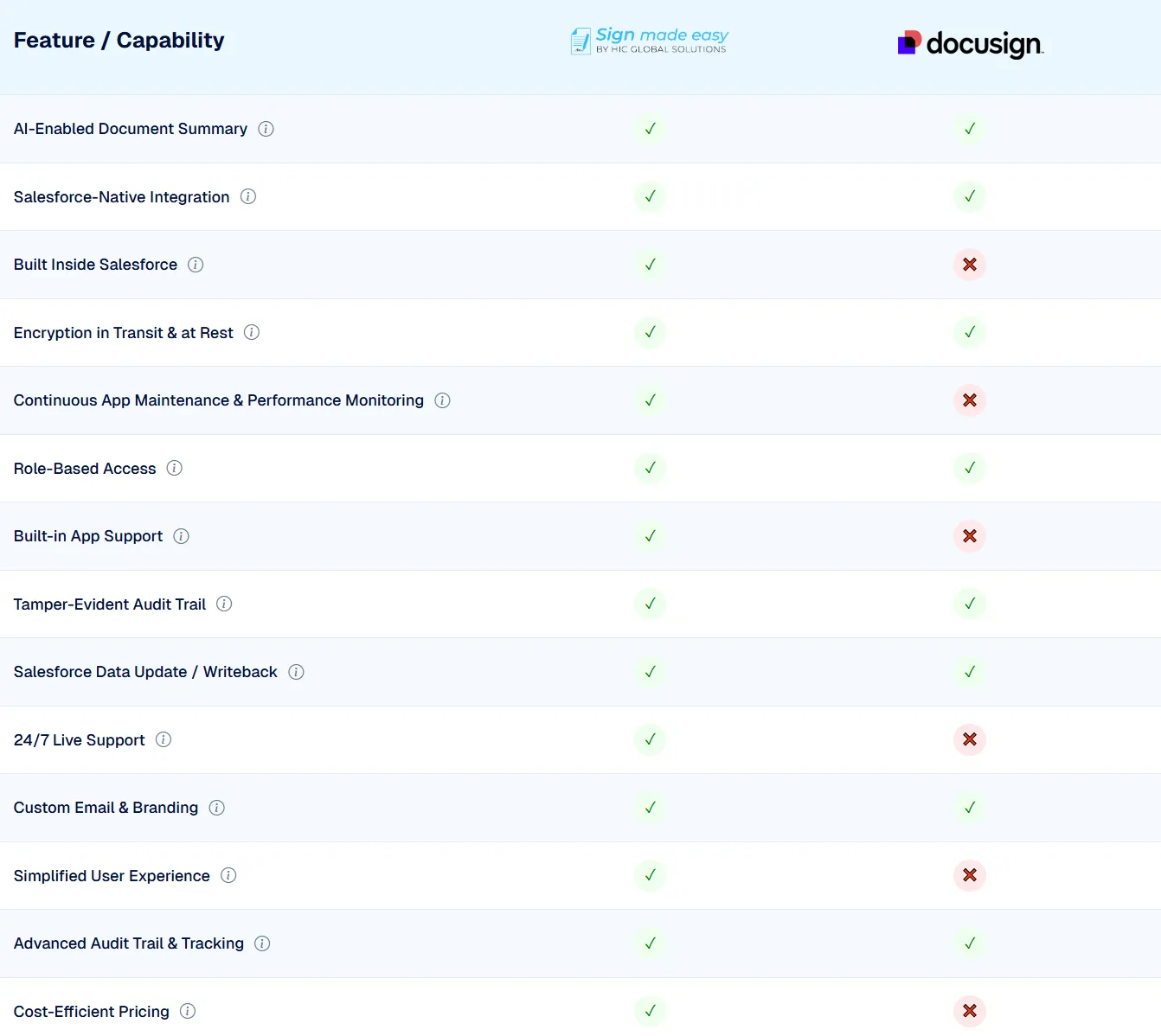
It has Docusign API pricing for developers, Docusign HIPAA-compliant pricing for healthcare, Docusign nonprofit pricing for nonprofits, and Docusign enterprise pricing for large organizations. However, many customers turn to third-party signing tools for Salesforce, such as Sign Made Easy, which offers an affordable Salesforce electronic signature and eSignature integration.
How Much Does Docusign Cost?
The Docusign cost for small businesses varies depending on the selected plan:
- Docusign Personal Plan – $15/user per month
- Docusign Standard Plan – $45/user per month
- Docusign Business Pro Plan – $65/user per month
- Docusign Enhanced & Enterprise Pricing – Custom quotes from sales.
Docusign Pricing Plans 2026: A Detailed Breakdown
A clear and concise breakdown of Docusign pricing plans, highlighting key features and costs to help you choose the right plan for your needs.
| Plan | Cost | Use Cases |
| Personal Plan | $15/month | Solo professionals |
| Standard Plan | $45/user per month | Small Businesses |
| Business Pro Plan | $65/user per month | Designed for advanced signing |
| Enterprise Plan | Docusign enterprise pricing | Large organizations |
Docusign Pricing in 2026 for Specialized Needs
- Docusign API pricing: Developers pay based on envelope usage, which can be costly.
- Docusign HIPAA compliant pricing: Designed for healthcare compliance but priced higher.
- Docusign nonprofit pricing: Discounted but still often expensive for charities.
- Docusign Salesforce pricing: Businesses pay extra for CRM integrations, while Sign Made Easy offers smooth eSignature integration on Salesforce.
Why Consider Alternatives to DocuSign?
Organizations explore Docusign competitor pricing and cheaper alternatives to Docusign due to:
- High Pricing & Hidden Fees – Many complain about unexpected Docusign fees.
- Limited Flexibility – Scaling user counts increases costs.
- CRM Integration Costs – Especially with Salesforce electronic signatures.
Best Docusign Alternative: Sign Made Easy
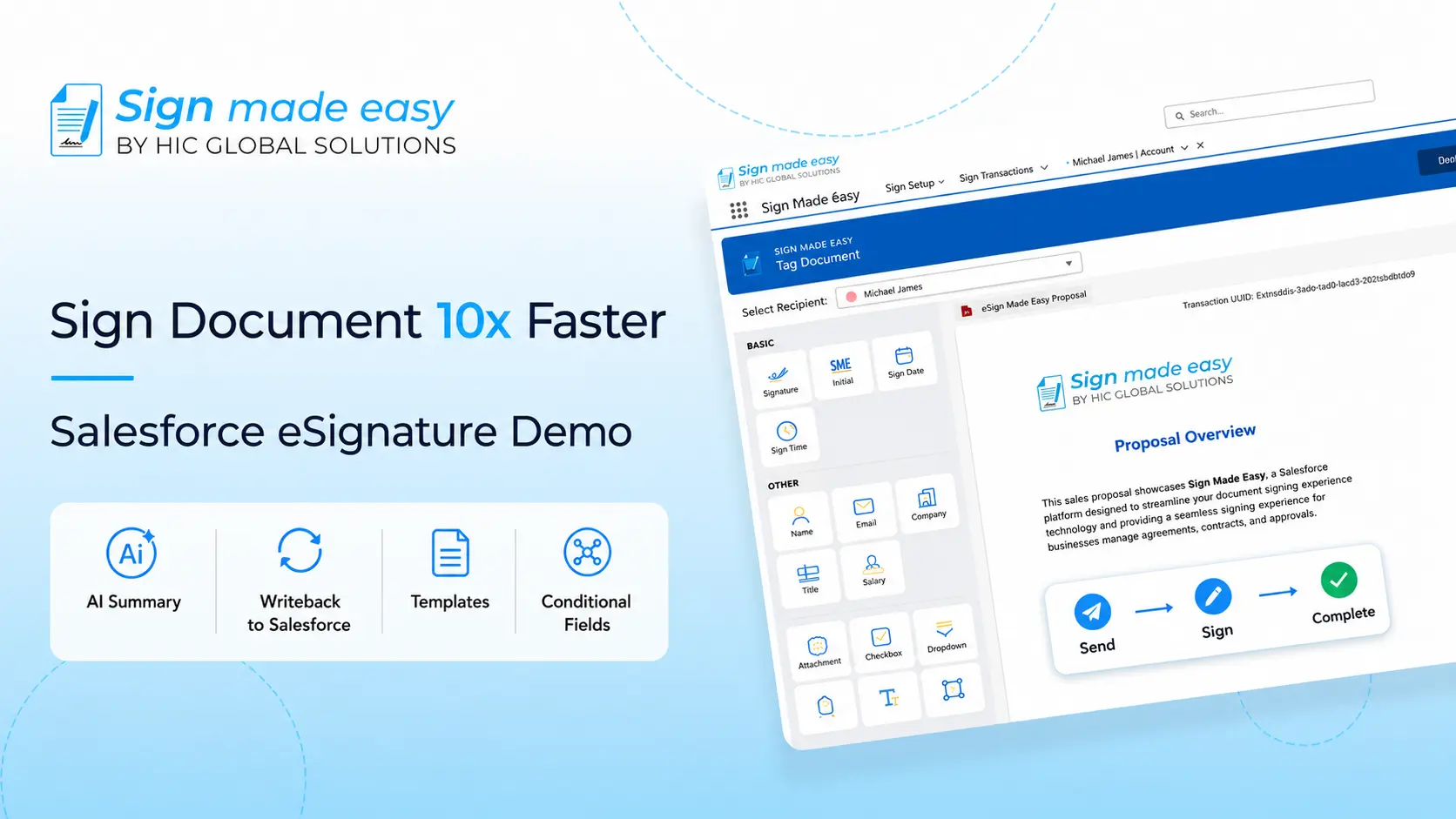
Sign Made Easy is a best Docusign alternative offering secure eSignatures, document and contract management, and seamless Salesforce integration. It’s user-friendly, cost-effective, and packed with features like workflow automation, audit trails, and real-time tracking ideal for businesses seeking a scalable, compliant, and efficient electronic signature solution.
It provides:
- Affordable Docusign alternative for small businesses.
- Seamless eSignature for Salesforce with a fast signing process in Salesforce.
- Reliable Salesforce electronic signatures to sign contracts electronically without hidden costs.
- Scalable eSigning solution for SMEs and enterprises alike.
This makes Sign Made Easy vs Docusign pricing a clear win for cost savings and efficiency.
Best Docusign Alternative: Industries and Departments Wise
Sign Made Easy is a smart, cost-effective Docusign alternative that supports businesses across multiple industries and departments. With secure eSigning, Salesforce integration, and automation-ready workflows, it simplifies document approvals, enhances compliance, and speeds up operations at scale.
Industry Use Cases
Healthcare
Healthcare providers use Sign Made Easy to digitize consent forms, billing approvals, and patient intake processes. This electronic signature for healthcare ensures HIPAA compliance while streamlining critical workflows and reducing paperwork delays.
Manufacturing
Manufacturing teams manage vendor contracts, regulatory approvals, and internal workflows with secure, role-based eSigning. With eSign for manufacturing, companies reduce processing time, enforce compliance, and eliminate paper-driven bottlenecks.
Retail
Retail and CPG brands use Sign Made Easy to sign supply chain contracts, manage returns, and process customer-facing forms quickly. Implementing eSign for retail allows businesses to improve turnaround, lower manual errors, and ensure secure documentation across stores and channels.
Department Use Cases
Sales
Sales professionals send quotes, NDAs, and contracts directly from Salesforce for real-time signing and tracking. Using eSign for sales, teams close deals faster, reduce friction in approvals, and improve the customer experience from proposal to payment.
Human Resources
HR teams streamline hiring, onboarding, and internal policy sign-offs using mobile-ready digital workflows. The eSignature for HR solution simplifies employee document management, supports compliance, and speeds up every stage of the employee lifecycle.
Finance
Finance departments securely manage approvals for invoices, audits, and budget documents with full traceability. With eSignature for finance, teams reduce manual steps, eliminate printing, and maintain accuracy and compliance across financial operations.
Marketing
Marketing teams simplify creative approvals, campaign sign-offs, and contract execution through digital workflows. The eSignature for marketing solutions helps reduce delays, improve accountability, and maintain full visibility over document progress.
Operations
Operations teams handle SOP approvals, vendor onboarding, and compliance documents using digital signature workflows. Adopting eSign for operations helps eliminate paperwork, automate task routing, and keep critical processes moving without delays.
Popular eSignature Use Case in Salesforce
The popular eSignature use case in Salesforce is to sign documents in real-time directly inside the CRM. Businesses use Salesforce eSignature tools to close deals faster, streamline approvals, and automate workflows.
Sign Made Easy enables:
- Electronic signing functionality inside Salesforce.
- Secure electronic signature integration with CRMs.
- Electronic signing of contracts, agreements, and NDAs.
- Eliminating the need for costly third-party signing tools for Salesforce.
Final Thoughts
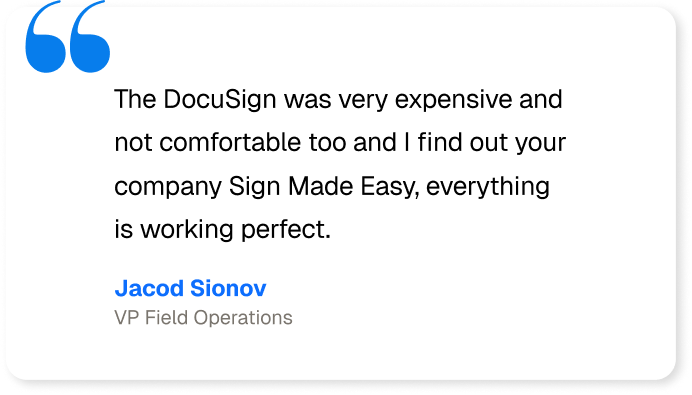
While Docusign pricing plans deliver advanced functionality, many businesses find the Docusign yearly cost, Docusign subscription cost, Docusign CLM pricing, and Docusign Salesforce pricing too expensive.
For a modern, cost-effective alternative, Sign Made Easy is the ideal choice. It delivers eSignature for Salesforce, electronic signing functionality, customized eSignature applications, and a full document management solution, all at a fraction of DocuSign’s pricing.
If your goal is to sign documents in real-time, sign electronically, and streamline the signing process in Salesforce, choosing Sign Made Easy ensures affordability, scalability, and compliance.